Second number on iMessage and Facetime

Hi all,


So, I am in two countries, and have two separate numbers on my iPhone (iPhone 11> it is dual SIM anyways). While I have both numbers active, I cannot seem to activate the second number for iMessages and the FaceTime. Is that possible?

iPhone 11 Pro Max, iOS 13

Posted on Aug 18, 2020 2:53 AM

Reply
3 replies

Aug 18, 2020 4:00 AM in response to BenFromFin

The following is extracted from Using Dual SIM with an eSIM - Apple Support


Send messages with iMessage and SMS/MMS

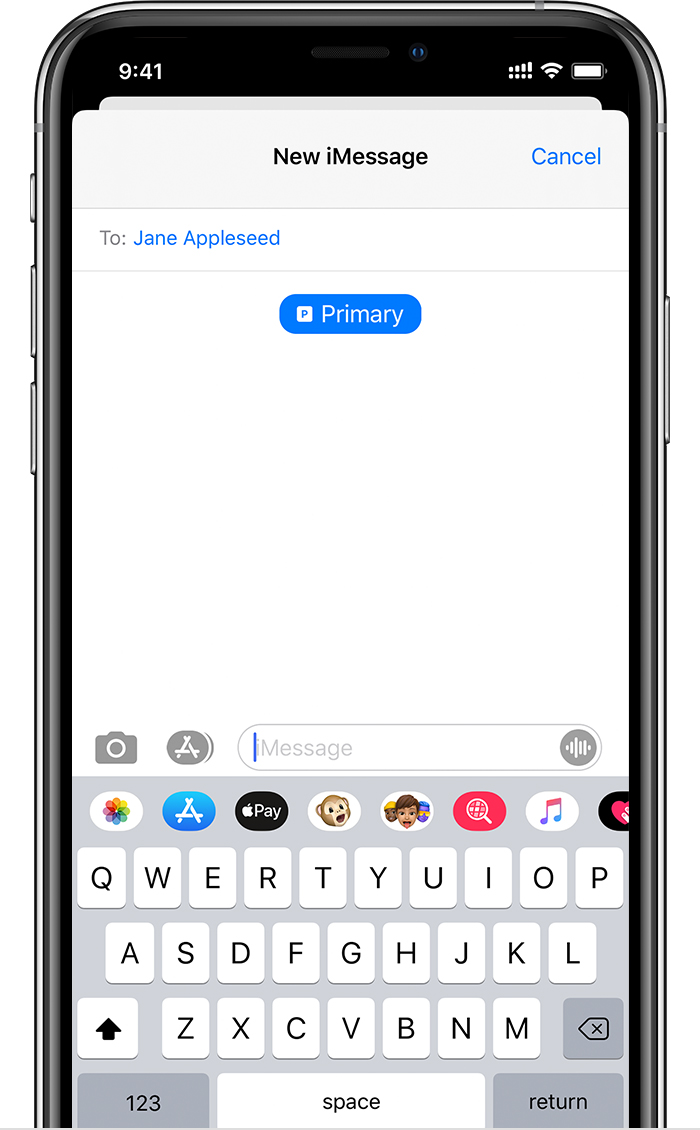
You can use iMessage or SMS/MMS to send messages with either phone number.* You can switch phone numbers before you send an iMessage or SMS/MMS message. Here's how:

  1. Open Messages.
  2. Tap the New button, in the upper right corner of the screen.
  3. Enter your contact's name.
  4. Tap the current phone number.
  5. Tap the number you want to use.

* Additional fees may apply. Check with your carrier.


Aug 18, 2020 4:05 AM in response to BenFromFin

iMessage is activated only for one number at a time. Each time you change the number your carrier may change for change over and activation. See my first post * Additional fees may apply. Check with your carrier.


However

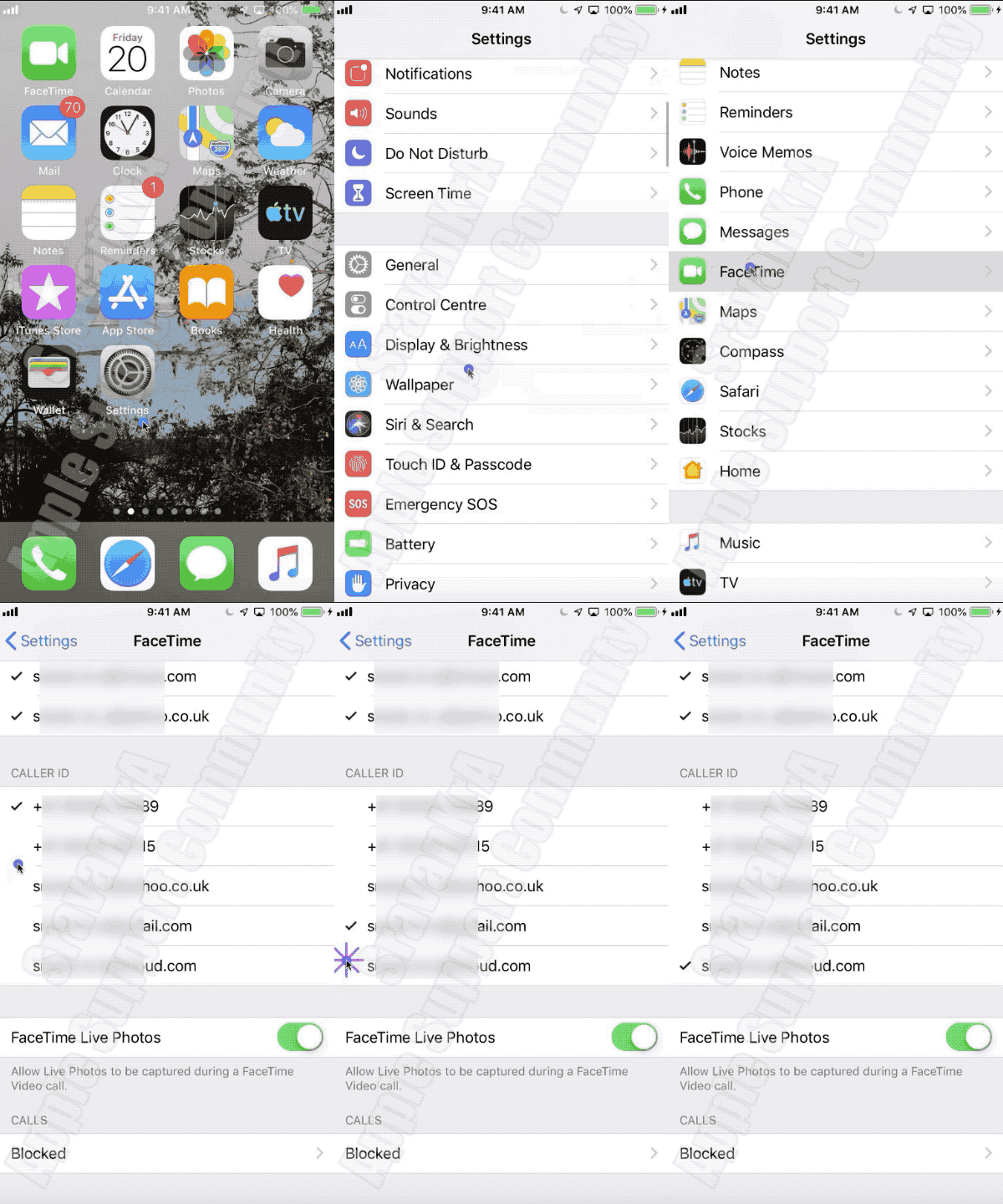
You can have multiple Caller IDs for FaceTime on your device with FaceTime.


This can be achieved by changing the Caller ID as shown in the GIF below. (Made on iPhone 6 iOS 12.4.5)

Change the Caller ID before making a FaceTime call. Enjoy privacy...


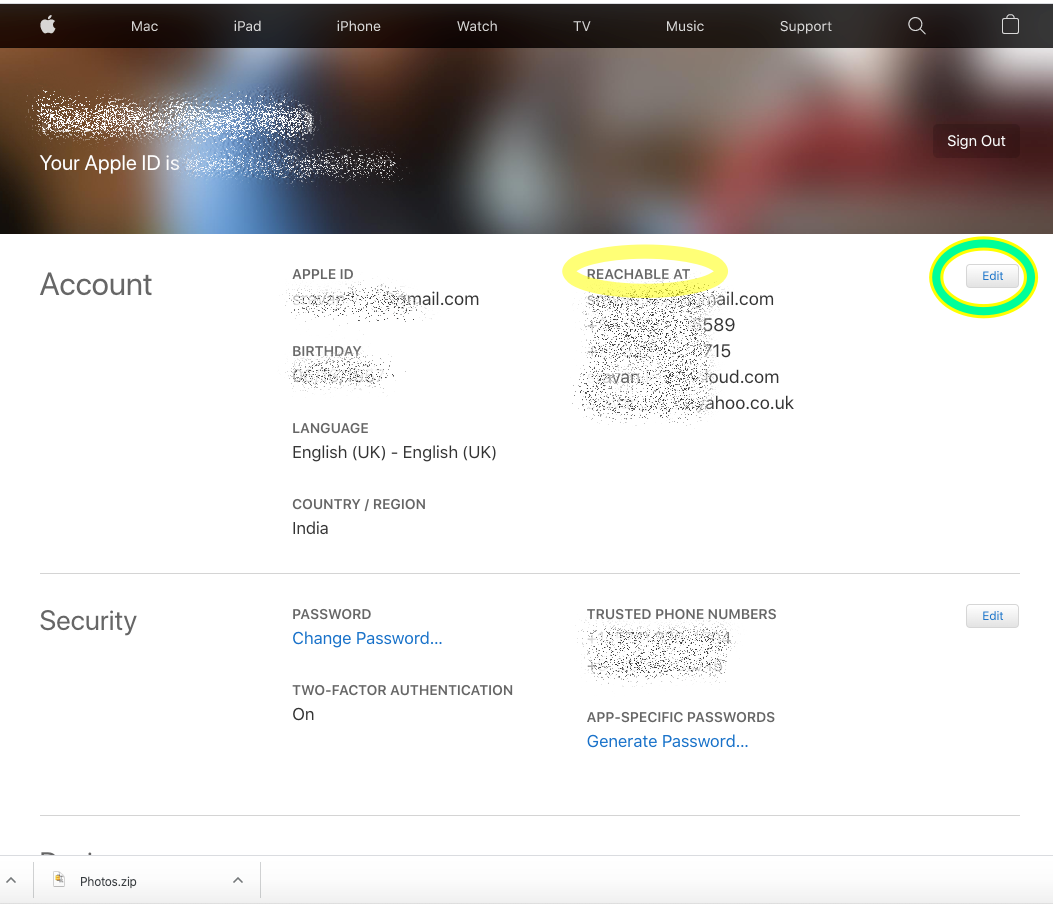
Caller ID is same as Reachable At IDs

In Order to add more Reachable At IDs (Refer to Picture at the bottom), Log into https://appleid.apple.com with your Apple ID credentials. Under Account Section Click Edit and Add as many as Reachable At Phone Number or Email IDs


GIF for changing Caller ID...


Add more Reachable At in Apple ID

This thread has been closed by the system or the community team. You may vote for any posts you find helpful, or search the Community for additional answers.

Second number on iMessage and Facetime

Welcome to Apple Support Community
A forum where Apple customers help each other with their products. Get started with your Apple Account.