“Find My” unable to add friend because Phone number not associated with an iPhone, but it is.

Hello,

I was sending requests for Find My and I received an error message like "The phone number is not associated with an iPhone. Your invitations will be sent by your email address". How is that possible? We do send iMessages from our numbers and Facetime just fine. We are using an iPhone 11.

iPhone 11, iOS 13

Posted on Aug 24, 2020 10:03 PM

Reply
Question marked as Top-ranking reply

Posted on Aug 25, 2020 2:40 AM

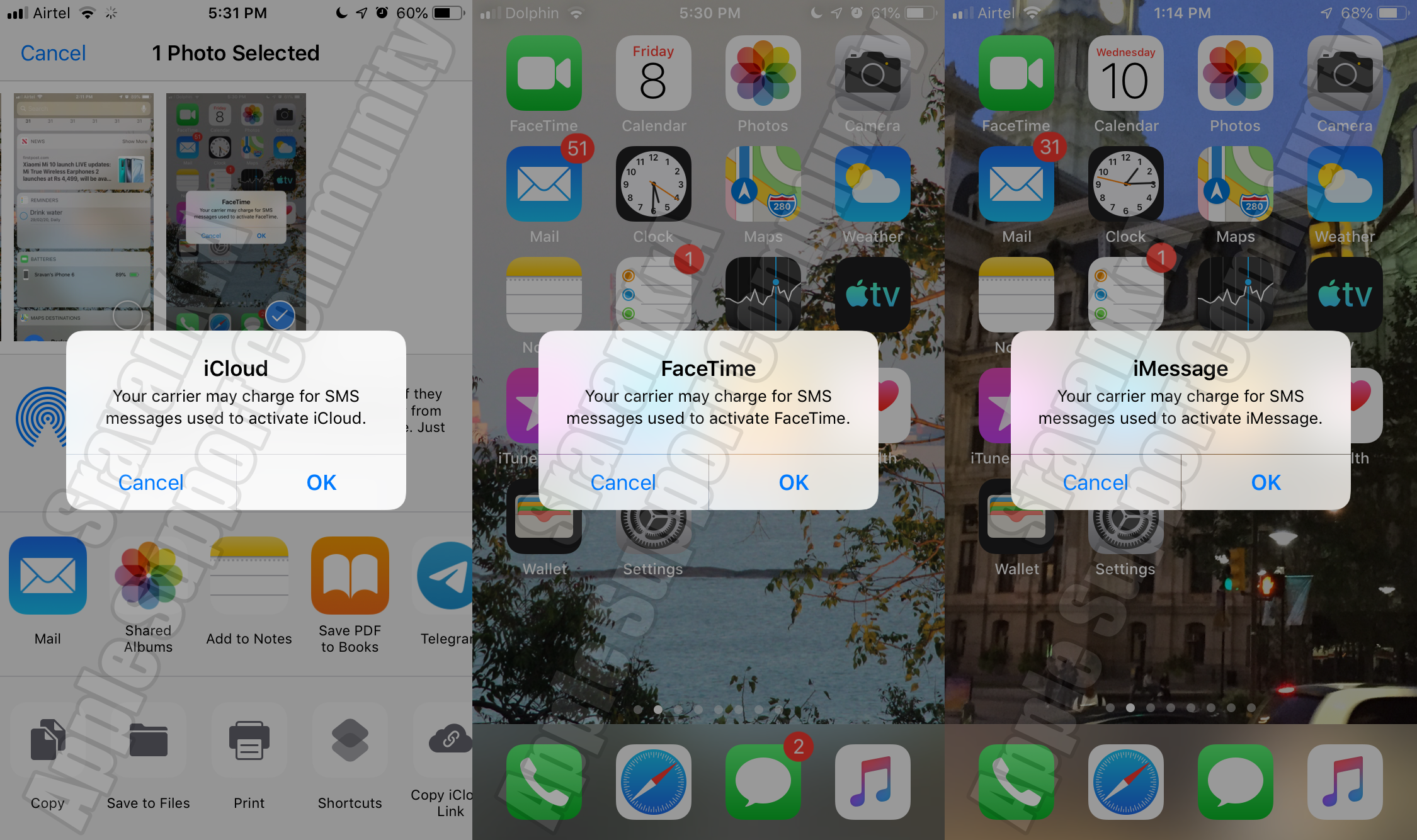
Criteria: For activating iMessage, you need one-time SMS messaging service (If you have one, skip this) to be activated on your phone number. Depending on your carrier, you might be charged for this (for iMessage activation only) SMS.

If you have dual SIM then each time you switch plan between one number with another for iMessages this activation will be charged by your carrie. See the section :- Send Message with iMessage and SMS/MMS it is clearly said; additional charges may apple.


Contact your Carrier (Cellular Service Provider) The agency who issued the SIM to you to know whether you have SMS plan enabled at least for One SMS


See the pic below

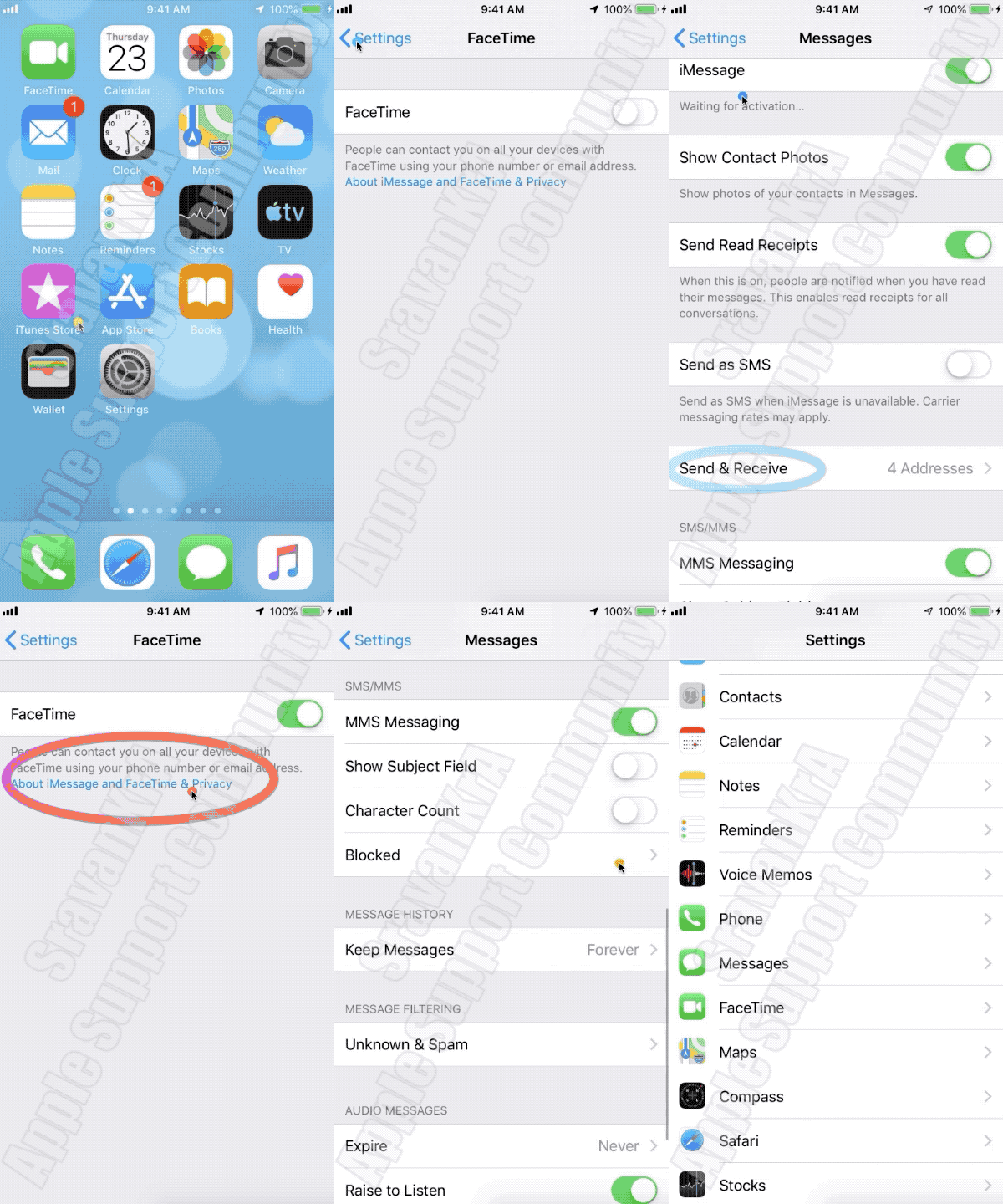
4 Step Process --> Turn off and restart iMessage and FaceTime (The order / sequence is very important)

  1. Go to Settings > Messages and turn off iMessage.
  2. Go to Settings > FaceTime and turn off FaceTime.
  3. Restart your device.
  4. Turn iMessage and FaceTime back on. (Watch the GIF below)

2 replies
Question marked as Top-ranking reply

Aug 25, 2020 2:40 AM in response to Loghz

Criteria: For activating iMessage, you need one-time SMS messaging service (If you have one, skip this) to be activated on your phone number. Depending on your carrier, you might be charged for this (for iMessage activation only) SMS.

If you have dual SIM then each time you switch plan between one number with another for iMessages this activation will be charged by your carrie. See the section :- Send Message with iMessage and SMS/MMS it is clearly said; additional charges may apple.


Contact your Carrier (Cellular Service Provider) The agency who issued the SIM to you to know whether you have SMS plan enabled at least for One SMS


See the pic below


4 Step Process --> Turn off and restart iMessage and FaceTime (The order / sequence is very important)

  1. Go to Settings > Messages and turn off iMessage.
  2. Go to Settings > FaceTime and turn off FaceTime.
  3. Restart your device.
  4. Turn iMessage and FaceTime back on. (Watch the GIF below)


This thread has been closed by the system or the community team. You may vote for any posts you find helpful, or search the Community for additional answers.

“Find My” unable to add friend because Phone number not associated with an iPhone, but it is.

Welcome to Apple Support Community
A forum where Apple customers help each other with their products. Get started with your Apple Account.
