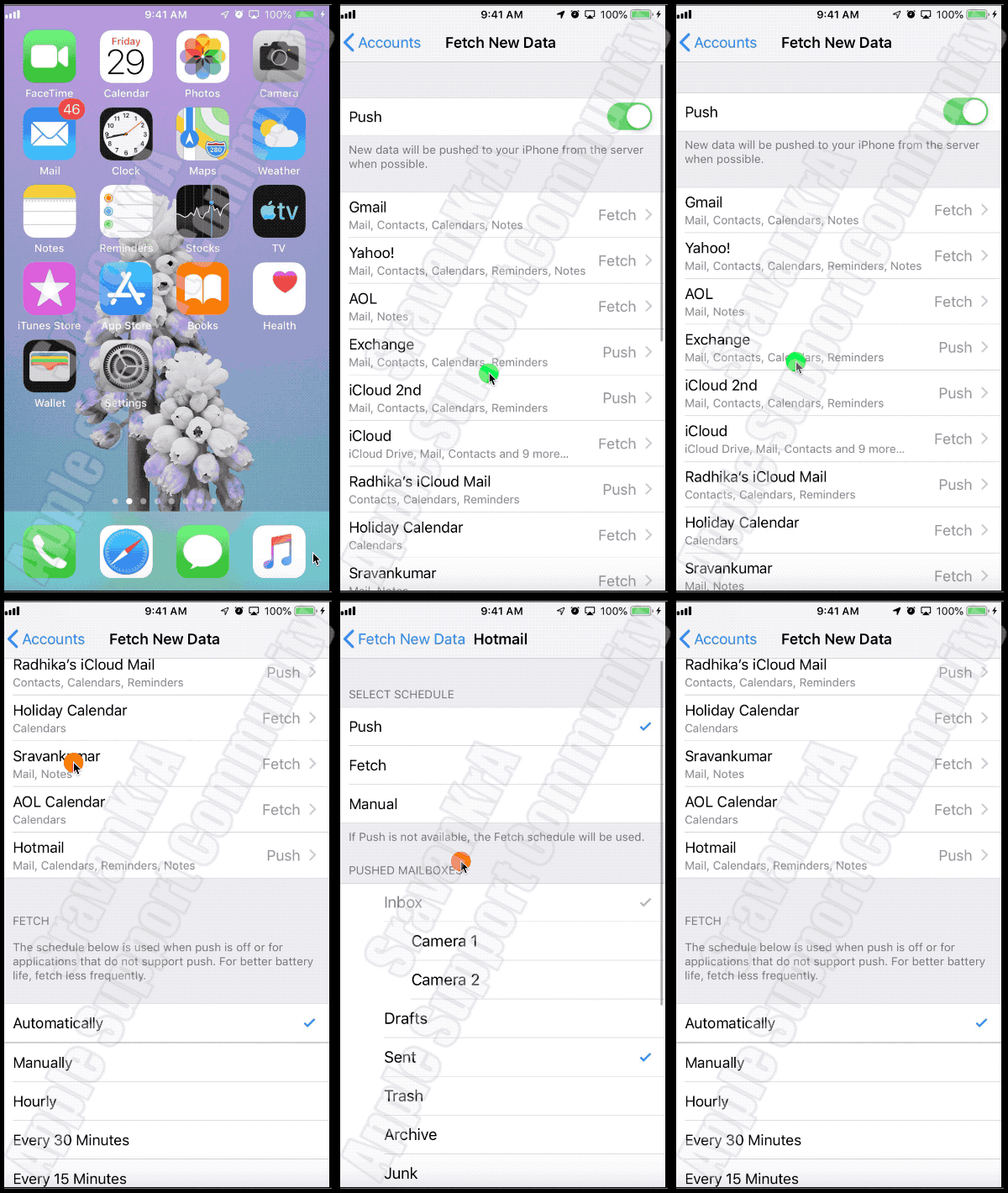
You may know that there are two settings (Fetch and Push Mails). What have you set? Watch the GIF below
Google, AOL, Yahoo - Only Fetch mail Option is available
iCloud, Exchange, Outlook - Both Fetch and Push Mail option is available
- Push Mail: Whenever possible the email client will push mails to all your devices.
- Fetch Mail: You need to set How you want it to be fetched, Automatically, Manually , Hourly,Every 30 mins, every 15 mins
- Automatically: will fetch when the iPhone is powered and on WiFi
- Manually: with fetch when you open email, open Inbox and swipe down
- You get an email notification as soon as the client server receives an email and your device is connected to internet, irrespective of whether the mail is in your device's Inbox or not