Airpods suddenly connecting to other devices

Ever since the latest ios updates our family's Airpods continually switch device connections. If I open my phone and my son's Airpods are anywhere in the house they suddenly connect to my phone, even if he is using them on his phone. I can disconnect but it pops right back up again as soon as I launch the phone again. Forgetting the device doesn't work either. The only Airpods in our family that aren't doing this is my Airpod Pro's. Help! I'm about to go bonkers!


Posted on Oct 7, 2020 4:03 PM

Reply
Question marked as Top-ranking reply

Posted on Oct 26, 2020 1:12 PM

We are having the same issue. Might be the worst design/function to date. Imagine having multiple devices and multiple AirPods on your iCloud account. They are connecting the latest device that goes active. The instructions below don't do anything. You need to go into all devices / under Bluetooth / select the "i" next to the AirPods / then instead of "Automatically" select "When I last connected to this iPhone". This should keep, for example your sons AirPods connecting to his iPhone versus yours picking up because you are the latest to go active.

7 replies
Question marked as Top-ranking reply

Oct 26, 2020 1:12 PM in response to Chumpgirl3

We are having the same issue. Might be the worst design/function to date. Imagine having multiple devices and multiple AirPods on your iCloud account. They are connecting the latest device that goes active. The instructions below don't do anything. You need to go into all devices / under Bluetooth / select the "i" next to the AirPods / then instead of "Automatically" select "When I last connected to this iPhone". This should keep, for example your sons AirPods connecting to his iPhone versus yours picking up because you are the latest to go active.

Oct 7, 2020 5:16 PM in response to Chumpgirl3

As you have been, forget the AirPods on your iPhone and:

Reset your AirPods as shown below and then pair them again to your iPhone.


Reset your AirPods

You might need to reset your AirPods if you can't connect to them, if they won't charge, or to fix a different issue.

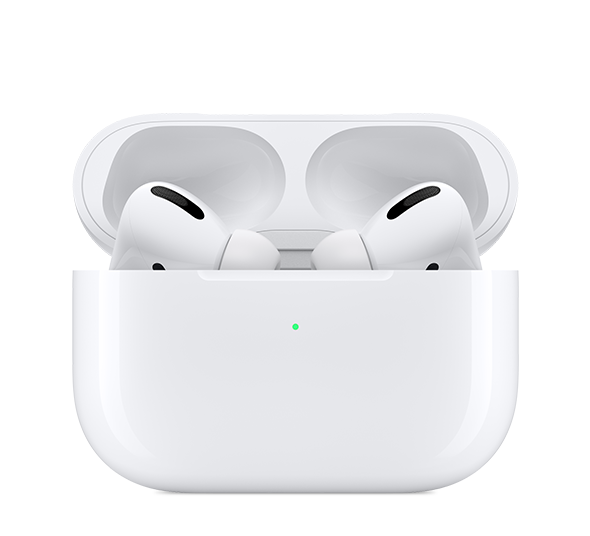
Put your AirPods in their case

Close the lid. Wait 30 seconds, then open the lid.

On your iPhone, iPad, or iPod touch, go to Settings
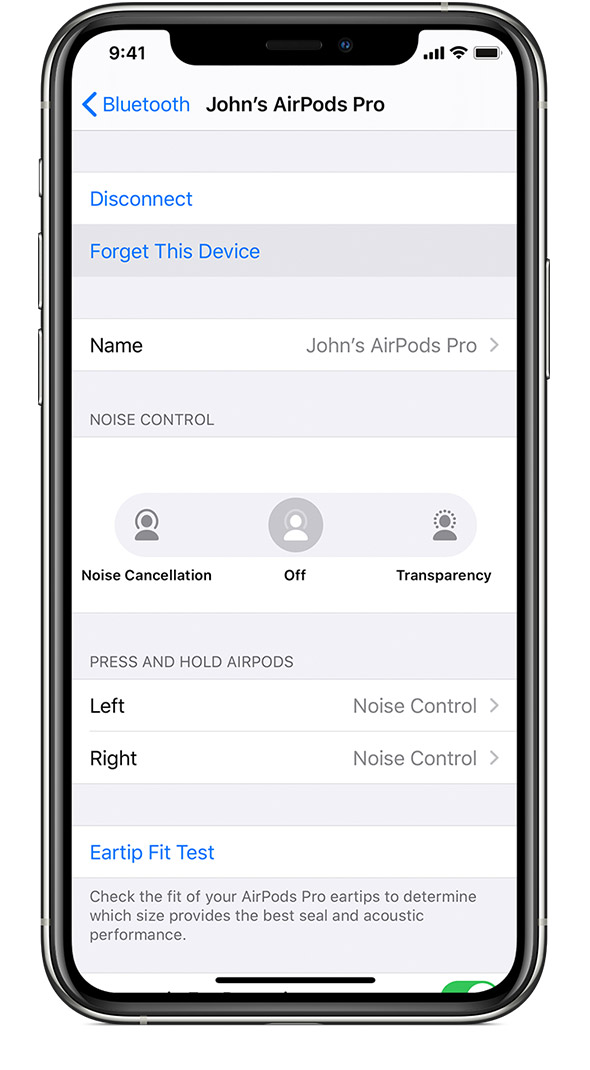
Go to Settings > Bluetooth and tap the "i" icon next to your AirPods.2 Then tap Forget This Device, and tap again to confirm.

Reset your AirPods

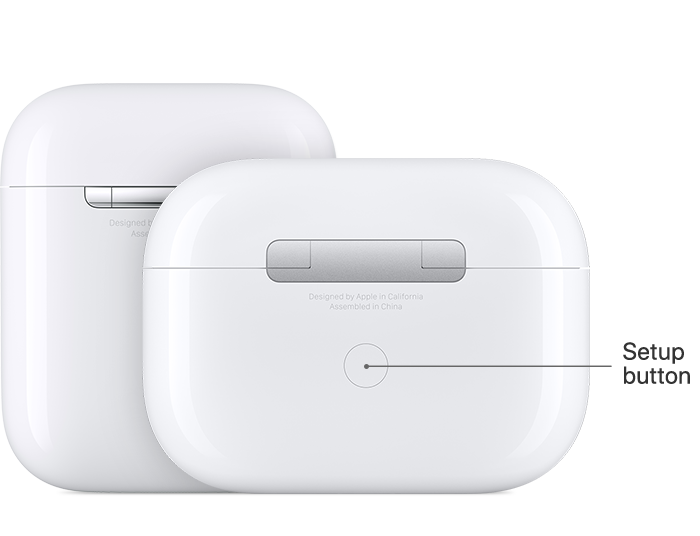
With the lid open, press and hold the setup button on the back of the case for about 15 seconds, until you see the status light flashing amber.

Reconnect your AirPods

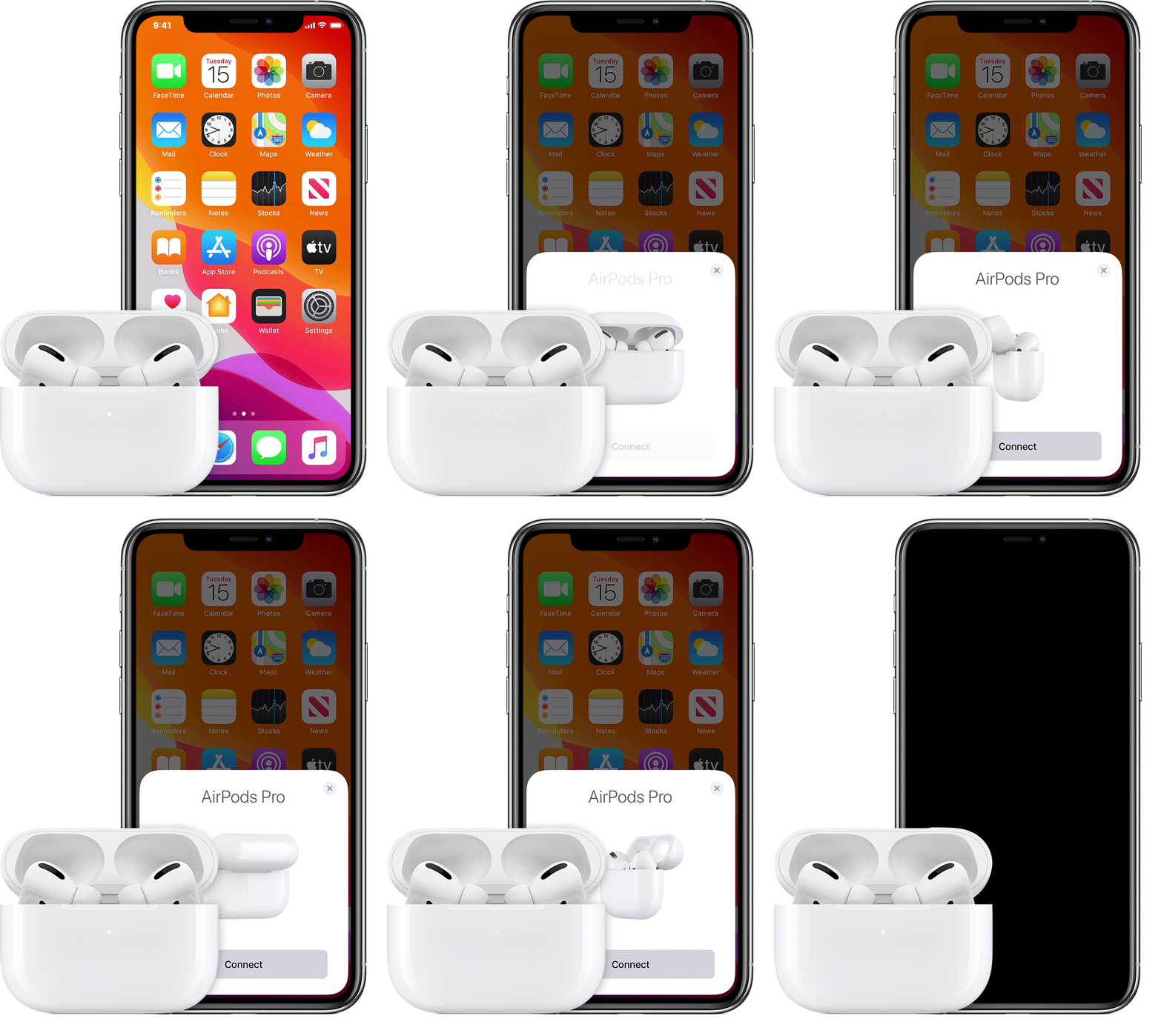
With the lid open, place your AirPods close to your device. Follow the steps on your device's screen.


Axel F.

Nov 19, 2020 7:07 PM in response to Hornbeaker

This is happening to my household as well. My children need to be signed on to our account. It only started happening since the last update to our phones. It's quite annoying and honestly I haven't been able to use my airpods since and I can't turn on my bluetooth because it keeps connecting to their airpods. BTW, they are not airpod pros. Any advice would be appreciated.

This thread has been closed by the system or the community team. You may vote for any posts you find helpful, or search the Community for additional answers.

Airpods suddenly connecting to other devices

Welcome to Apple Support Community
A forum where Apple customers help each other with their products. Get started with your Apple Account.