
Gift without Proof of purchase
What if the airpods were a gift? They were a hand me down, and I cannot contact the person who gave them to me for a proof of purchase. What can I do to have service repairs on them?
What if the airpods were a gift? They were a hand me down, and I cannot contact the person who gave them to me for a proof of purchase. What can I do to have service repairs on them?
Hello.
Thank you for using Apple Support Communities. It sounds like you're seeking repair options for your AirPods but you don't have your proof of purchase. We'd like to help share some helpful information with you.
As long as your have your charging case you should be able to set up a repair. Your charging case has your serial number, which can be used to validate your warranty status. We do have a few helpful resources you can review. Please check out the links below:
Find the serial number of your AirPods
Check Your Service and Support Coverage
Just a friendly heads up, if you don't have a charging case, a proof of purchase will be required to set up service. If you require additional assistance setting up your repair, please reach out to Apple Support for help.
We hope this information is useful. Cheers.
Hello.
Thank you for using Apple Support Communities. It sounds like you're seeking repair options for your AirPods but you don't have your proof of purchase. We'd like to help share some helpful information with you.
As long as your have your charging case you should be able to set up a repair. Your charging case has your serial number, which can be used to validate your warranty status. We do have a few helpful resources you can review. Please check out the links below:
Find the serial number of your AirPods
Check Your Service and Support Coverage
Just a friendly heads up, if you don't have a charging case, a proof of purchase will be required to set up service. If you require additional assistance setting up your repair, please reach out to Apple Support for help.
We hope this information is useful. Cheers.
Find the serial number of your AirPods ( then check coverage here.
Your AirPods and your charging case share a serial number. Here's how to find it.
 next to your AirPods, and you'll see the serial number.2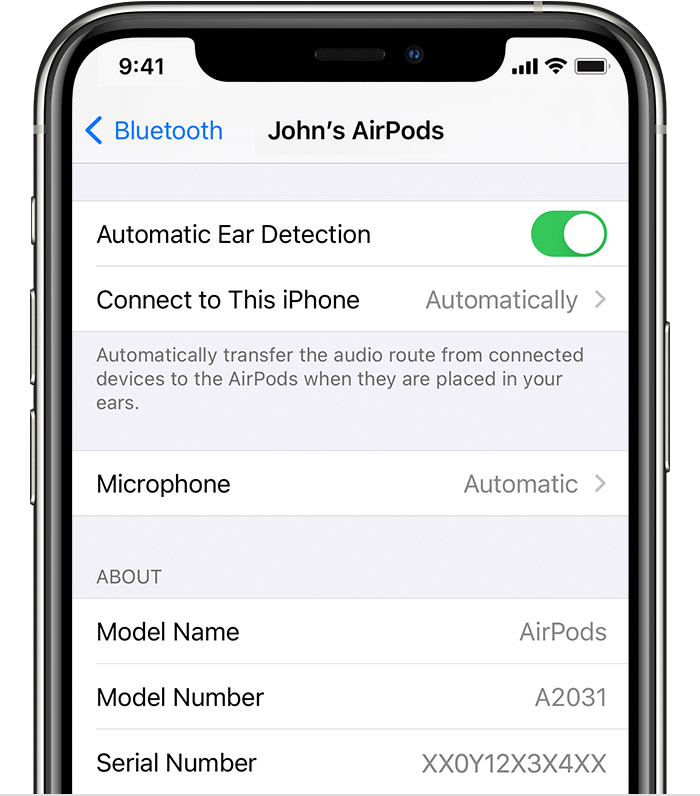
The serial number is also on the underside of the lid:
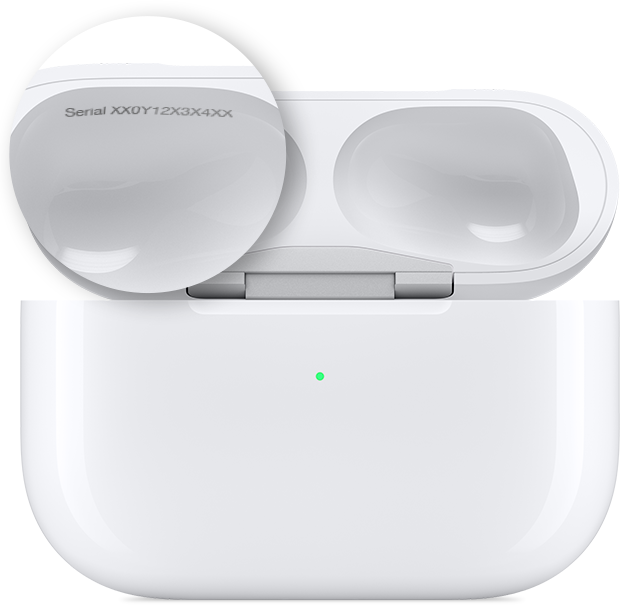
If you don't have your charging case, but you have the original packaging, you can find the serial number next to the barcode. You can also find the serial number on the original product receipt or invoice.
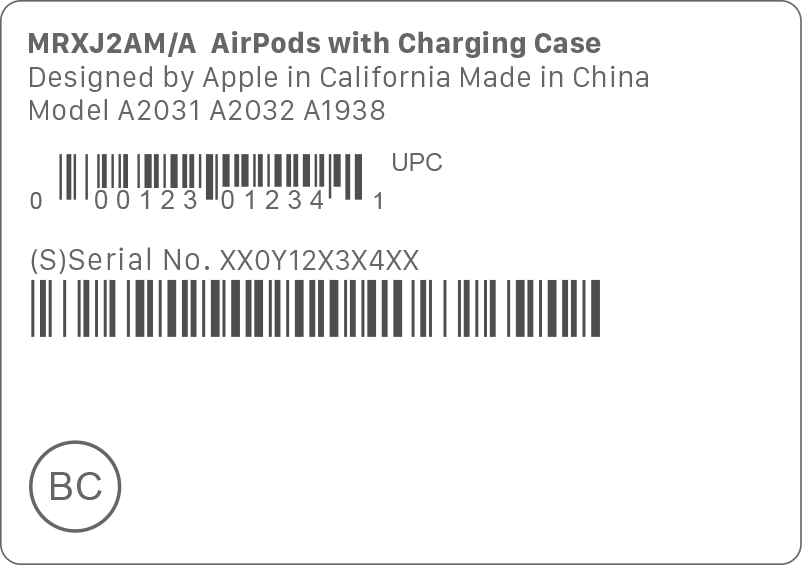
1. If your device is using a software version earlier than iOS 14 or iPadOS 14, you can find the serial number by going to Settings > General > About. Scroll down until you see the name of your AirPods, then tap the name.
2. With AirPods (2nd generation) and AirPods Pro, each AirPod also has its own serial number, printed on the AirPod itself. If you need to send your AirPods or charging case in for service, refer to the primary serial number, printed on the case lid. You don't need the serial numbers on the AirPods.
Gift without Proof of purchase


