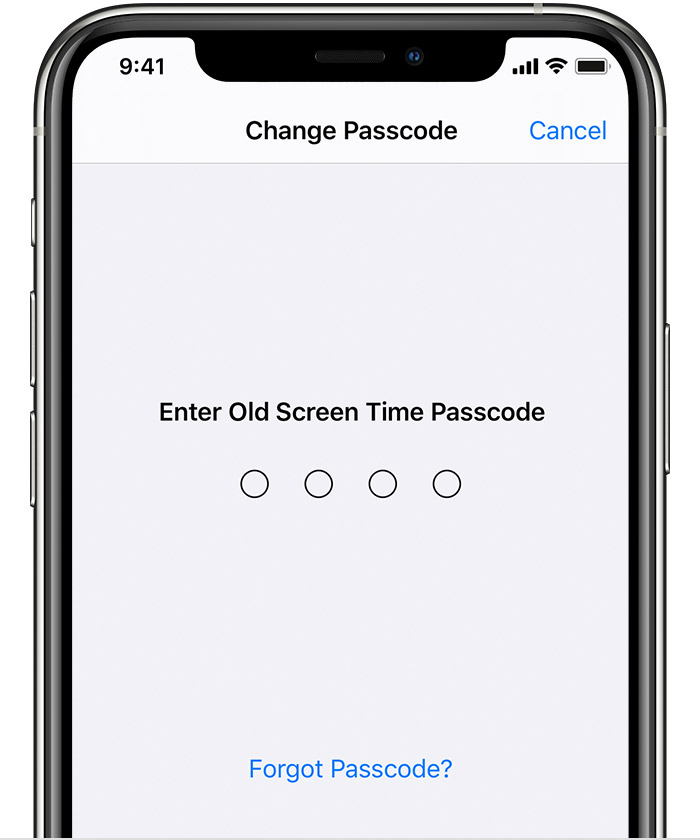
Screentime Passcode Not Recognized

iPhone 7 running iOS 12.2, screentime, which I use frequently in my attempt to be a caring engaged parent, will not accept my passcode anymore. Before the replies get off on the tangent of "you must have forgotten you passcode" or "someone must of changed it", I can tell you I know my passcode for screentime. I use it frequently. In fact, when this problem first appeared, with screentime not accepting my passcode after the 3rd attempt, I put the phone aside and tried again in a few minutes WITH THE EXACT SAME PASSCODE and it worked. However, after setting my phone aside for about 10 minutes (not enough time elapsed for me to forget my passcode), I tried going back into screentime and it refused to accept the exact same passcode I had just used successfully 10 minutes ago. I'm now in the "wait 60 minute" holding, after which I'm not sure what will happen. Any advice would be helpful.

R

iPhone 7, iOS 12

Posted on Oct 16, 2020 9:24 AM

Reply

Similar questions

2 replies

Oct 16, 2020 9:39 AM in response to TheRealRusty

Here is how to Reset Your Screen Time Passcode


How to reset the Screen Time passcode for your personal device

Use the steps below to change your Screen Time passcode on an iPhone, iPad, iPod touch, or Mac. 

On an iPhone, iPad, or iPod touch

  1. Make sure that your device is updated to iOS 13.4 or iPadOS 13.4 or later
  2. Go to Settings > Screen Time. 
  3. Tap Change Screen Time Passcode, then tap Change Screen Time Passcode again.
  4. Tap Forgot Passcode?

  5. Enter the Apple ID and password* that you used to set up the Screen Time passcode.
  6. Enter a new Screen Time passcode, then enter it again to confirm.


This thread has been closed by the system or the community team. You may vote for any posts you find helpful, or search the Community for additional answers.

Screentime Passcode Not Recognized

Welcome to Apple Support Community
A forum where Apple customers help each other with their products. Get started with your Apple Account.