
forget passcode
Hello I forget my iphone passcode please help
iPhone SE, iOS 13
Hello I forget my iphone passcode please help
iPhone SE, iOS 13
Do a backup before resetting and then use the same steps as before to reset.
If you enter the wrong passcode too many times, you’ll see a message that your device has been disabled. If you can’t remember your passcode, you'll need to erase your iPhone, which deletes your data and settings, including the passcode.
If you've backed up your iPhone, you can restore your data and settings after restoring your iPhone. If you didn't back up your iPhone before forgetting your passcode, you won't be able to save the data on your iPhone. Follow the steps below to remove your passcode.
You need a computer to follow the steps below. If you don't have a computer, borrow one from a friend, or go to an Apple Retail Store or Apple Authorised Service Provider.
Remove the passcode on iPhone X or later, iPhone SE (2nd generation), iPhone 8 and iPhone 8 Plus
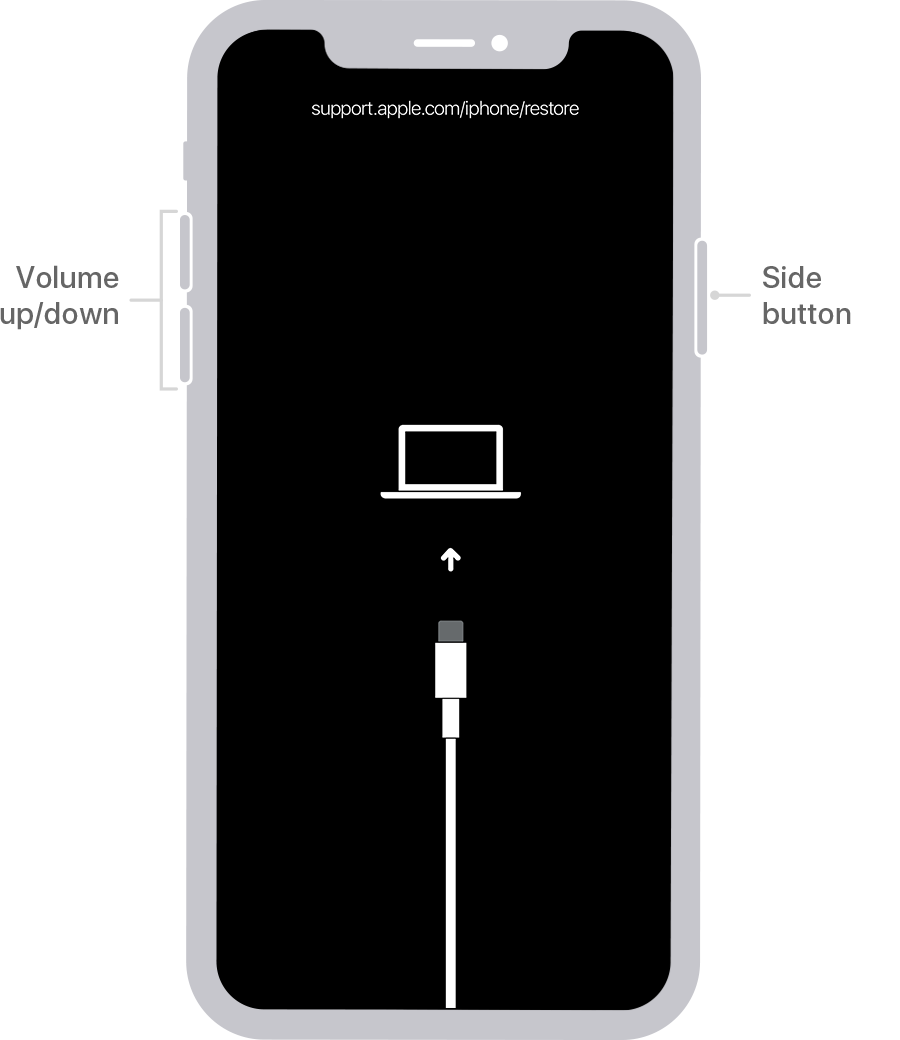
If you backed up your iPhone, after you remove the passcode, restore your data and settings.
Remove the passcode on iPhone SE (1st generation), and iPhone 6s and earlier
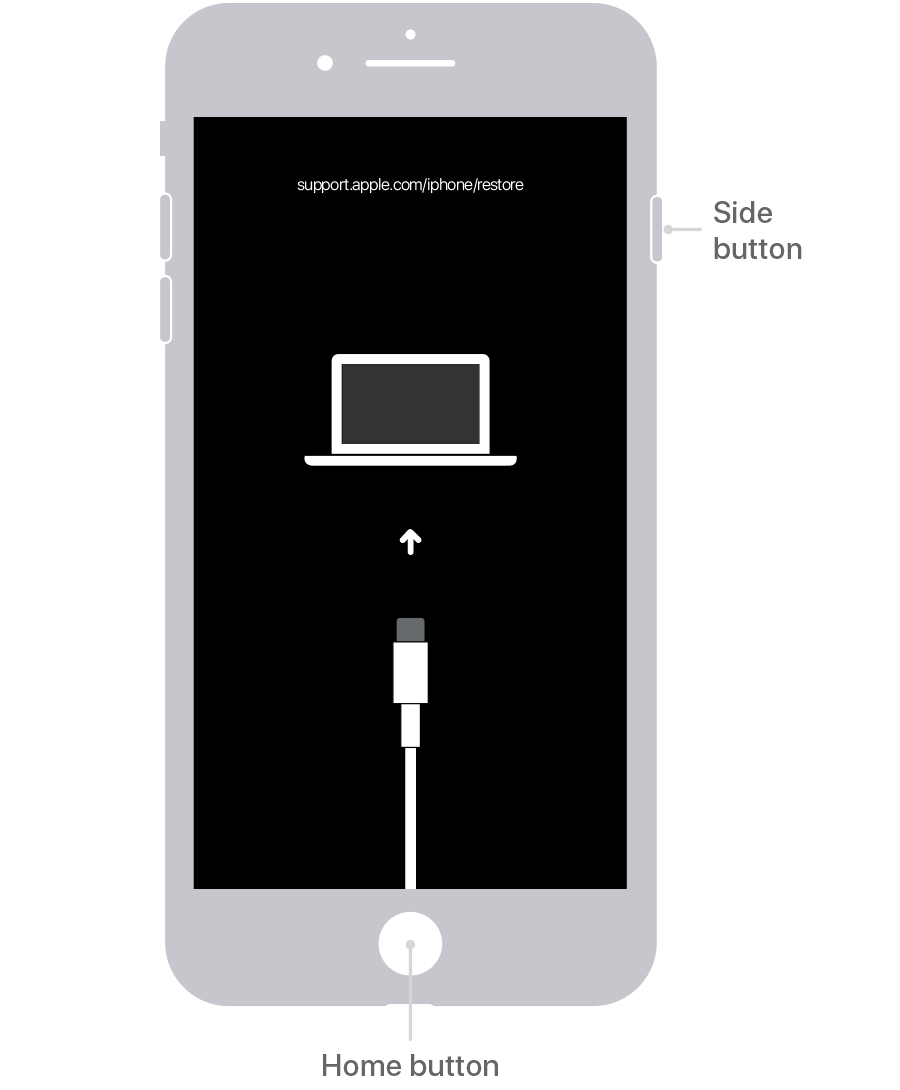
If you backed up your iPhone, after you remove the passcode, restore your data and settings.
Restore your iPhone
Locate your iPhone on your computer. When you see the option to Restore or Update, choose Restore. The Finder or iTunes will download software for your iPhone. If it takes more than 15 minutes, your iPhone will exit recovery mode and you'll need to select your iPhone model above and repeat the steps to remove the passcode.
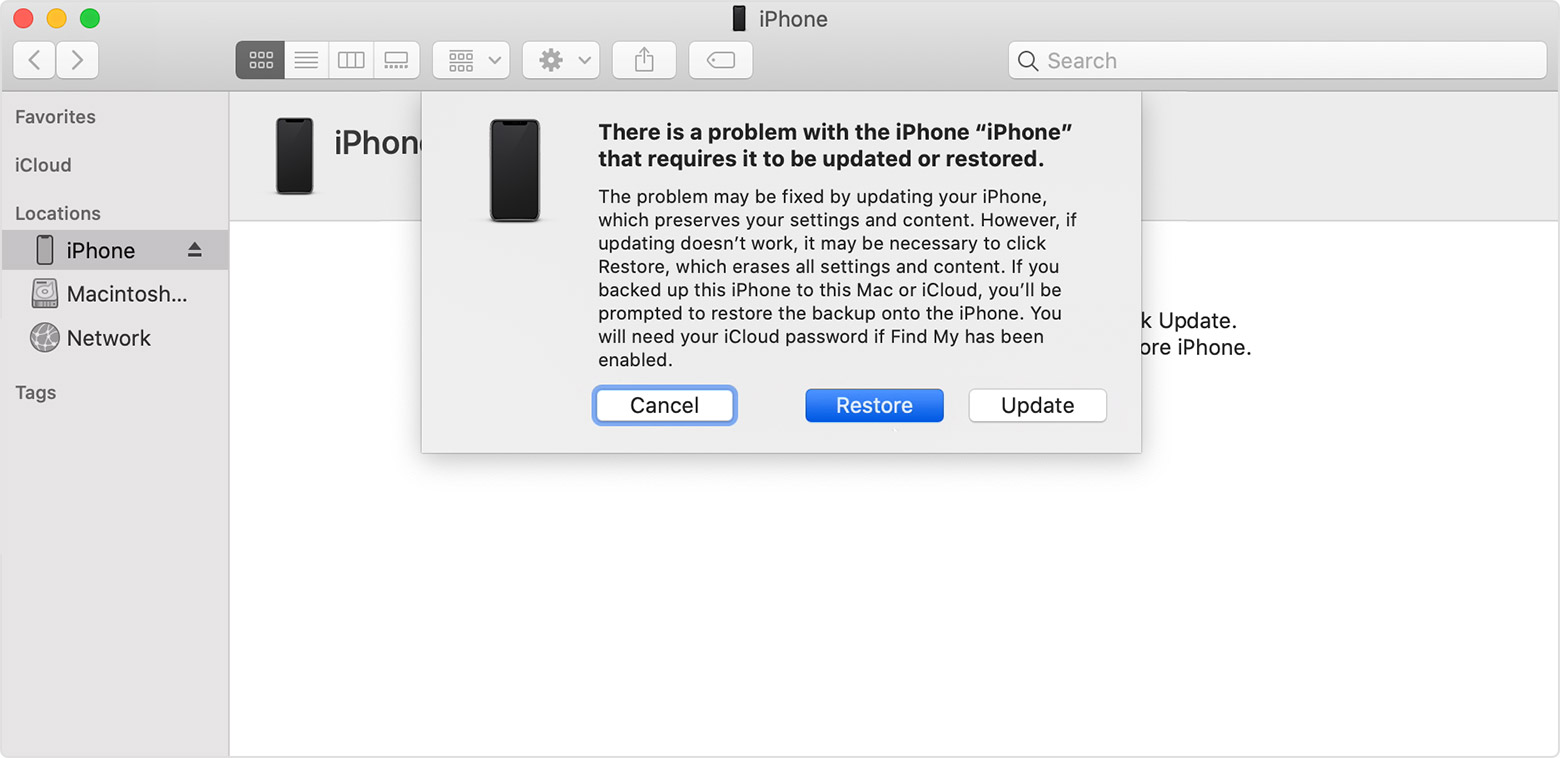
Wait for the process to finish. Then set up and use your iPhone.
Still need help?
To repeat what Eric Root asked:
What happened when you tried doing the steps in the article? Error message(s)? Did you carefully do all the steps in the article? Have you tried doing the steps in the article again?
i follow but didn't get.
Can you please help me?
What happened when you tried doing the steps in the article? Error message(s)? Did you carefully do all the steps in the article? Have you tried doing the steps in the article again?
yes, i tried carefull still no luck
i still get touch id require when your iphone restart
Is Touch ID working? Can you turn it off?
No Touch also not working can we can quick call please?
[Personal Information Edited by Moderator]
How i resetting the phone again?
i there to change my present data lose ?
If you are restoring a backup after resetting the phone, try resetting the phone again, and do not restore the backup. See if that works.
forget passcode

