How to stop Google widget ad pop up

Since installing iOS 14, any Google search in Safari causes a Google widget ad to pop up at the bottom of the screen on my iPhone. I have to manually close it every time.


I have Safari set to block pop ups but Google itself is ignoring the blocker. I don’t want the widget and will never install it, but Google asks every time I do a search. How can I rid myself of this?

iPhone 8 Plus

Posted on Oct 24, 2020 6:55 PM

Reply
Question marked as Top-ranking reply

Posted on Dec 8, 2020 3:11 PM

this issue was so annoying that I ended up changing search engine to bing...


settings-safari-search engine-bing

27 replies

Dec 17, 2020 6:00 PM in response to Fixmeister_52

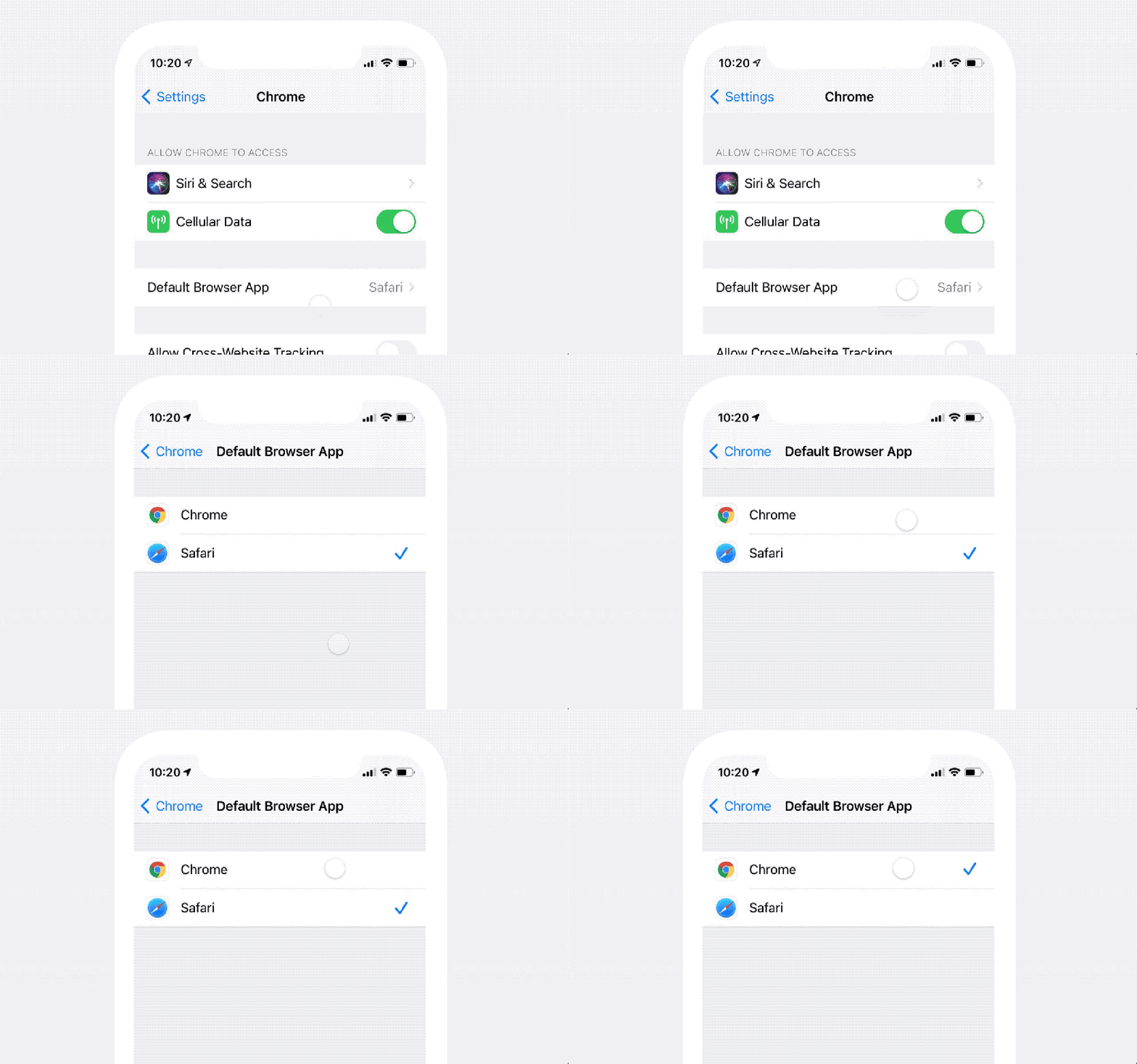
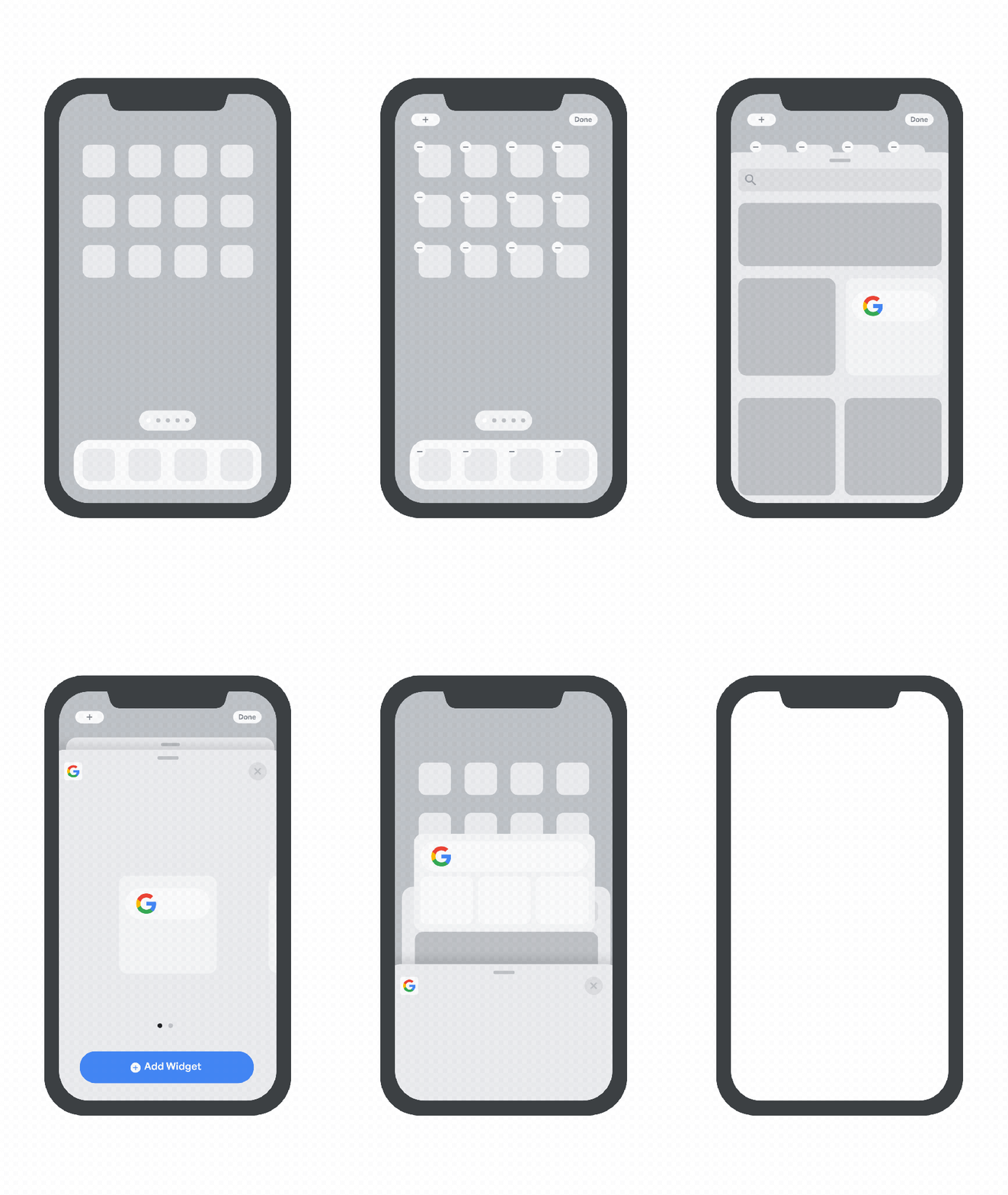
I just read a really interesting article regarding this. Turns out that Google is basically using the new features in iOS 14 to really push (force) iPhone users to download the Chrome app. The features being: A new home screen widget available for Chrome that Google refers to as the “quick search widget”. The other feature being the ability to now choose between Safari and Chrome applications to be the default app for internet. Not just the default website, the default APP. This option is also now available for the Gmail app. So basically, if you set Chrome as your default browser when you open a link from another app, it will open in Chrome. Similarly, if you set Gmail as your default email app, any time you tap on an email icon on the web, it will open the Gmail app. So now we know the “why” behind this annoying problem, we just need to know how to fix it. Also I believe the reason ad blocking apps aren’t working for this banner is because it’s not technically an ad or even a pop up, but rather written into the website. I’m just glad I’m not the only one annoyed with this.


New Default Browser App setting:


New Google quick search widget:

Dec 17, 2020 1:14 PM in response to Fixmeister_52

I completely agree that this is an annoyance and Apple should offer some sort of option to disable this sort of banner in Safari settings, or at least allow an app to block it. I have tried all of the major ad block apps in the App Store and none of them work. On the other hand Google should absolutely allow people who use their browser to have the option of disabling the feature, many other mobile applications have that option when visiting their websites. I need to contact support regarding an iCloud issue, I will ask them about this and follow up here shortly. Until then, DDG 🦆 will be my new default search engine.

Dec 17, 2020 6:11 PM in response to Lawrence Finch

Lawrence,

You’re absolutely right about the “ads”, they’re written into the website so ad blocking applications can’t target that specific element. Google really wants to take over the world after all... I just posted a reply with some information about why this is happening now in iOS 14. I read some interesting articles about it, you might find it interesting too.

Take care,

Amsterdamit

This thread has been closed by the system or the community team. You may vote for any posts you find helpful, or search the Community for additional answers.

How to stop Google widget ad pop up

Welcome to Apple Support Community
A forum where Apple customers help each other with their products. Get started with your Apple Account.

