
How to see the messege in the other device with same apple account use
How to see the messege in the other device with the same apple account?
iPhone 11, iOS 13
How to see the messege in the other device with the same apple account?
iPhone 11, iOS 13
Set up text message forwarding

Choose which devices can send and receive text messages from your iPhone. If you're not using two-factor authentication for your Apple ID, a verification code appears on each of your other devices: enter that code on your iPhone.
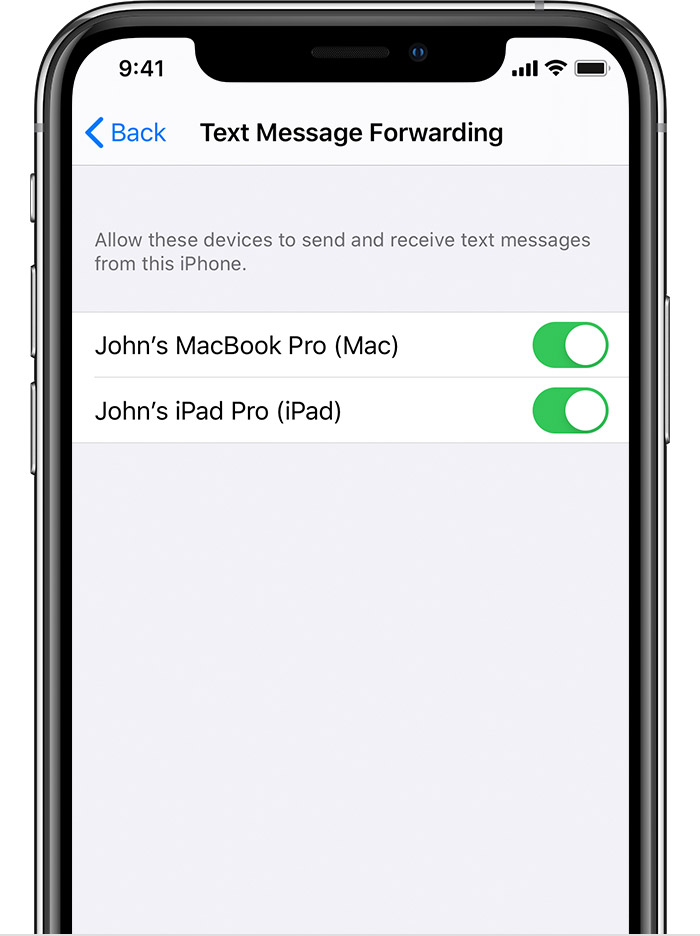
As long as your iPhone is turned on and connected to Wi-Fi or a cellular network, new SMS/MMS texts can be sent and received on the devices that you added.
Two-factor authentication for Apple ID - Apple Support
Verification codes
A verification code is a temporary code sent to your trusted device or phone number when you sign in to a new device or browser with your Apple ID. You can also get a verification code from Settings on your trusted device.
A verification code is different from the device passcode you enter to unlock your iPhone, iPad, or iPod touch.
I need an answer
How to see the messege in the other device with same apple account use
