ParrisWeitzman wrote:
I am trying to minimize windows to view the desktop.
Shift-Command-D: Open the desktop folder. NOPE
Command+F3: Use the Command+F3 (Mission Control) keyboard shortcut to quickly view the desktop. NOPE
This shortcut works on most modern Macs. Fn+F1. NOPE
In Mission Control it indicates that F11 will show the desk top. NOPE
Parris is getting upset!
Trackpad?
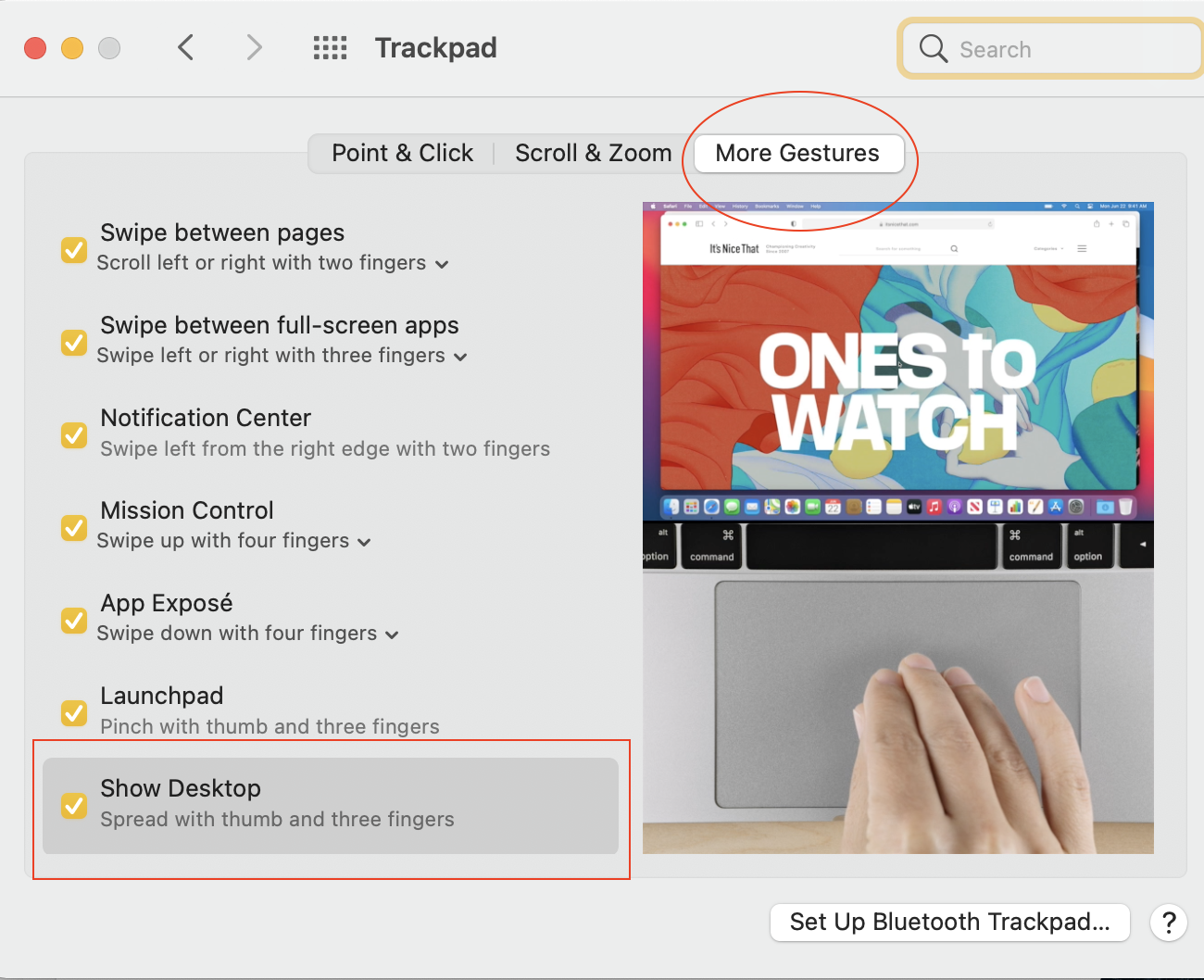
Have you made any adjustment to make the trackpad work for you better?
To suit your needs —
>System Preferences>Trackpad
Apple Support Video: How Apple's Force Touch Trackpad Works - YouTube
https://www.youtube.com/watch?v=0ED327JEk7I
How to use the Force Touch trackpad - Apple Support
https://support.apple.com/en-us/HT204352
Use Multi-Touch gestures on your Mac - Apple Support
https://support.apple.com/en-us/HT204895
Change how your trackpad works with Mac - Apple Support
https://support.apple.com/guide/mac-help/change-the-way-your-trackpad-works-mchlp1226/mac
Turn on "three finger drag" for your Force Touch trackpad - Apple Support
https://support.apple.com/en-us/HT204609
Change Mouse & Trackpad preferences for accessibility on Mac
https://support.apple.com/guide/mac-help/change-mouse-trackpad-preferences-unac899/mac
————————————————————————

