
How do I get rid of a split keyboard in messenger. I have fixed the problem on Facebook but it is still split in messenger.
How do I get rid of a split keyboard in messenger? I have fixed the problem on Facebook but it is still split on messenger.
How do I get rid of a split keyboard in messenger? I have fixed the problem on Facebook but it is still split on messenger.
Hello Tilesmith,
Thank you for using the Apple Support Communities. We see you want to know how to merge a split keyboard on your iPad, and we'll be happy to help with this.
This resource contains the steps: Split and move the keyboard on your iPad
"How to merge a split keyboard
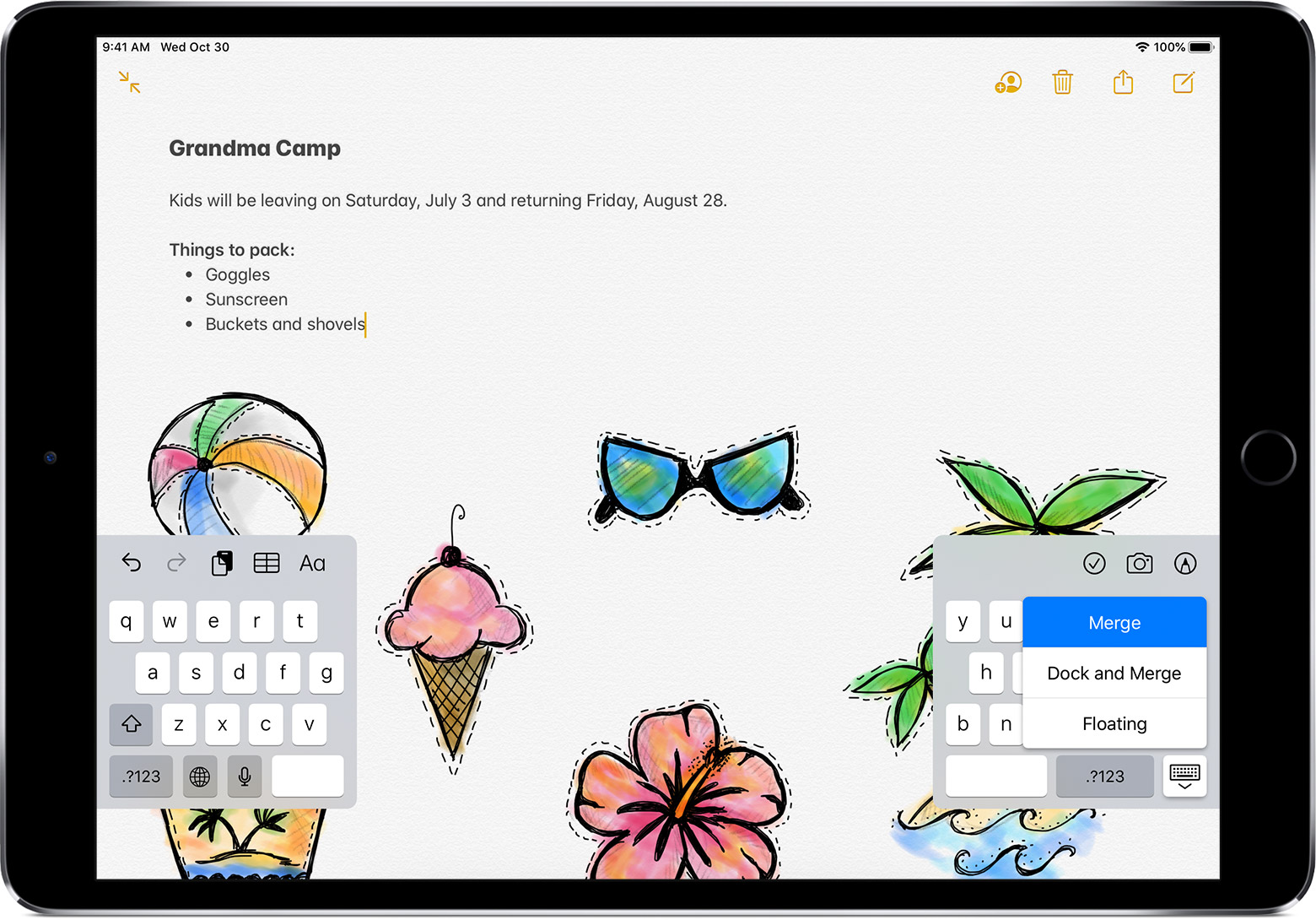
 in the lower-right corner of the keyboard.
To turn Split Keyboard on or off, go to Settings > General > Keyboard > Split Keyboard."
Let us know if that works for you.
Take care.
How do I get rid of a split keyboard in messenger. I have fixed the problem on Facebook but it is still split in messenger.

