Formula in cell F2 =IF(ROW()≥ROWS(E)−COUNTIF(OFFSET(E2,0,0,ROWS(E)−ROW()+1,1),TRUE) , "show" , "hide")
Fill down to the last row to complete the column.
My table was only 18 rows. You will want to make yours much longer probably.
I feel there should be a simpler formula to get to this same result but this is the one I came up with that makes it no hassle to add more rows to the table if/when needed. It counts the checked checkboxes from the formula's row to the end of the table. It subtracts that count from the total number of rows in the table. The result is a row number. If the formula's row is at or below that row, the formula's row should show.
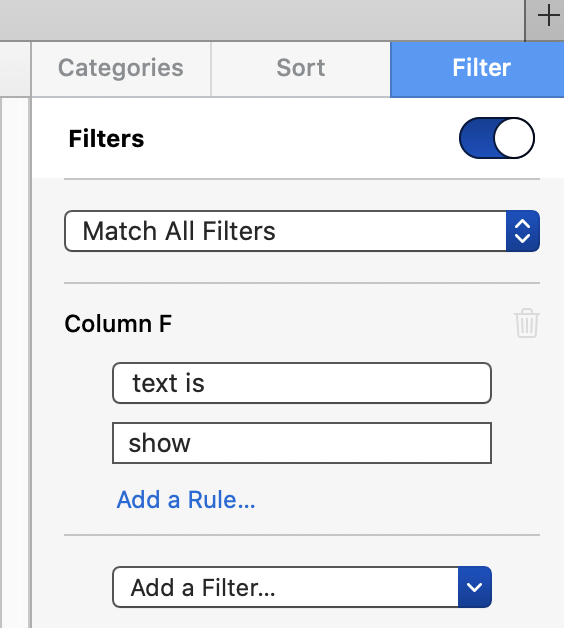
Make a filter for column F in the sidebar as shown below
Hide column F
I mentioned sorting in my last post. The formula is sort-safe if you first select the rows to be sorted vs sorting the entire table. If you ever need to sort it, select the rows to be sorted (all the visible ones minus the blank one at the top), right click inside the selection box in the date column, and choose "sort rows descending by date".
If you accidentally click off a "submit" checkbox, no problem. The first one will cause the empty top row to hide. If you click off another, one of the filled in rows will hide, and so on. Just click them again, one at a time, as they show back up.

