Reposting for you so the text is easier for others to read to read:
The case ...

iMac G5 PPC (3.0) under construction.

I'm trying to install mac OS X Leopard from a retail DVD.
I need to use an external USB - Blu-Ray - Drive for this purpose, because this iMac only has a CD Drive.

For some reason I can't boot from the DVD (even if I press C at boot time) the disc is recognized correctly,
when I boot into the Panther installed at the moment.

However, even if I run that Install Mac OS X file from that DVD, the installation will not start after reboot, instead it returns to Panther.

Same thing with Tiger installation CD # 1 ... Tested on both, the integrated CD - as well as the external Blu-Ray - Drive.
Does anyone have any fix to this problem

Or if someone might come up with simple / working instructions, how to get this installation done, for example, from a USB - Flash Drive.
Most PowerPCs cannot boot from a USB device. I believe that is the problem. I have an old Sony DVD-R external wit both USB and FireWire ports. I will not boot any PowerPC Mac in our stable when connected via USB, but will boot every one if connected by FireWire.
Options are to find Leopard on a CD (most were) or an old DVD/CD external with FireWire.
Do your Leopard disks look like this:

or is it a gray system install/restore disk like this:
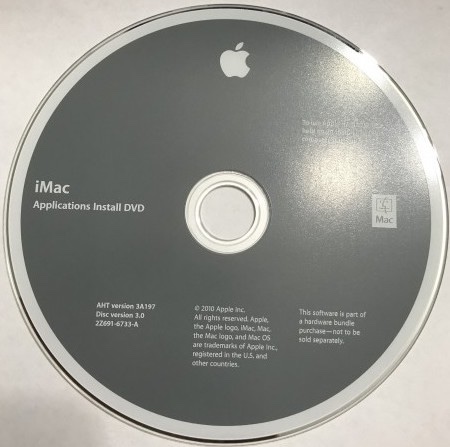
The later would be shipped with a specific Mac model and is not retail. Those in DVD form often had only an Intel version of Leopard that won't install on a G5.

