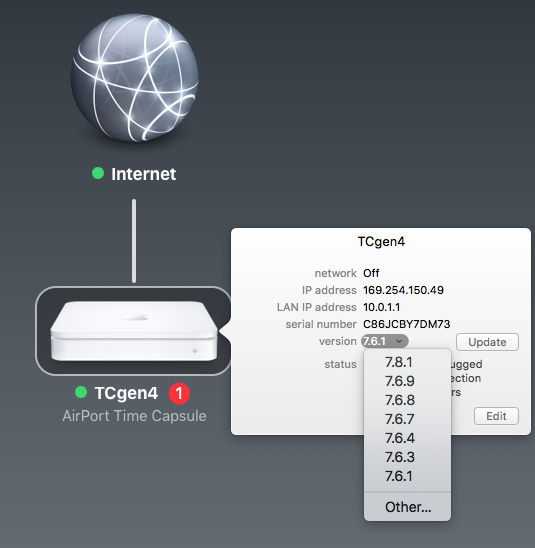
7.8.1 is final firmware for Gen1-4 means your TC is Gen4 I suspect.. or perhaps earlier.. that is the flat one.. Look on the paper label on the base and it will have model A1409.. if so it is very old and should really be replaced.
I am still running a Gen4 but it has likely been completely gutted and rebuilt which I do.
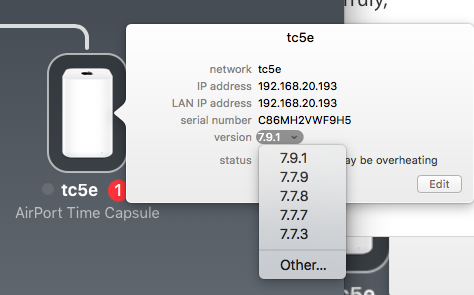
The next model is Gen5 AC ones which came with 7.9.1 firmware as the last version.

I have one of those as well but it is a bit dilapidated.
They do not have a 7.8 firmware option so your TC is clearly older.
"A network problem interrupted the backup. Make sure the computer and the backup disk are on the same network, and that the backup disk is turned on. Then try again to back up" is popped up. I can still access the disk on Finder and move files in and out of the disk.
If you want to play around.. play being operative word for a Time Capsule that is 7.5years and up to 9 years old.. maybe more if it is Gen3 or earlier... I need to know how it is setup in the network and how the computer is connected.
On iMac our recommendation is to simply buy a USB drive.. plug it into the Mac and use that for backups.. faster, cheaper and more robust than network backups.
Typical reason you will get network dropouts after a backup has started is using the TC in bridge to a third party router that is not Bonjour aware.
It is important then to use IP address instead of the TC name.
So change over to static IP and set IPv6 to link-local only.
Then in Finder.. mount the TC disk using Go, Connect to Server.
AFP://192.168.0200 (replace with actual IP address as you set so it stays the same).
Once you have it mounted in Finder.. use Add disk for Time Machine preferences.. it should then be able to backup to a consistent IP address which does not require bonjour.
There a few other tricks so post details.

