Hello Tonyool,
Let's check a few things using the resource we previously shared with you: Play music on Apple Watch
It sounds like Auto Play may be enabled. These first steps explain Auto Play and how to disable or enable Auto Play.
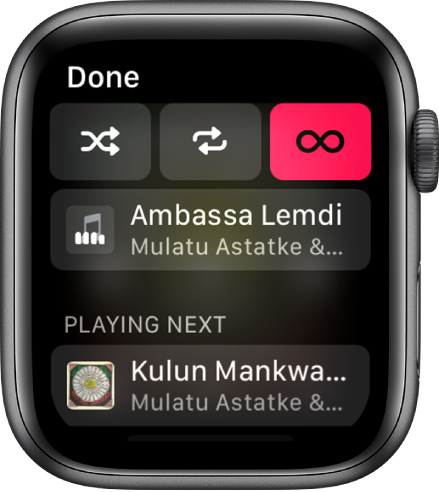
When playing music, you can see a list of upcoming songs in the queue.
- Open the Music app
 on your Apple Watch.
 - Play an album or playlist, then tap
 .
. - To play a track in the queue, tap it.
By default, Auto Play adds music to the end of the queue that’s similar to what you’re playing. To turn off Auto Play, tap  .
.
Note: When you turn off Auto Play on a device that uses your Apple ID—your Apple Watch, for example—it’s turned off only for that device. Other devices will continue to use Auto Play until you turn it off on each one.
To add music you choose to the queue, swipe left on a song, playlist, or album; tap  ; then tap Play Next or Play Later. Music you choose to play later is added to the end of the queue."
You may also want to ensure shuffle or repeat are not influencing this behavior.
- Shuffle albums, songs, artists, from the Music screen: Tap an album, artist, or playlist, then tap
 .
. - Shuffle or repeat music from the playback screen: While viewing the playback screen, tap , then tap or
 .
. - Tap Repeat twice to repeat a song.
Have a great day!


