
Phone screen zooming out on its own
Phone screen suddenly zooming out to extreme size, not allowing to get to the control icons. Requires restart, but even that is almost impossible as you cannot swipe.
Must be a bug in the system?
iPhone 7 Plus
Phone screen suddenly zooming out to extreme size, not allowing to get to the control icons. Requires restart, but even that is almost impossible as you cannot swipe.
Must be a bug in the system?
iPhone 7 Plus
Force Restart your Phone.
Force restart iPhone 7
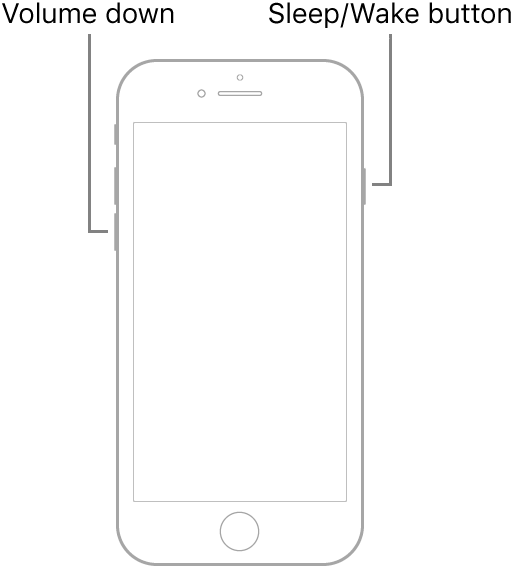
Press and hold both the volume down button and the Sleep/Wake button at the same time. When the Apple logo appears, release both buttons.
Force Restart your Phone.
Force restart iPhone 7
Press and hold both the volume down button and the Sleep/Wake button at the same time. When the Apple logo appears, release both buttons.
OK.....the next time your screen is normal, do this:
Settings > Accessibility > Zoom
Make sure Zoom is turned off
Typically a forced restart does undo zoomed view.
What happened when you signed back in to your phone after you saw the Apple Logo?
After switching off and on again, all back to normal until it happens again. Full zoom and no control possible.
That doesn’t fix the problem. That only resets the device.
I want to fix it.
Phone screen zooming out on its own
