It is currently not supported. The iPhone does not allow you to create smart albums. And so you will not be seeing smart albums on the iPhone.
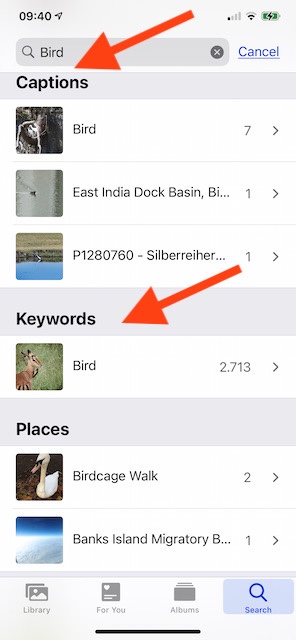
- If your smart album is based on keywords (for example with the rule "keyword is Bird") you will find the photos from this smart album on the iPhone by typing the search string "Bird" into the search field.
- For other types of smart albums create an additional standard album with the same photos, if you want to see these albums on the iPhone. You will need to update these shadow albums regularly on the Mac. To create a standard album from a smart album open the smart album, select all photos with ⌘A, then create the new album with ⌘N.
You may want to send a feature request to Apple and ask for smart albums to be available on an iPhone. It is really annoying. Most of my albums are smart albums, and I cannot see the most important part of my library structure on my iPhone. Photos for iOS and iPadOS - Feedback - Apple That is not really an iCloud syncing of the Photos Library, when our custom library structure is missing and only the photos and folders are synced.
But basing the smart albums on a keyword with the name of the smart album makes them visible in iOS 14 or iPadOS 14. For example, searching for the photos from my Smart Album "keyword is Bird" on the iPhone: