Including the Hash sign in telephone numbers

This is about the iPhone 'feature' that identifies telephone numbers in messages and highlights them, so you can click on it to call the number.


Conference numbers often end in a HASH sign - for example in the UK a conference number with the code may look like 02031232345,,1234576# (the commas are a short pause).


On my IOS 14.4 iPhone the system correctly recognises 02031232345,,1234576# , underlining it with the Hash sign, but when I select it the hash sign has gone and it will only dial 02031232345,,1234576


How do I get it to recognise Hash and Stars as part of the telephone number?


iPhone 8

Posted on Feb 19, 2021 3:29 AM

Reply
2 replies

Feb 19, 2021 5:00 AM in response to London_Phil

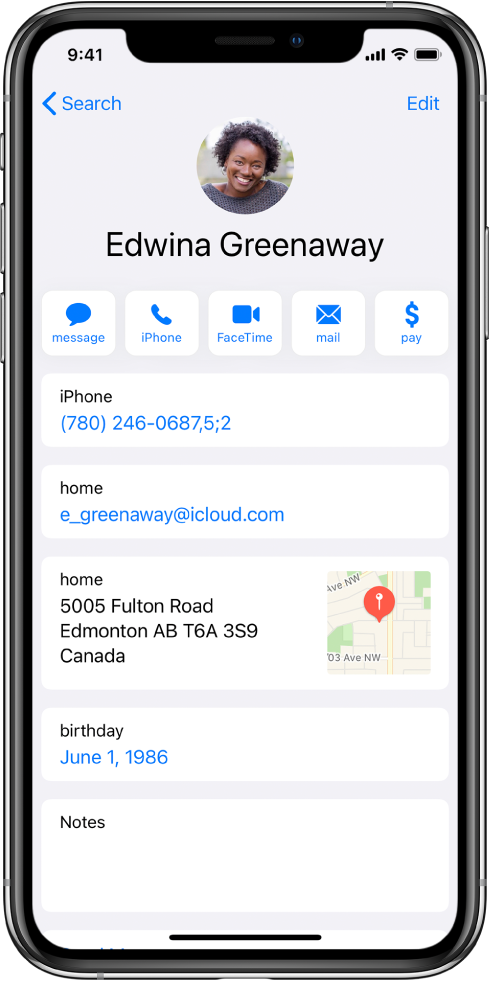
Automate dialing an extension or passcode

If the number you’re calling requires dialing an extension, iPhone can enter it for you. When editing a contact’s phone number, tap , then do any of the following:

  • Tap Pause to enter a two-second pause (a two-second pause is represented as a comma in the phone number).
  • Tap Wait to stop dialing until you tap Dial again (wait-to-dial is represented as a semicolon in the phone number).

This thread has been closed by the system or the community team. You may vote for any posts you find helpful, or search the Community for additional answers.

Including the Hash sign in telephone numbers

Welcome to Apple Support Community
A forum where Apple customers help each other with their products. Get started with your Apple Account.