How do I determine what is being updated--the OS, an application, etc.?

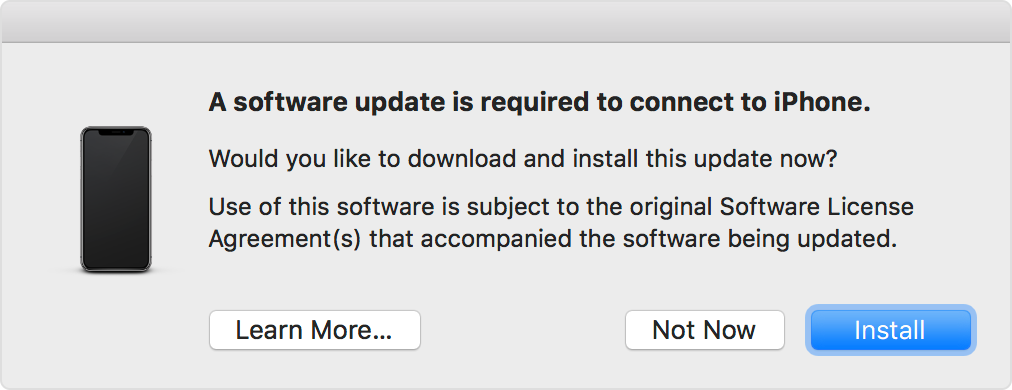
I just tried to back up my iPhone to my iMac but received a message that I needed to update my software. Though the message did not indicate whether it is the phone or the computer whose software needs to be updated, it probably is the computer. My question:


How do I determine what is being updated--the OS, an application, etc.?


Posted on Feb 20, 2021 1:52 PM

Reply
Question marked as Top-ranking reply

Posted on Feb 20, 2021 2:00 PM

The "Related Article" If you see "Software update is required to connect to your iOS device" on your iPhone, iPad, or iPod touch - Apple Support provides your answer, but I can confirm with personal experience that the only component which is updated is the software the macOS uses to communicate (connect) with the iOS software.

4 replies
Question marked as Top-ranking reply

Feb 20, 2021 2:00 PM in response to laurel143

The "Related Article" If you see "Software update is required to connect to your iOS device" on your iPhone, iPad, or iPod touch - Apple Support provides your answer, but I can confirm with personal experience that the only component which is updated is the software the macOS uses to communicate (connect) with the iOS software.

This thread has been closed by the system or the community team. You may vote for any posts you find helpful, or search the Community for additional answers.

How do I determine what is being updated--the OS, an application, etc.?
Welcome to Apple Support Community
A forum where Apple customers help each other with their products. Get started with your Apple Account.