why do i need an older version of my mac to download a newer version of iTunes?

i need iTunes on my computer to restore a backup to my new iPhone, but when i go to download iTunes (which for some reason is not on my computer anymore) it says "this update requires macOS 10.13.99 or earlier." i just updated my computer to macOS 11.2.3. it makes absolutely no sense to me why it's telling me i need an older version of macOS to download the newest version of iTunes (12.8).

MacBook Air 13″, macOS 11.2

Posted on Mar 24, 2021 2:03 PM

Reply
Question marked as Top-ranking reply

Posted on Mar 24, 2021 3:00 PM

In addition to the above, here is how to: Restore your iPhone, iPad, or iPod touch from a backup - Apple Support

This article includes how to use Finder to do this.

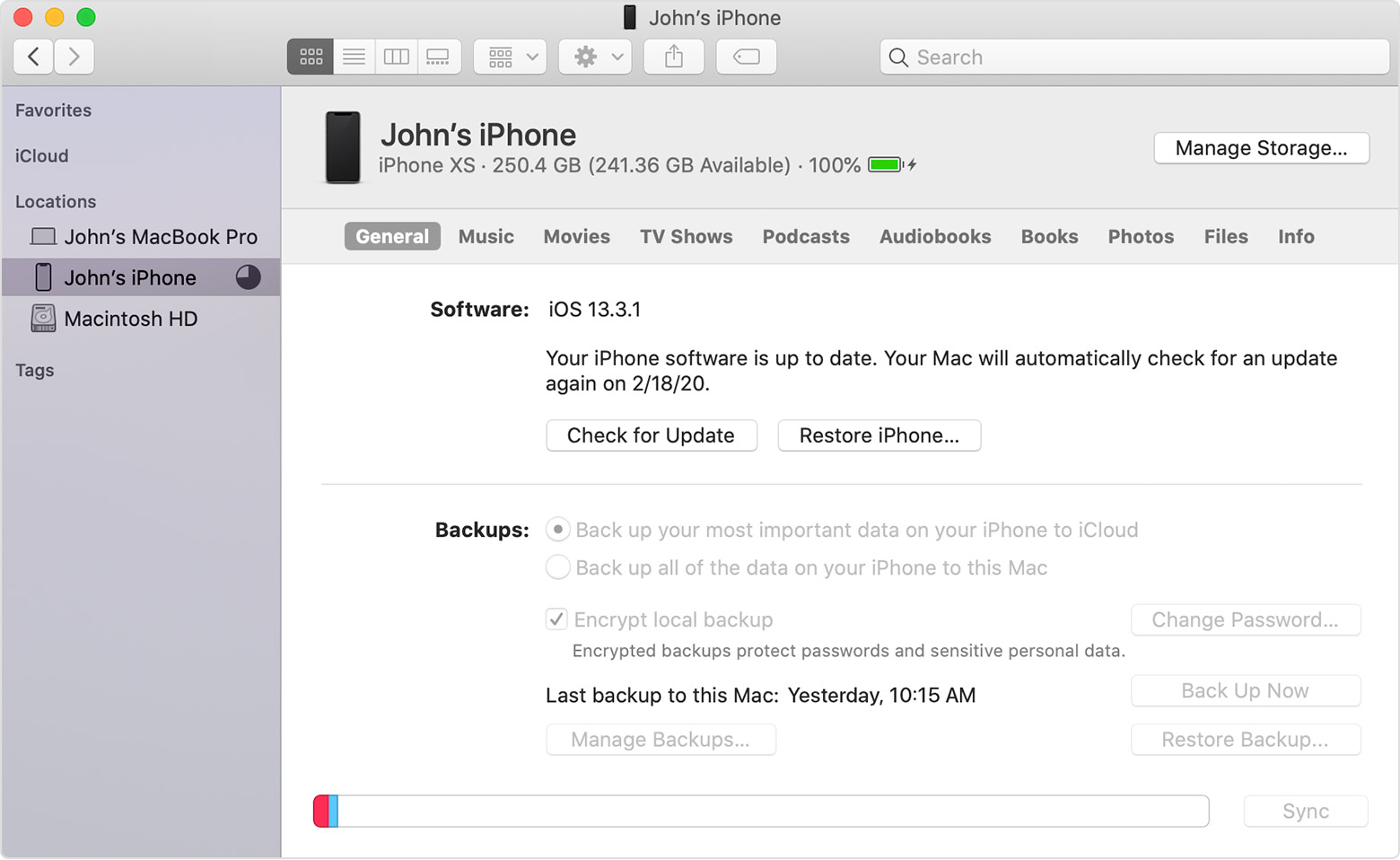
Finder replaced iTunes for this purpose at macOS 10.15 Catalina.

5 replies

Mar 24, 2021 2:29 PM in response to ilbishop7

ilbishop7 wrote:

so there's just no way for me to get iTunes now?

No, There is no version of iTunes for Big Sur.


But you don't need it. All the iTunes features including backing up an iPhone are now divided into the the new media specific Apps and the Finder.


To backup your iPhone, connect it to the Mac and open the Finder. The iPhone will show up there, and the fam iliar iTunes interface will appear when you click on the iPhone in the side panel.


See here: link-> How to back up your iPhone, iPad, and iPod touch - Apple Support

This thread has been closed by the system or the community team. You may vote for any posts you find helpful, or search the Community for additional answers.

why do i need an older version of my mac to download a newer version of iTunes?

Welcome to Apple Support Community
A forum where Apple customers help each other with their products. Get started with your Apple Account.