
iPad Air.
How do you turn it off to restart? Keeping a finger on the button doesn’t work
How do you turn it off to restart? Keeping a finger on the button doesn’t work
Turn iPad off then on
To turn off iPad, do one of the following:
 > General > Shut Down, then drag the slider.
To turn iPad back on, press and hold the top button until the Apple logo appears.
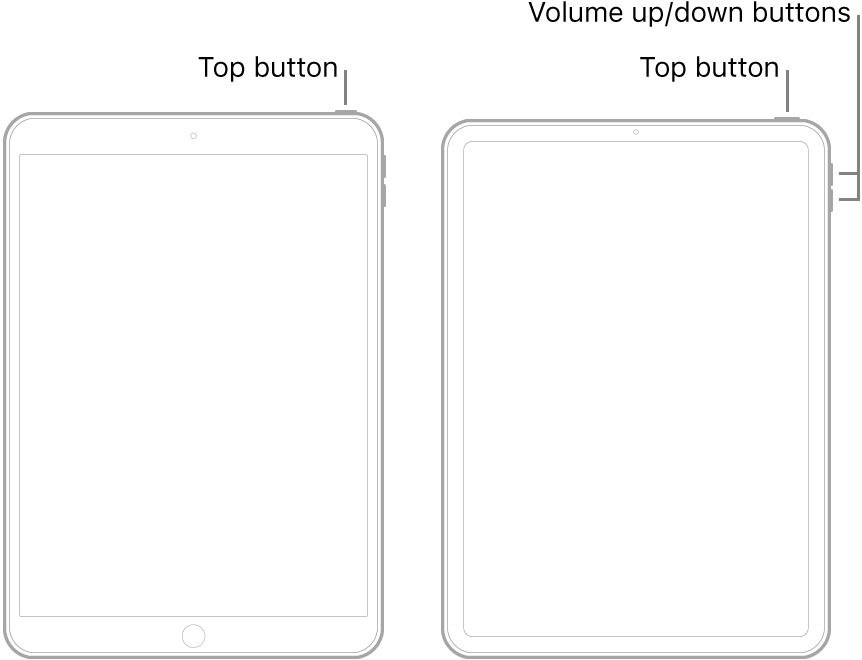
If iPad isn’t responding, do one of the following:
Note: If iPad still doesn’t turn on, or if it gets stuck during start up, see the Apple Support article If your iPhone, iPad, or iPod touch won’t turn on or is frozen.
Turn iPad off then on
To turn off iPad, do one of the following:
> General > Shut Down, then drag the slider.To turn iPad back on, press and hold the top button until the Apple logo appears.
If iPad isn’t responding, do one of the following:
Note: If iPad still doesn’t turn on, or if it gets stuck during start up, see the Apple Support article If your iPhone, iPad, or iPod touch won’t turn on or is frozen.
iPad Air.
