Macbook Air M1 USB-C 4K flickering issue with Dell P2721Q Monitor

I am seeing dell monitor flickering issue with my Macbook Air M1. The issue is non-existent using the Intel Macbook Pro 16".


I have used dell provided USB-C cable and other high quality cable known to work. Both results in flickering with the Dell P2721Q monitor.


I have contacted Dell Support and they have given me a replacement of P2721Q but still same issue with the Macbook Air M1. I am on currently on Big Sur 11.4 and there is no more updates to fix the issue. Has anybody specifically found any workaround?


Here is other references to similar issue:


EDIT: Using HDMI with Apple's USB-C to HDMI dongle does not fix the issue.


[Image Edited by Moderator to Remove Serial Number]

Posted on Jun 22, 2021 3:21 PM

Reply
11 replies

Jul 10, 2021 7:03 AM in response to devlli

You could try to update the mac. Update macOS on Mac

Use Software Update to update or upgrade macOS, including built-in apps like Safari.


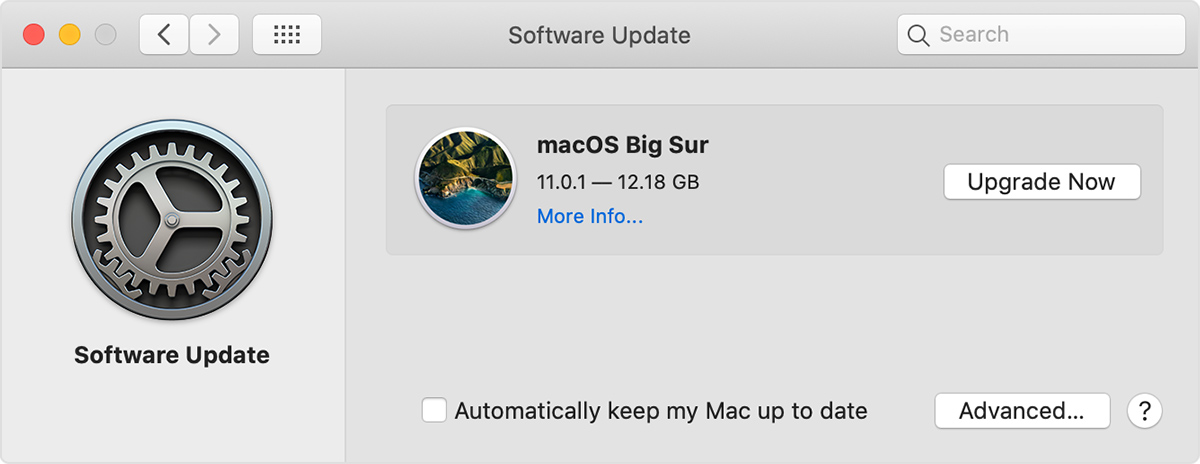
  1. From the Apple menu  in the corner of your screen, choose System Preferences.
  2. Click Software Update.
  3. Click Update Now or Upgrade Now:


Or, you can restart the mac. Head to the home screen, press the apple menu in the top left, and then press restart. This shouldn't harm your machine at al.


Finally, you can try a different port. I know I already suggested that, but you never said you tried it.

Jul 9, 2021 7:31 PM in response to AlexDaMan

Thanks for the ideas. I don't think it was cable or port issue.

Same cable works fine with 16" macbook pro.


I have got a replacement monitor and it has the same issue, here is what I did for time being to work around the issue

* By default the monitor is super bright and set to 75% brightness and 75% contrast, first thing I used to do is put them down to 50% for both. After I did a factory reset and keeping it at 75% seems to have avoided the flickering issue.


I think this is macbook M1 issue which I hope apple software update would fix it in future.

Jul 24, 2021 2:23 AM in response to AliceSitar

AliceSitar wrote:

Hi!

I've updated my mac, tried a different port and nothing works.
My new airbook M1 is still flickering with my new Dell screen.

What can I do? :(


For now I did factory reset the monitor and did not change the brightness and contrast settings.

It's been working well (no flickering). I don't know what's wrong with changing those, or it's just co-incidence.

Aug 10, 2021 6:15 PM in response to devlli

You can try disabling display sleep.

Also, 7


I just had this issue with a 2016 MBP and a Samsung 28" U28E590 Display. Tried a bunch of things, but what seemed to work was switching the monitor to use to HBR1.

The setting was in the monitor's menu under System -> DisplayPort Ver.

As soon as I switched it, the intermittent flickering stopped.

(copied and pasted from https://stackexchange.com/)

This thread has been closed by the system or the community team. You may vote for any posts you find helpful, or search the Community for additional answers.

Macbook Air M1 USB-C 4K flickering issue with Dell P2721Q Monitor

Welcome to Apple Support Community
A forum where Apple customers help each other with their products. Get started with your Apple Account.