
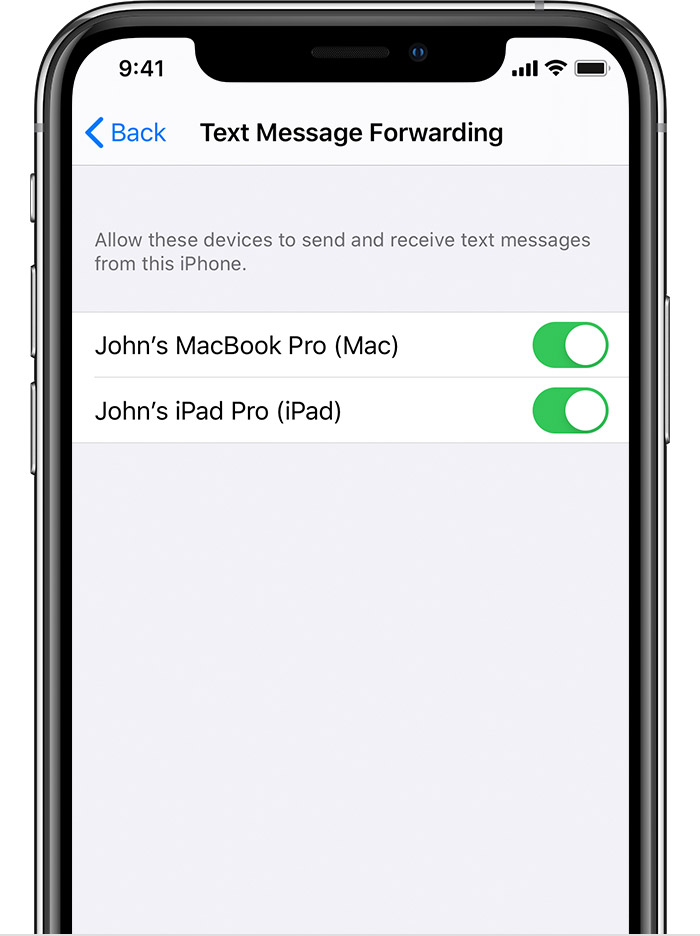
how do I add devices for text message forwarding. my phone only shows my iPad, not my Mac or watch.
how do I add devices for text message forwarding. my phone only shows my iPad, not my Mac or watch.
iMac 21.5″, macOS 11.4
how do I add devices for text message forwarding. my phone only shows my iPad, not my Mac or watch.
iMac 21.5″, macOS 11.4
there are basically three types of sharing
iCloud Photos & Messages: iCloud now keeps your entire messages history updated and available on all your devices — even when you set up a new device. Learn how to keep all your messages in iCloud.

To stop getting calls on one of your devices, just turn off the Calls from iPhone setting on that device. Watch the GIF
Watch the GIF below
You can use iPhone Cellular Calls with any Mac, iPhone, iPad or iPod touch that meets the Continuity system requirements. It works when your devices are near each other and set up as follows:
there are basically three types of sharing
iCloud Photos & Messages: iCloud now keeps your entire messages history updated and available on all your devices — even when you set up a new device. Learn how to keep all your messages in iCloud.
To stop getting calls on one of your devices, just turn off the Calls from iPhone setting on that device. Watch the GIF
Watch the GIF below
You can use iPhone Cellular Calls with any Mac, iPhone, iPad or iPod touch that meets the Continuity system requirements. It works when your devices are near each other and set up as follows:
how do I add devices for text message forwarding. my phone only shows my iPad, not my Mac or watch.
