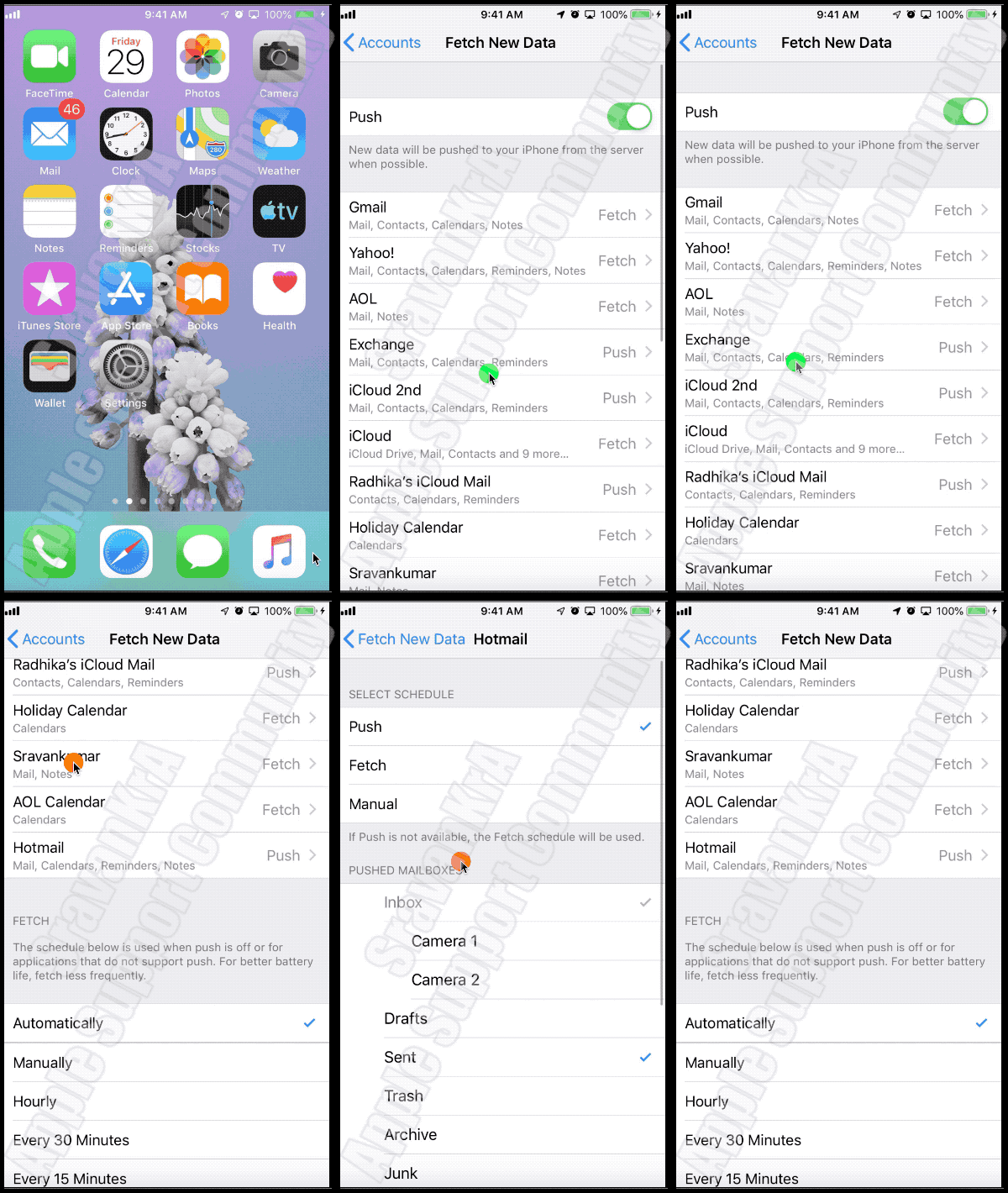
For email, this is called Push / Fetch Settings. You may know that there are two settings (Fetch and Push Mails). What have you set? Watch the GIF below
Google, AOL, Yahoo - Only Fetch mail Option is available
iCloud, Exchange, Outlook - Both Fetch and Push Mail option is available
- Push Mail: Whenever possible the email client will push emails to all your devices.
- Fetch Mail: You need to set How you want it to be fetched, Automatically, Manually, Hourly, Every 30 mins, every 15 mins
- Automatically: will fetch when the iPhone is powered and on WiFi
- Manually: with fetch when you open email, open Inbox and swipe down
- You get an email notification as soon as the client-server receives an email and your device is connected to the internet, irrespective of whether the mail is in your device's Inbox or not