Experience here shows that we should not make assumptions as to what may have been checked - until confirmed otherwise.
Have you also attempted a forced-restart of your iPad?
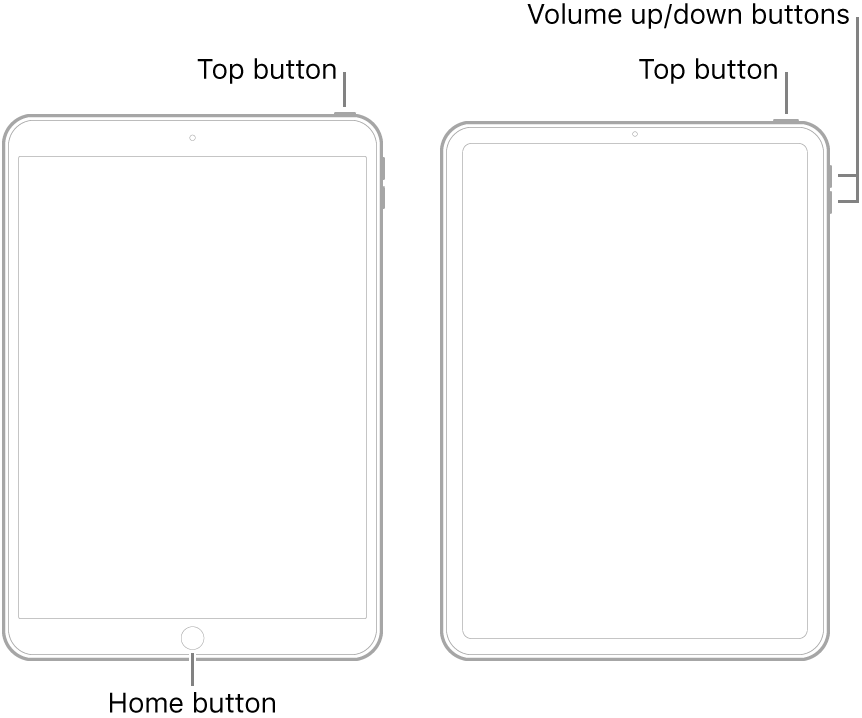
- On an iPad with a Home button: Press and hold the top button and the Home button at the same time. When the Apple logo appears, release both buttons.
- On other iPad models: Press and quickly release the volume up button, press and quickly release the volume down button, then press and hold the top button. When the Apple logo appears, release the button.
If a forced-restart demonstrates no improvement, you would be well advised to seek assistance directly from Apple Support. The Get Support link can be found at the extreme top-right of this page. Alternatively, you can initiate a support case using the excellent Apple Support App:
https://apps.apple.com/gb/app/apple-support/id1130498044


