
Auto-lock malfunctioning
I want to change the auto lock on my iPad from 2 minutes. I have set this iPad up with a personal email, and I do not have any low power mode on. However, the auto lock option is greyed out
iPad Pro, iPadOS 14
I want to change the auto lock on my iPad from 2 minutes. I have set this iPad up with a personal email, and I do not have any low power mode on. However, the auto lock option is greyed out
iPad Pro, iPadOS 14
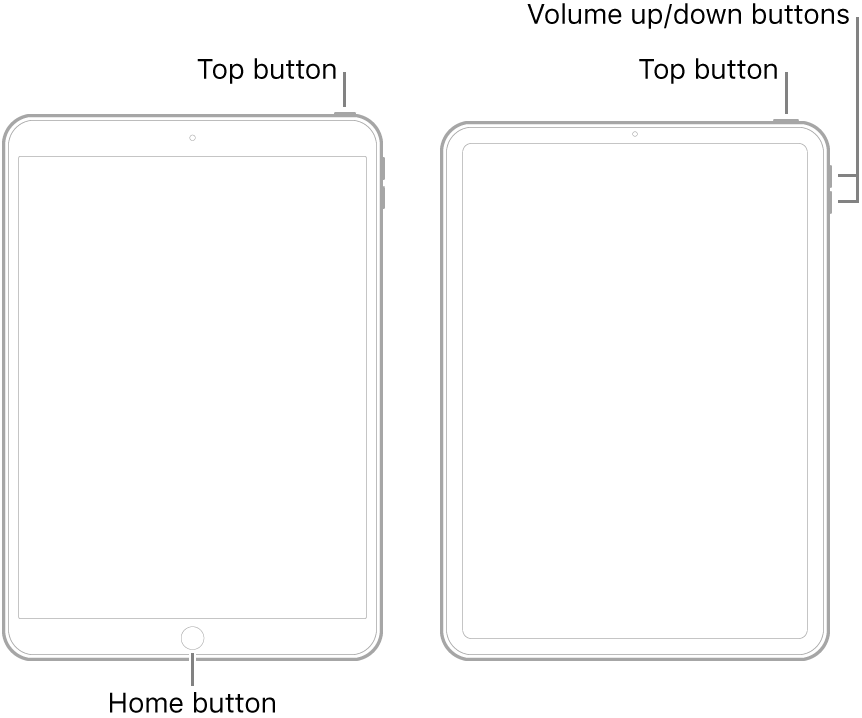
A forced restart may be helpful - as this will often resolve an isolated software issue:
Do you have a work email or Exchange account on your device? If so, the employer who owns the Exchange account may have set a policy to prevent those changes which would be installed on your device when you added the mail account.
Make sure that you do not have any restrictions active in Screen Time to restrict any system settings.
Have you configured both the iPad Passcode and TouchID/FaceID?
Settings -> Display & Brightness -> Auto-Lock
However, we’d urge extreme caution about setting it to “Never.”
Yes, with TouchID
This did not solve my problem. I have also realised I am unable to turn my password off, while being able to turn it off on other Apple devices. Could there be a reason for this?
My iPad is set up personally with a personal email
I turned off screen time, but auto-lock was still greyed out
Auto-lock malfunctioning


