
How do I remove a cared on Apple Pay
How do I remove a cared on Apple Pay
iPhone XR, iOS 14
How do I remove a cared on Apple Pay
iPhone XR, iOS 14
Hello there, ky264!
Thanks for reaching out to the Apple Support Communities! That's a great question you have about removing a card from Apple Pay. Check out this article for the steps to take to Manage the cards that you use with Apple Pay:
"Remove a card
If you need to, you can remove a card from your device. For Apple Card,4 learn how you can close your account. For Apple Cash,3 use these steps to close your Apple Cash account or turn off Apple Cash on a certain device.
iPhone or iPad
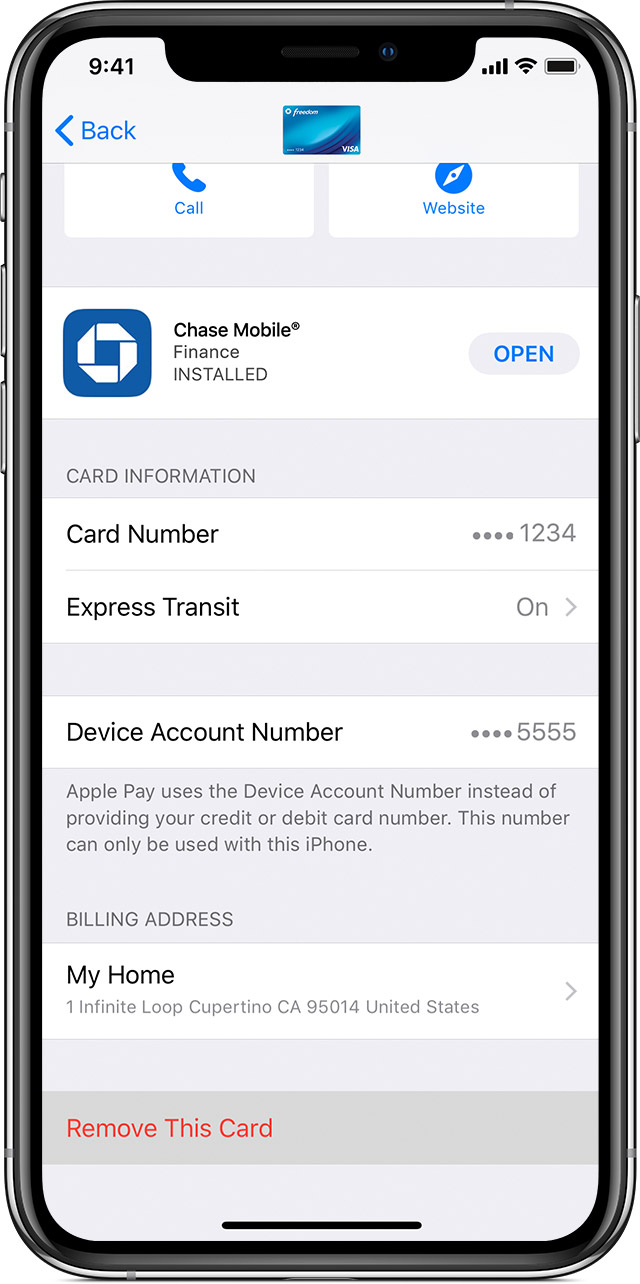

To remove a card that you use on your iPhone or iPad, go to Settings > Wallet & Apple Pay, tap the card that you want to remove, then scroll down and tap Remove This Card.
Or open Wallet, tap a card, tap  , then scroll down and tap Remove This Card.
Apple Watch
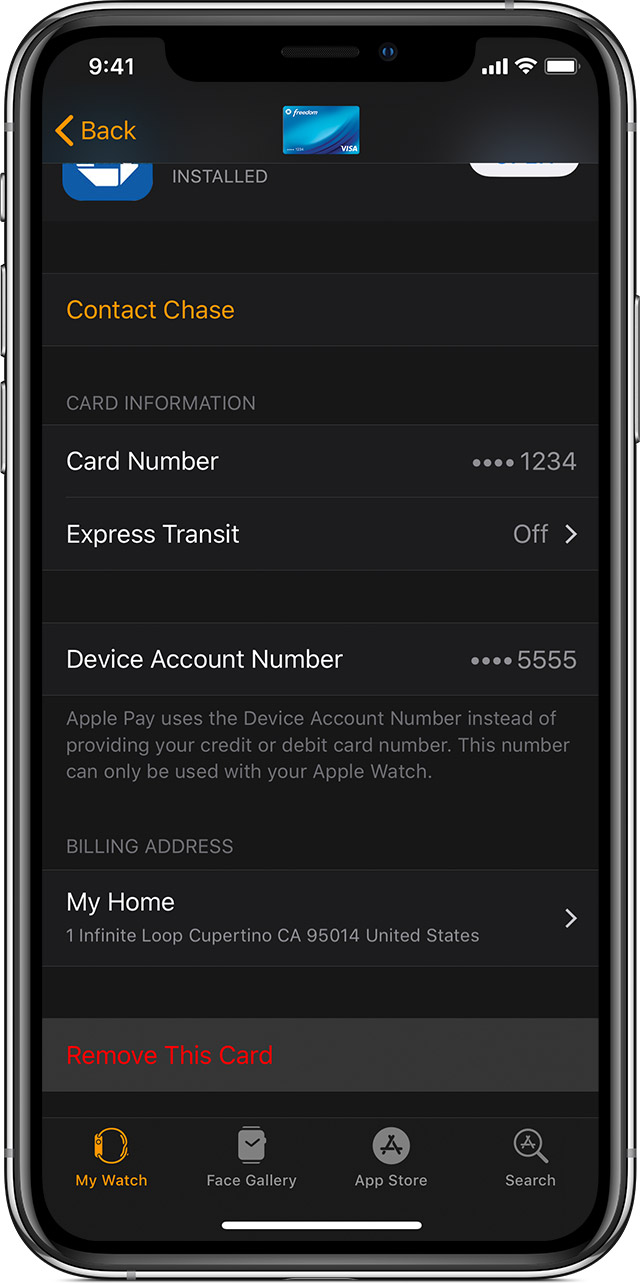
To remove a card that you use on your Apple Watch, open the Watch app on your iPhone, go to the My Watch tab, scroll down, tap Wallet & Apple Pay, tap the card, then scroll down and tap Remove This Card.
Or tap Wallet on the Home screen of your Apple Watch, tap a card, touch and hold, then tap Delete.
Mac models with Touch ID
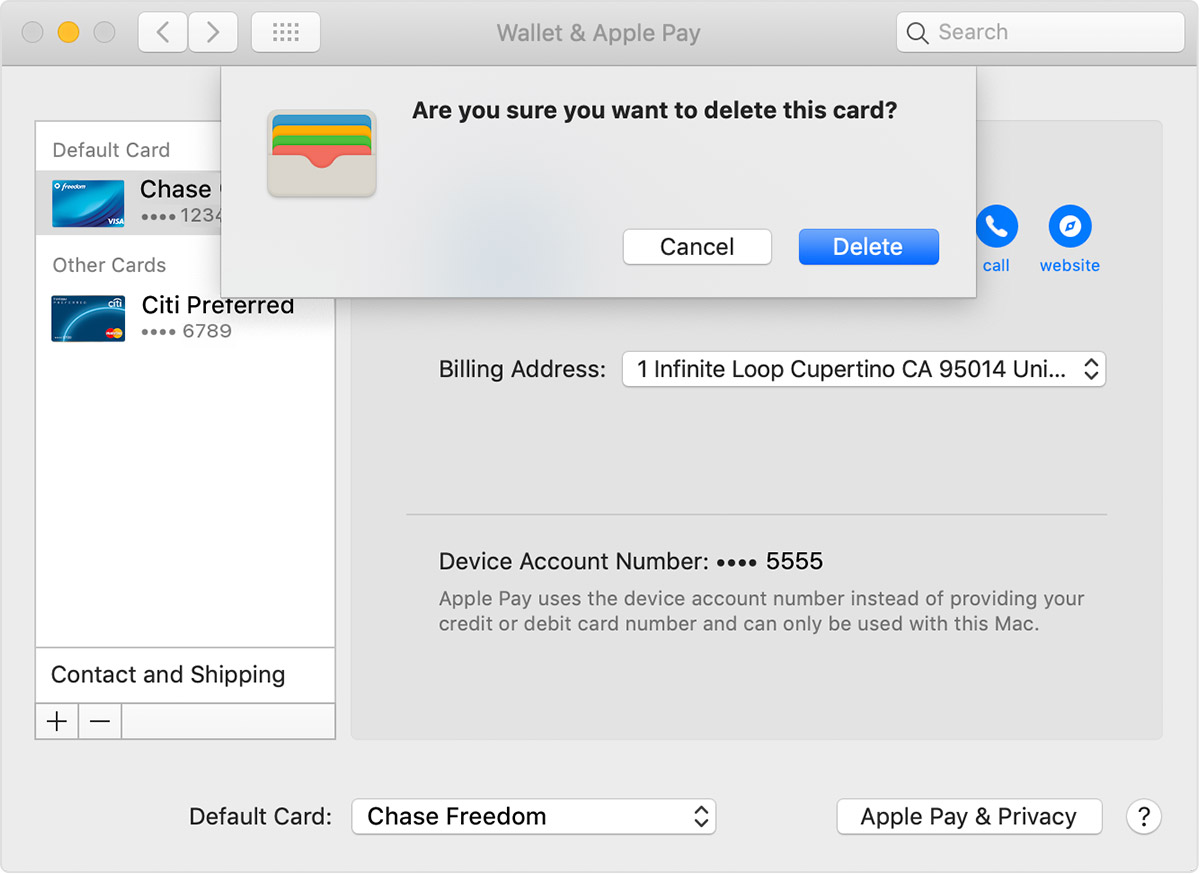
To remove a card that you use on your Mac, go to System Preferences > Wallet & Apple Pay, click the card that you want to remove, then click the minus (–) sign to remove the card.
 "
"
Thanks again for the question and have a terrific day!
Hello there, ky264!
Thanks for reaching out to the Apple Support Communities! That's a great question you have about removing a card from Apple Pay. Check out this article for the steps to take to Manage the cards that you use with Apple Pay:
"Remove a card
If you need to, you can remove a card from your device. For Apple Card,4 learn how you can close your account. For Apple Cash,3 use these steps to close your Apple Cash account or turn off Apple Cash on a certain device.
iPhone or iPad
To remove a card that you use on your iPhone or iPad, go to Settings > Wallet & Apple Pay, tap the card that you want to remove, then scroll down and tap Remove This Card.
Or open Wallet, tap a card, tap , then scroll down and tap Remove This Card.
Apple Watch
To remove a card that you use on your Apple Watch, open the Watch app on your iPhone, go to the My Watch tab, scroll down, tap Wallet & Apple Pay, tap the card, then scroll down and tap Remove This Card.
Or tap Wallet on the Home screen of your Apple Watch, tap a card, touch and hold, then tap Delete.
Mac models with Touch ID
To remove a card that you use on your Mac, go to System Preferences > Wallet & Apple Pay, click the card that you want to remove, then click the minus (–) sign to remove the card.
"
Thanks again for the question and have a terrific day!
How do I remove a cared on Apple Pay

