
bootloop
How can I stop my Iphone from bootlooping?
iPhone 6s Plus, iOS 14
How can I stop my Iphone from bootlooping?
iPhone 6s Plus, iOS 14
Hi dymon1020,
It appears that your iPhone isn't able to fully start up and is continuously restarting. You could try the steps below, from the following article, to see if that might help: If your iPhone won't turn on or is frozen - Apple Support
"If your iPhone turns on but gets stuck during start up
If you see the Apple logo or a red or blue screen during startup, try these steps:


4. Keep holding the buttons until you see the recovery mode screen.
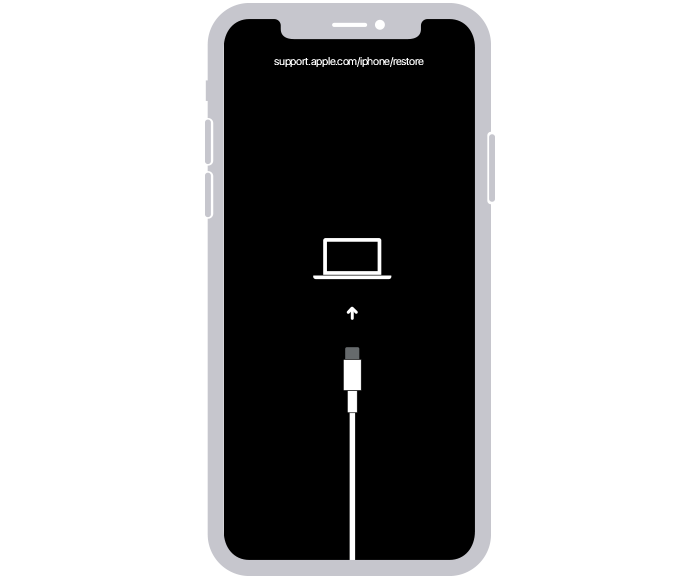
5. When you get the option to restore or update, choose Update.

6. Your computer will download the software for your device. If it takes more than 15 minutes, your device will exit recovery mode. Repeat steps 2-4.
If you need more help
Contact Apple Support to set up service."
We hope that information helps.
Take care.
Hi dymon1020,
It appears that your iPhone isn't able to fully start up and is continuously restarting. You could try the steps below, from the following article, to see if that might help: If your iPhone won't turn on or is frozen - Apple Support
"If your iPhone turns on but gets stuck during start up
If you see the Apple logo or a red or blue screen during startup, try these steps:
4. Keep holding the buttons until you see the recovery mode screen.
5. When you get the option to restore or update, choose Update.
6. Your computer will download the software for your device. If it takes more than 15 minutes, your device will exit recovery mode. Repeat steps 2-4.
If you need more help
Contact Apple Support to set up service."
We hope that information helps.
Take care.
bootloop

