You have really good raw signal (RSSI) at -52, you must be right near your Router. Noise at 90 yield signal-to-noise of 38 excellent.
But you are only using one antenna, and in an 80- MHz channel are achieving only 325 M bits/sec. If you were using three antennas, you could be seeing 1300 M bits/sec. Not using multiple antennas tends to happen when you are fighting with another Router on the same channel.
¿How many other networks do you see?
You can see what neighbors are on what channels by using the Wireless Diagnostics SCAN function. You get a presentation like this one that shows literal channel, but NOT spectrum used:
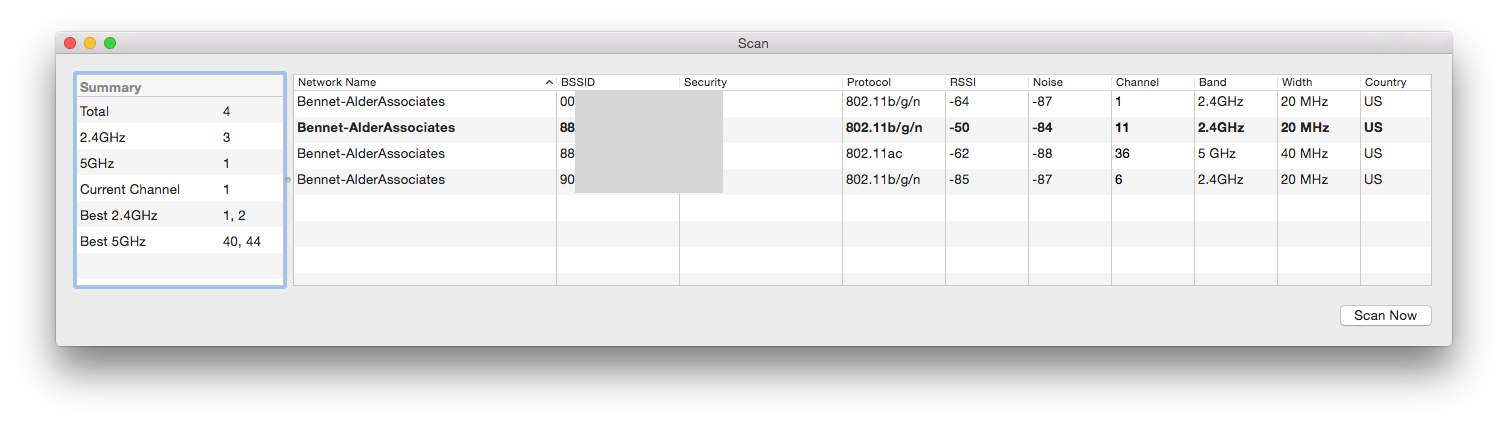
(drag and drop on Preview to see larger)
The inexpensive Utility Wi-Fi explorer, which includes a free trial, can show the amount of Spectrum consumed, like this:
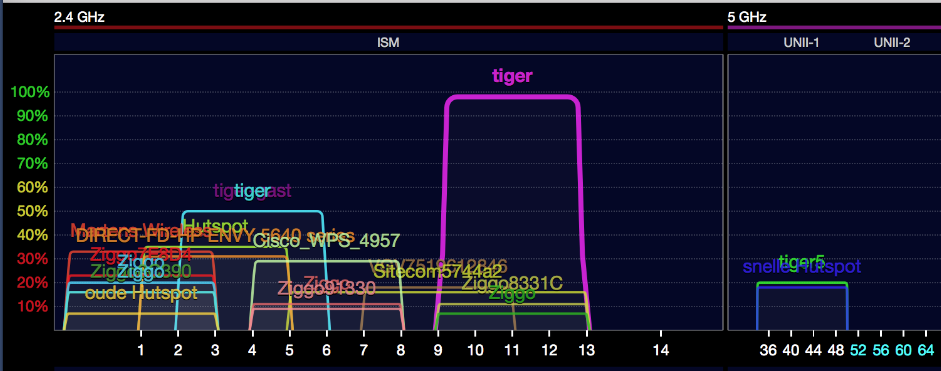
(drag and drop on Preview to see larger)
This shows several Routers fighting over the 36 to 50 channel range when you account for the spread, they overlap.
The M1 Macs running Big Sur seem to have an issue with maintaining connection at high data rates when using an 80 MHz channel. You may get some relief by changing your Router settings to use a 40MHz channel while Apple comes up with a solution.

