iPhone 12 mini warms up

Hello! Recently purchased for iPhone 12 mini faced the problem that the device warms up even under minimal loads(Fe: using safari, or surfing Facebook) . It can't be said that it warms up a lot, but you can feel a little warm from the back of the phone. Is there any cause for concern?

Thank you in advance

iPhone 12 mini, iOS 15

Posted on Nov 30, 2021 8:57 AM

Reply
Question marked as Top-ranking reply

Posted on Dec 1, 2021 8:25 AM

Hi Pitbul_04,


Thank you for posting in Apple Support Communities. We understand you are concerned about your iPhone becoming warm during use.


"You might notice that your device feels warmer when you:


  • Set up your device the first time
  • Restore from a backup
  • Wirelessly charge your device
  • Use graphics-intensive or processor-intensive apps, games, or features, including augmented-reality apps
  • Stream high-quality video


These conditions are normal, and your device will return to a regular temperature when the process is complete or when you finish your activity. If your device doesn't display a temperature warning, you can keep using your device."


"iOS and iPadOS devices have built-in protections to prevent overheating. If the interior temperature of the device exceeds the normal operating range, the device will protect its internal components by attempting to regulate its temperature."


"If the device exceeds a certain temperature threshold, it will present a temperature warning screen similar to this:
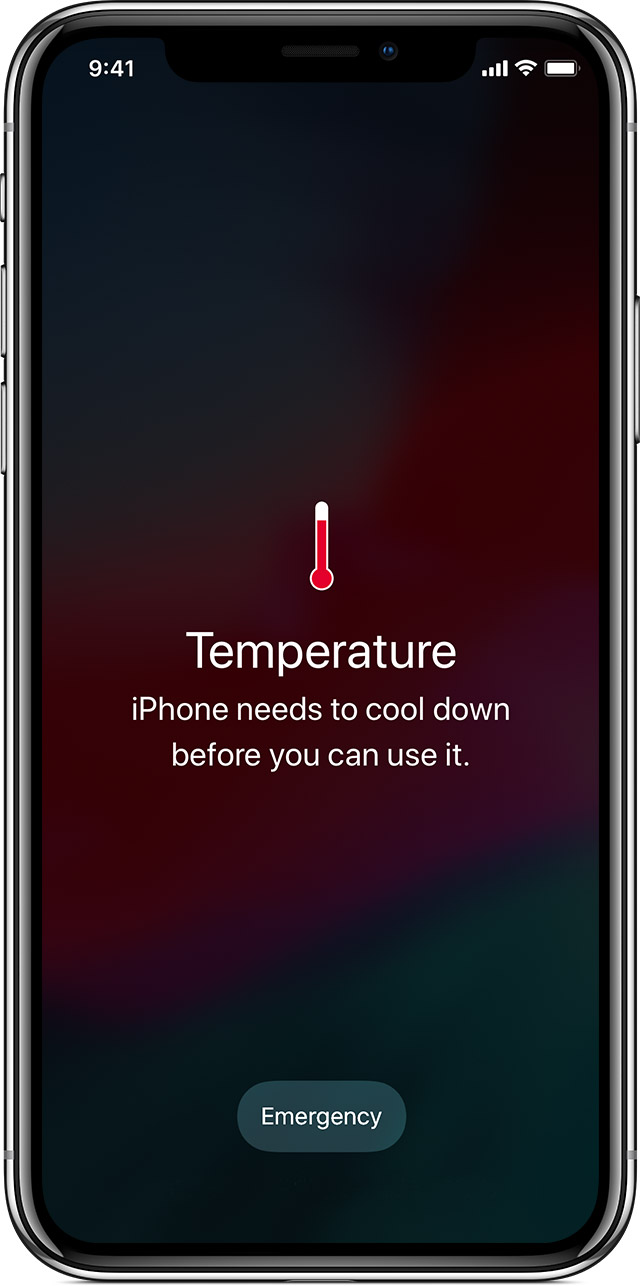


An iPhone showing this message might still be able to make emergency calls.


To resume use of your device as quickly as possible, turn it off, move it to a cooler environment (away from direct sunlight), and allow it to cool down."


As discussed here: If your iPhone, iPad, or iPod touch gets too hot or too cold


Cheers!

1 reply
Question marked as Top-ranking reply

Dec 1, 2021 8:25 AM in response to Pitbul_04

Hi Pitbul_04,


Thank you for posting in Apple Support Communities. We understand you are concerned about your iPhone becoming warm during use.


"You might notice that your device feels warmer when you:


  • Set up your device the first time
  • Restore from a backup
  • Wirelessly charge your device
  • Use graphics-intensive or processor-intensive apps, games, or features, including augmented-reality apps
  • Stream high-quality video


These conditions are normal, and your device will return to a regular temperature when the process is complete or when you finish your activity. If your device doesn't display a temperature warning, you can keep using your device."


"iOS and iPadOS devices have built-in protections to prevent overheating. If the interior temperature of the device exceeds the normal operating range, the device will protect its internal components by attempting to regulate its temperature."


"If the device exceeds a certain temperature threshold, it will present a temperature warning screen similar to this:


An iPhone showing this message might still be able to make emergency calls.


To resume use of your device as quickly as possible, turn it off, move it to a cooler environment (away from direct sunlight), and allow it to cool down."


As discussed here: If your iPhone, iPad, or iPod touch gets too hot or too cold


Cheers!

This thread has been closed by the system or the community team. You may vote for any posts you find helpful, or search the Community for additional answers.

iPhone 12 mini warms up

Welcome to Apple Support Community
A forum where Apple customers help each other with their products. Get started with your Apple Account.