Photos are doubled and tripled

Hello all. I recently set up some shared albums so my partner can look through family photos without having to go through my screenshots and work photos. When I click on Photos on my desktop Mac I can see the shared albums separate from the main camera roll. But when I want to attach a photo to a Facebook or Twitter post and click on the camera icon, all I get is all the photos doubled and tripled, with the shared albums not visible. Is there some way to correct this?

iMac 21.5″, macOS 12.0

Posted on Dec 30, 2021 5:46 AM

Reply

Similar questions

3 replies

Dec 31, 2021 8:27 AM in response to BadgerSocks

Greetings, BadgerSocks!


From your post, it sounds like you are experiencing an issue with photos in Shared Albums duplicating when you share the photos with other apps. We’re glad that you reached out to the Apple Support Communities. We want to try and help get you pointed in the right direction.


  • To verify, what type of Mac do you use? What version of the macOS is currently on the Mac? If you're unsure, here's how to check: Find out which macOS your Mac is using.
  • Does the problem happen with only FaceBook and Twitter? If with other apps, which other apps?
  • Does the same problem exist on other devices that have access to the Shared Album? If so, which other devices?


Once more information is posted, others in the Apple Support Communities may be able to offer assistance.


Best wishes!

Dec 31, 2021 9:12 AM in response to genieen16

Hi genieen16 and thank you for replying. I have an iMac, 2019 vintage, running Monterey 12.0.1. I mostly post photos to Facebook and Twitter, but I also have an Instagram account that I rarely use and I just tried and got the same result when trying to post there; all the photos, doubled and tripled and none of the separate albums. When I simply click on Photos in the taskbar I do get all the albums.


I have some of my own albums in Photos, and I set up six shared albums so my husband can look at relevant for him photos. On the iPad (3rd generation Air) I have the same situation slightly different: when I go into Photos I can see all my albums, shared and unshared, but when I go to post a photo on a site I only get everything and the non-shared. On my iPhone6 I can't see the shared albums at all in Photos, but when I go to post a photo I get everything and the non-shared albums.
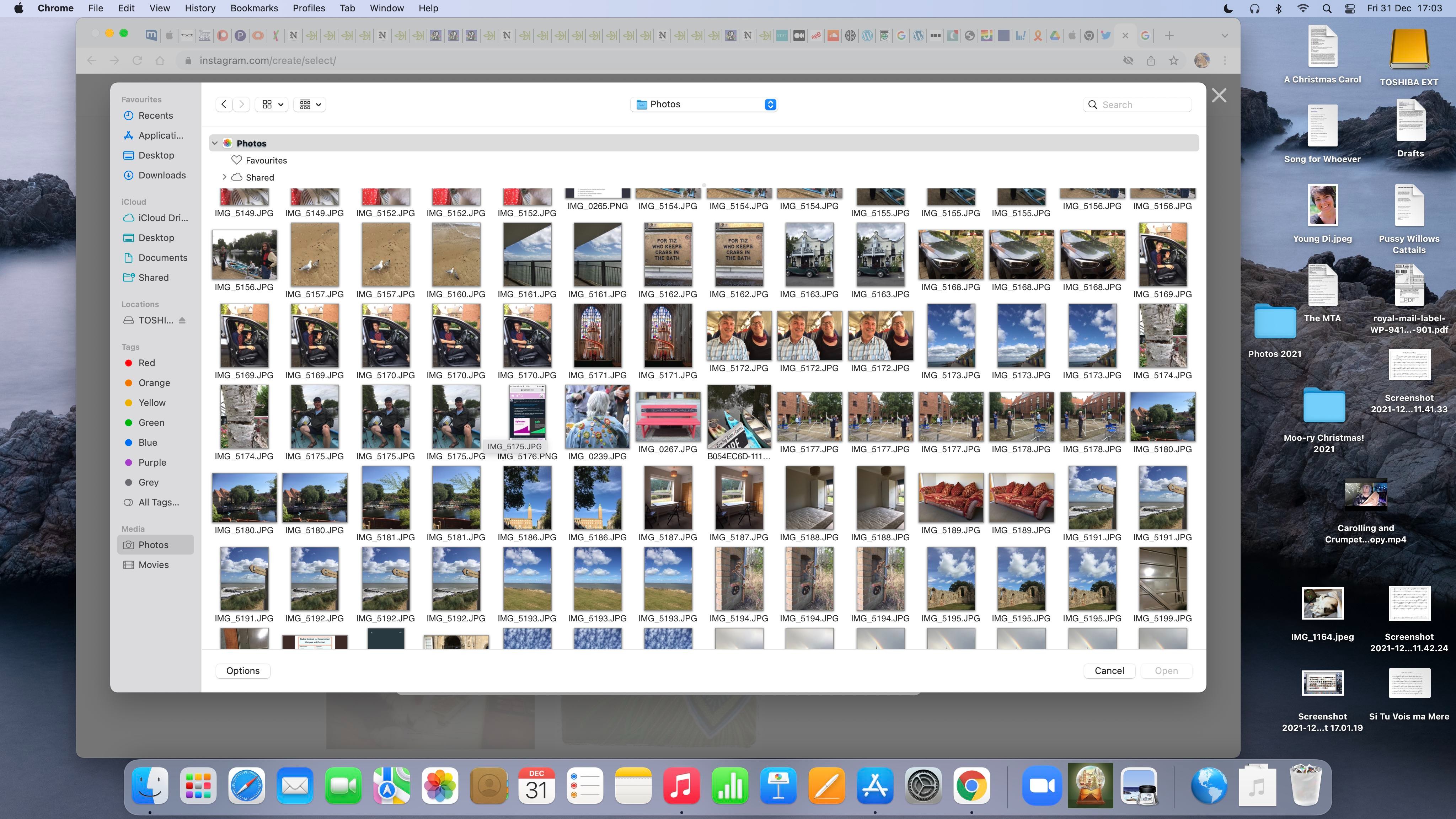
Here is a screen shot of what I get on the iMac when I want to post a picture. Notice that there are no albums showing in the left sidebar.


I hope this is making sense!


What I would really like to have is to be able to see the albums on the iMac when I want to post a photo, but all I get is this ridiculously long list of teeny thumbnails, all doubled and tripled.


Thank you again, and Happy New Year! I'm off to eat little brown baked things and quaff something.


This thread has been closed by the system or the community team. You may vote for any posts you find helpful, or search the Community for additional answers.

Photos are doubled and tripled

Welcome to Apple Support Community
A forum where Apple customers help each other with their products. Get started with your Apple Account.
