There is no way I know of to automatically add a blank row based on a value in a cell. But why would you want to do that anyway? In general it is best to keep your data in a consistent table format.
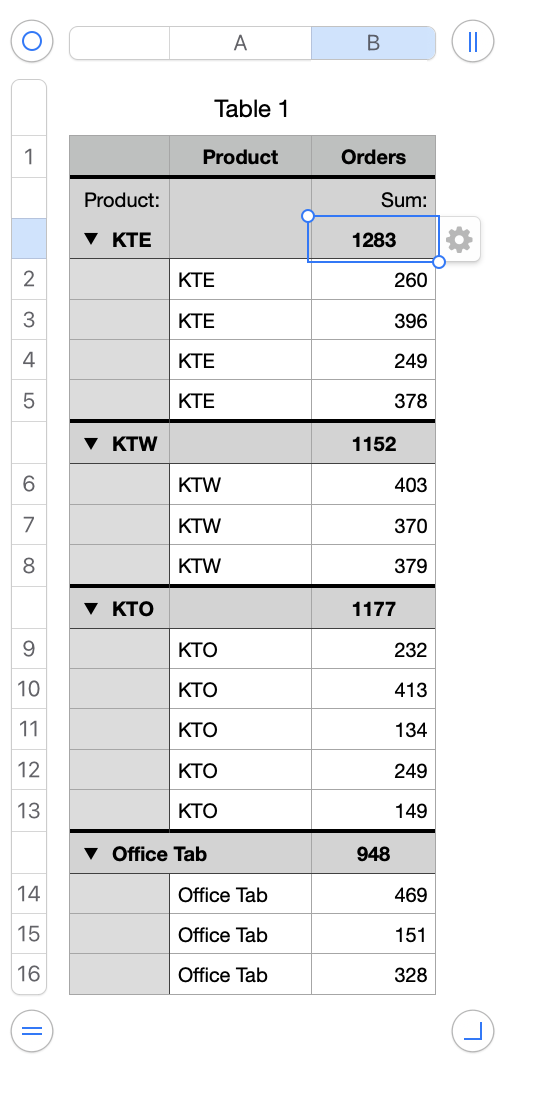
If your goal is to calculate subtotals, averages, counts or whatever from your data then you can use the SUMIF, SUMIFS, COUNT, COUNTIFS functions, or even easier, the built-in functionalities in Numbers that do this without you having to enter a formula.
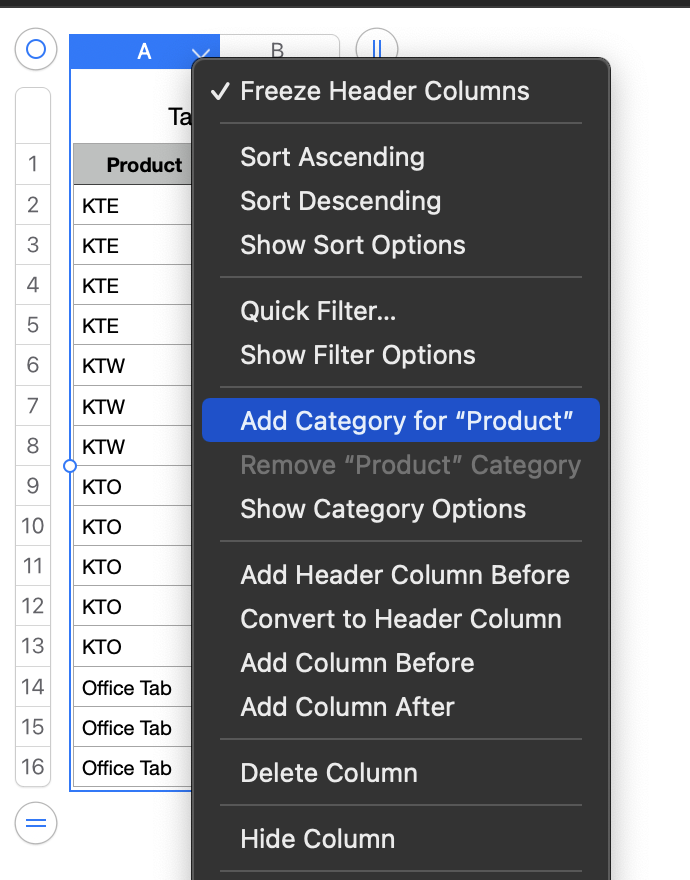
A. Using the Categories functionality:
B. Using the Pivot Table functionality.
Click in table, then from menu choose Organize > Create Pivot Table > On Current Sheet, and drag from the Source Data box to the Rows and Values boxes as shown ).
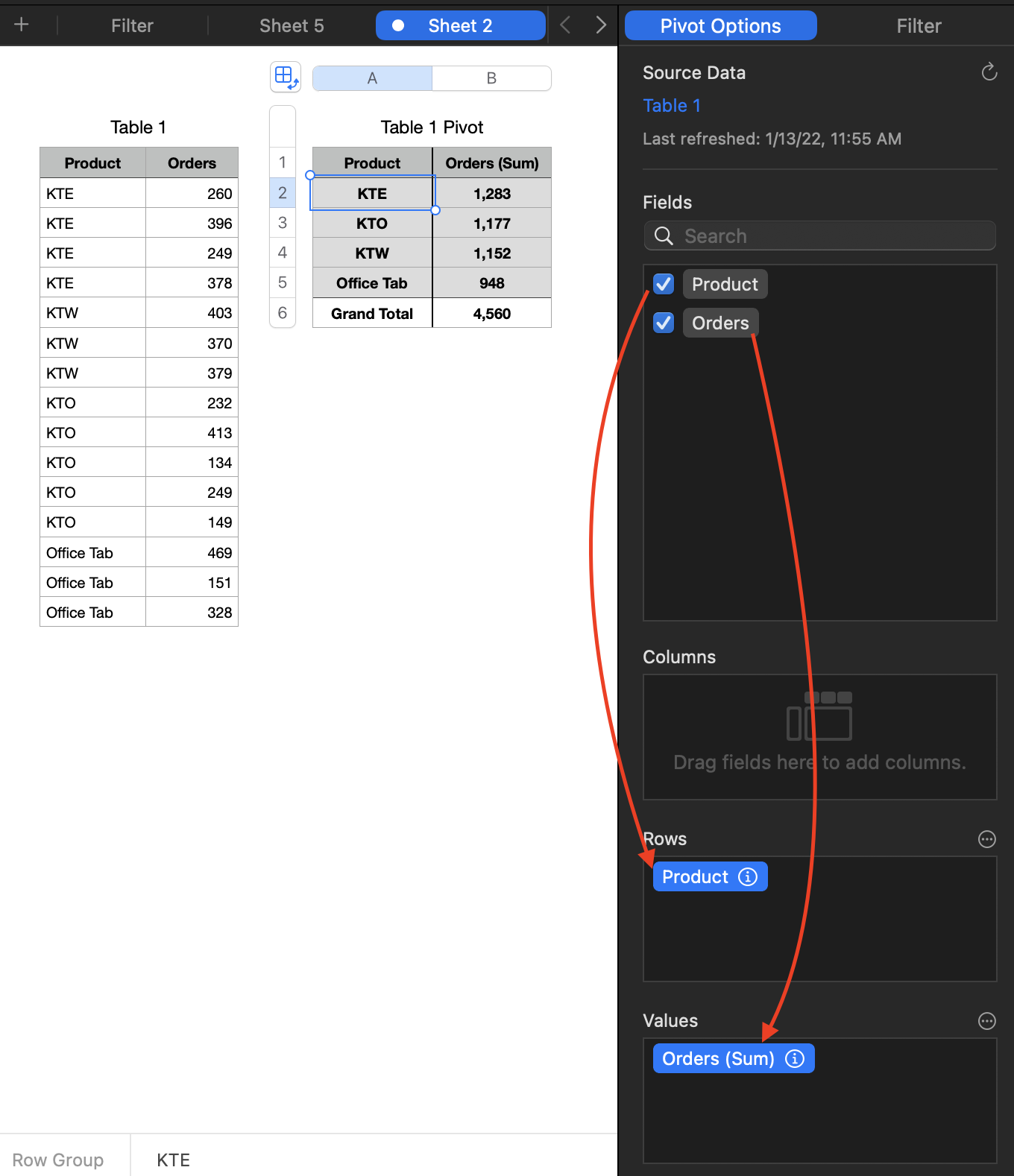
Click the circled i ⓘ to see all the various options you have with Pivot Tables. And if you change or add to the data on which your Pivot Table(s) are based just "refresh" by going in the menu to Organize > Refresh Pivot Table.
SG


