I have IOS 15 and resetting my network settings did not remove the password for the encrypted backup, how do I go about resetting the password?

I have IOS 15 and resetting my network settings did not remove the password for the encrypted backup, how do I go about resetting the password?

iPhone XR, iOS 15

Posted on Jan 21, 2022 5:58 PM

Reply
4 replies

Jan 22, 2022 12:29 AM in response to imoliviarose

You do not remember your encrypted backup password, I can understand.

You do not remember having created an encrypted backup, I can understand this also. (This is not true in your case)

This means the iCloud Key chain was checked while creating the encrypted backup because by default it is checked.


Look for it in the iCloud Keychain.



Did you un-check the keychain while creating the encrypted password (By default it is checked) See the pic hereunder.
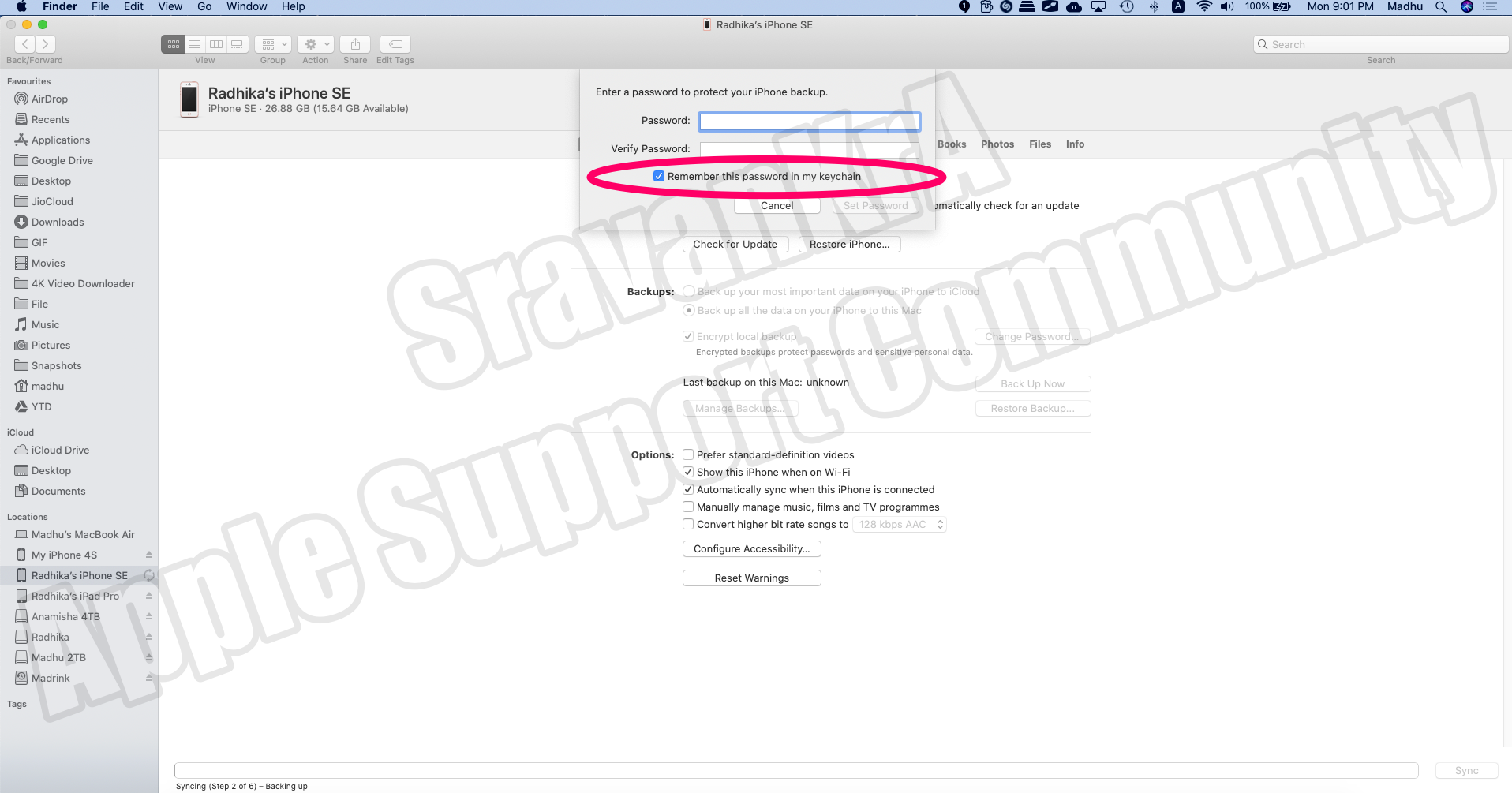


If you had un-checked then the only option that you have is, keep trying various passwords as there is no limit on the number of attempts.


You may have forgotten that you had entered a password. --> About encrypted backups on your iPhone, iPad, or iPod touch ...



This thread has been closed by the system or the community team. You may vote for any posts you find helpful, or search the Community for additional answers.

I have IOS 15 and resetting my network settings did not remove the password for the encrypted backup, how do I go about resetting the password?

Welcome to Apple Support Community
A forum where Apple customers help each other with their products. Get started with your Apple Account.
