
Findable After Switch Off!!
there is a feature which says iPhone findable after poweroff.... and mine is stolen which is now switched off and am sure it had had that feature on and not updating location.. why is that?
there is a feature which says iPhone findable after poweroff.... and mine is stolen which is now switched off and am sure it had had that feature on and not updating location.. why is that?
Did you enable Find My?
If you didn't turn on Find My [device] before your device was lost or stolen, it can't be used to locate your device nor you can use the IMEI number for tracking the device.
The best action would be to Change your Apple ID password and change the passwords for other internet accounts on your device. This can include email accounts, Facebook, Twitter, etc...

Don'ts
If you remove the device from your account after you erase it, Activation Lock will be turned off. This allows another person to turn on and use your device.
Find IMEI & Serial No. of the Lost Device
You may use a web browser to get the Serial Number and the IMEI Number. You cannot track using the IMEI number. but you may need it so keep it handy
Log in to https://appleid.apple.com with your Apple ID credentials. All your devices will be listed there. Click on any to get the details.
Do's
Beware of Phishing!
Be careful and be smart to --> Recognize and avoid phishing messages, phoney support calls ...
Note: Apple will never send you any info on Lost/Found iPhones. It (Phishing) may appear as the image given below.
Device Offline?
I see my device in Find My, but it's offline
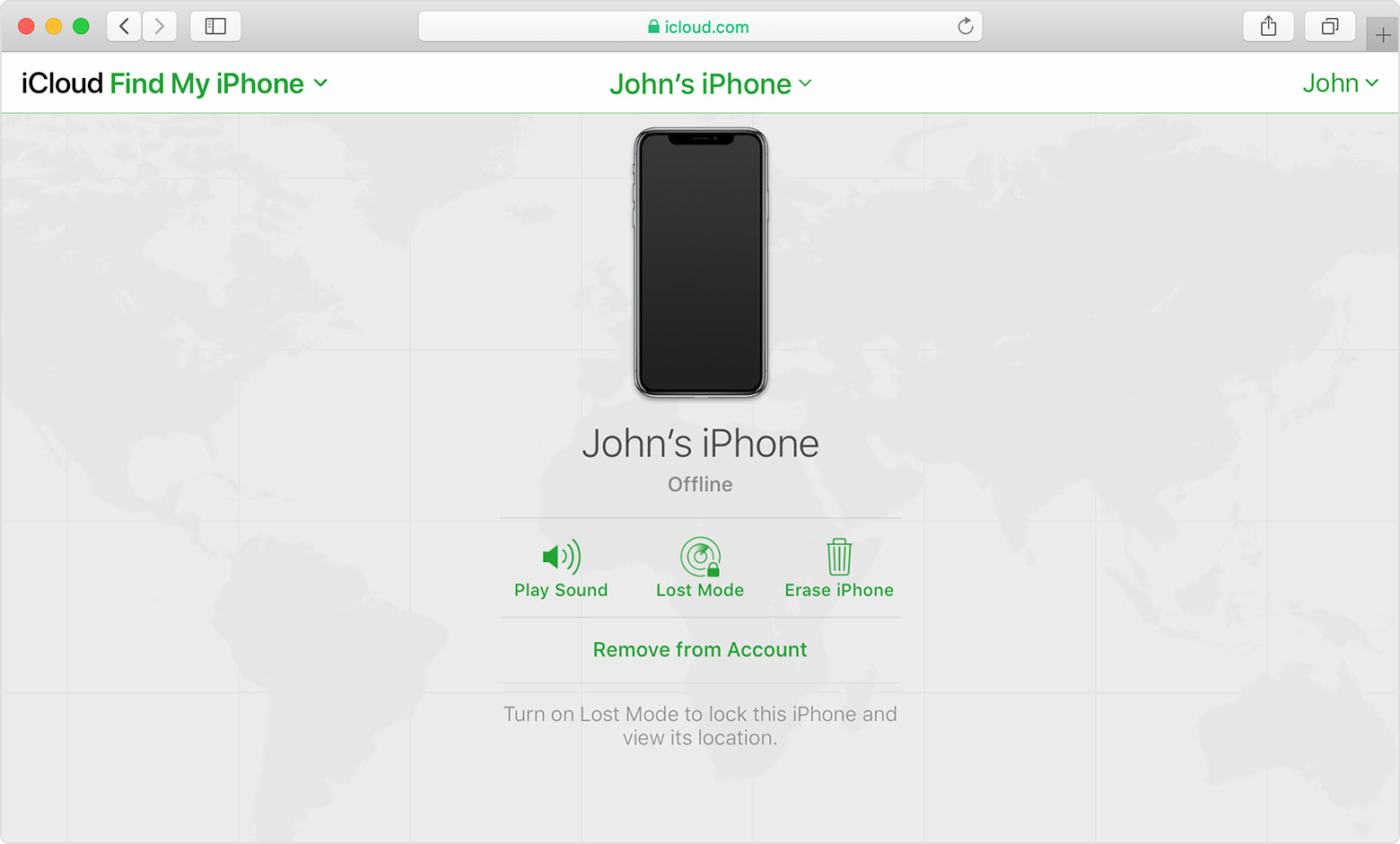
If you see "Offline," "No location available," or "Location Services Off," your device might be offline for one of these reasons:
You can still play a sound, send a message, issue a lock request, or start an erase of your iOS device with Find My [device]. Your device receives the command after you turn on your device and connect to the Internet.
If you contact your wireless service provider to report your device lost or stolen, they might deactivate your SIM card or account. This turns off service for your iPhone and you won't be able to find, play a sound, send a message, issue a lock request, or start an erase of your iOS device with Find My [device]. However, we'll help you learn how to protect your information.
Your device's last known location is available for one day. If your device is offline or can't connect to Find My [device] for more than 24 hours, you won't be able to see the last known location.
Did you enable Find My?
If you didn't turn on Find My [device] before your device was lost or stolen, it can't be used to locate your device nor you can use the IMEI number for tracking the device.
The best action would be to Change your Apple ID password and change the passwords for other internet accounts on your device. This can include email accounts, Facebook, Twitter, etc...
Don'ts
If you remove the device from your account after you erase it, Activation Lock will be turned off. This allows another person to turn on and use your device.
Find IMEI & Serial No. of the Lost Device
You may use a web browser to get the Serial Number and the IMEI Number. You cannot track using the IMEI number. but you may need it so keep it handy
Log in to https://appleid.apple.com with your Apple ID credentials. All your devices will be listed there. Click on any to get the details.
Do's
Beware of Phishing!
Be careful and be smart to --> Recognize and avoid phishing messages, phoney support calls ...
Note: Apple will never send you any info on Lost/Found iPhones. It (Phishing) may appear as the image given below.
Device Offline?
I see my device in Find My, but it's offline
If you see "Offline," "No location available," or "Location Services Off," your device might be offline for one of these reasons:
You can still play a sound, send a message, issue a lock request, or start an erase of your iOS device with Find My [device]. Your device receives the command after you turn on your device and connect to the Internet.
If you contact your wireless service provider to report your device lost or stolen, they might deactivate your SIM card or account. This turns off service for your iPhone and you won't be able to find, play a sound, send a message, issue a lock request, or start an erase of your iOS device with Find My [device]. However, we'll help you learn how to protect your information.
Your device's last known location is available for one day. If your device is offline or can't connect to Find My [device] for more than 24 hours, you won't be able to see the last known location.
Correct. The lost device is an extremely low power usage mode. It can only be located if another iOS (or similar) device comes within bluetooth range, and that device has the Find My network enabled. When that happens, that other device will update the location of the lost device.
as you can see find my iPhone is on and no location update...and 24 hours passed and i didnt remove my apple id from that device because i have a hope that it may get turned on so that i will be able to track... Do you think that is Wise?
Depends on the device and iOS
Switched Off? Still traceable
Even if the iPhone is switched off it is findable, see the pic below.
tbh i know this and saw.....but is it only findable another ios device? im just tracking it from my pc and nothing!!!
Findable After Switch Off!!

