No Midi Signal

Hey,

I connected my Yamaha Keyboard (YPT-230, an old model) via a MIDI/USB Interface Cable (Miditech Midilink mini) to my Mac. Although I can select the interface cable in Logic, I'm getting no signal when I play some notes on the keyboard.

In the Audio Midi Setup on my Computer everything looks ok too.

I'm a beginner with logic and I feel I've checked everything that could possibly be wrong: If I connected the cables correctly, if everything is switched on. I created channel strips as "software instrument" as well as "external midi" and watched ever help video I could find on YouTube. Nothing helped so I'm kind of clueless what the problem is...

MacBook Air

Posted on Jan 29, 2022 5:22 AM

Reply
Question marked as Top-ranking reply

Posted on Jan 29, 2022 8:30 AM

You might have connected the interface cable to keyboard's MIDI ports incorrectly. It's a common mishap, so don't beat yourself up for this. Basically, what you have to do is connect the MIDI IN end of the interface cable to the MIDI OUT slot of your keyboard, and MIDI OUT end of the cable to MIDI IN slot of the keyboard. That's it. After that, you should see incoming MIDI data in Logic's LCD display.

Similar questions

3 replies
Question marked as Top-ranking reply

Jan 29, 2022 8:30 AM in response to jo9019

You might have connected the interface cable to keyboard's MIDI ports incorrectly. It's a common mishap, so don't beat yourself up for this. Basically, what you have to do is connect the MIDI IN end of the interface cable to the MIDI OUT slot of your keyboard, and MIDI OUT end of the cable to MIDI IN slot of the keyboard. That's it. After that, you should see incoming MIDI data in Logic's LCD display.

Feb 2, 2022 6:56 AM in response to jo9019

Hi there, I can see that you're using "External instrument" plugin. It's normally used to transmit MIDI parts from Logic to a MIDI keyboard / sound module to integrate the latter into a Logic project as a source of sound. Is that your goal with your Yamaha keyboard?


Or do you want to use the keyboard as a MIDI controller primarily? If so, I think that creating a Software Instrument track and loading up an instrument plugin there to check whether it can receive MIDI signal and produce sound should work better.


Anyway, as I see it, judging from your screenshot and description, there could be a connection issue. Once again, I repeat, MidiLink MIDI IN plug must go into Yamaha's MIDI OUT slot, and MidiLink MIDI OUT plug must be connected to Yamaha's MIDI IN plug. Is that how your cable is connected to the keyboard (just double-checking, it's crucial)?


Other than that, please check MIDI settings in the keyboard itself? It could be set not to transmit MIDI data (or it could be broken, that happens too, unfortunately). Is there a way for you to check the MidiLink cable with another external MIDI device?


Finally, check whether MidiLink port is actually active in Logic Pro > Preferences > MIDI > Inputs. If it's not selected, tick the box beside port's name.
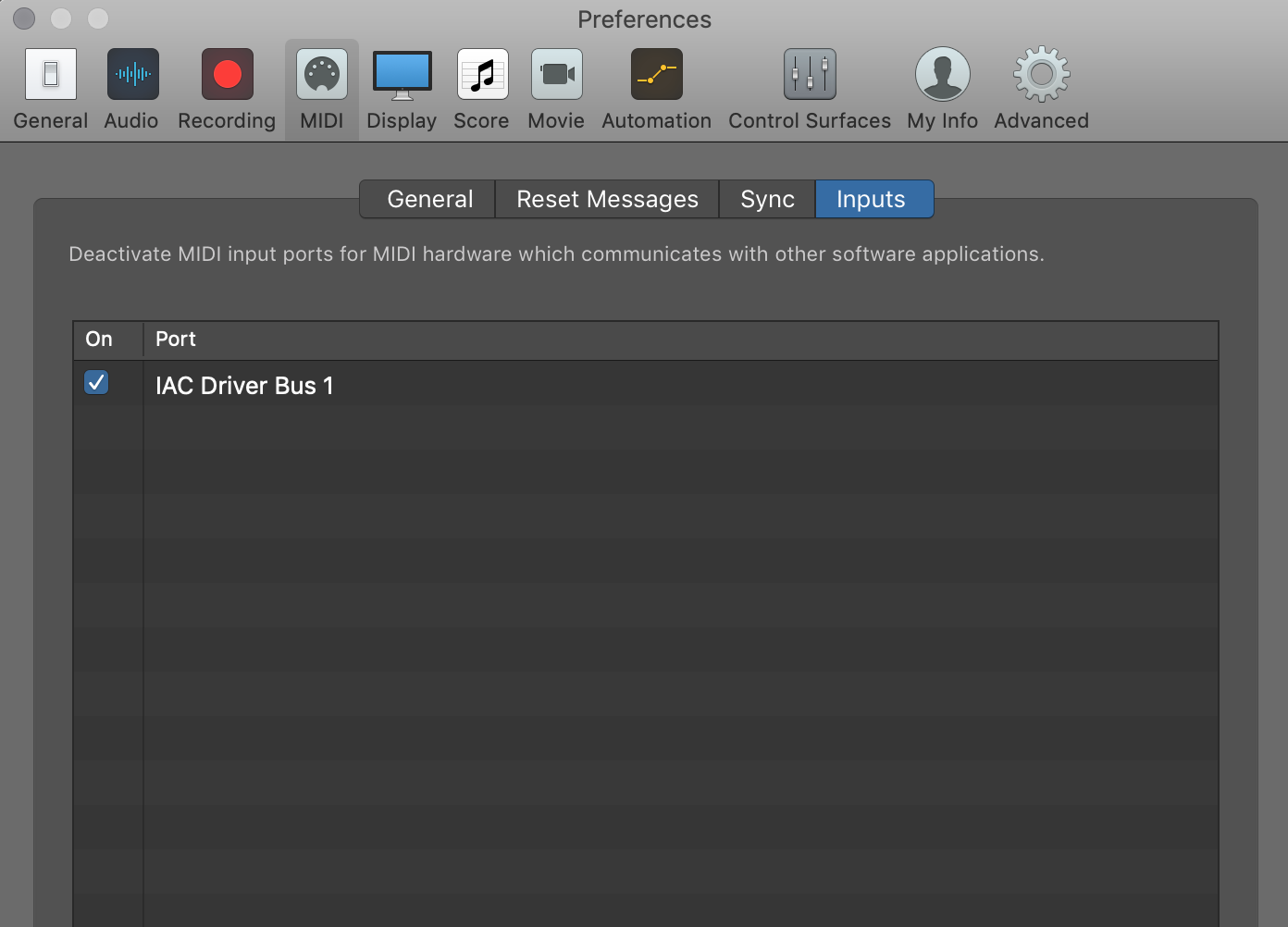


You could also try "Bypass All Control Surfaces" setting in Logic Pro > Control Surfaces:


Also, make sure that a Software Instrument track is set to receive MIDI data on all channels:


Set Logic's LCD screen view as "Custom", like so:


This way you'd have a better of view of what happens with MIDI in your project:


This thread has been closed by the system or the community team. You may vote for any posts you find helpful, or search the Community for additional answers.

No Midi Signal

Welcome to Apple Support Community
A forum where Apple customers help each other with their products. Get started with your Apple Account.