Dear Notdeaf,
As you’ve discovered, the initial default appearance of your iPad Home Screen and app and folder icons has changed from the previous iPadOS 14 layout following your update to the latest iPadOS 15 software.
Please be assured, at the very outset, that the latest user interface you were presented with following the restart of your iPad is by no means fixed in stone and immutable.
A few simple steps will most definitely allow you to remodel your Home Screen pages and reorganise them back to the appearance and patterns you were familiar with in iPadOS 14. In particular:
- Your jumbled up app and folder icons can be returned into the exact 5x4 personal sequence and organised order you previously placed them in;
- giant widgets can be deleted from their current positions and can be repurposed elsewhere, and;
- resized spaces between your icons can be adjusted back to the exact same larger gaps again that made it easy to see and distinguish folders in iPadOS 14.
And despite how your icons may presently visually appear to you now - in the tightly compacted distorted perspective of iPadOS 15 - no apps or folders have actually been physically shrunk by the new operating system. When freed from their current constraints, you will once again “see” your large icons as they have always appeared at the same exact 15mm size as previously.
While all of this is comforting, there does remain one minor drawback. A new tighter screen estate design, imposed by iPadOS 15, now means a small portion of your iPad Home Screen will be compelled to stay barren when the remodelling methods detailed here are deployed.
Nevertheless, many iPadOS 15 Updaters believe it is a very small price to pay to expand and restore all their cherished and carefully curated Home Screen icons to how they were previously arranged in previous iPad operating systems.
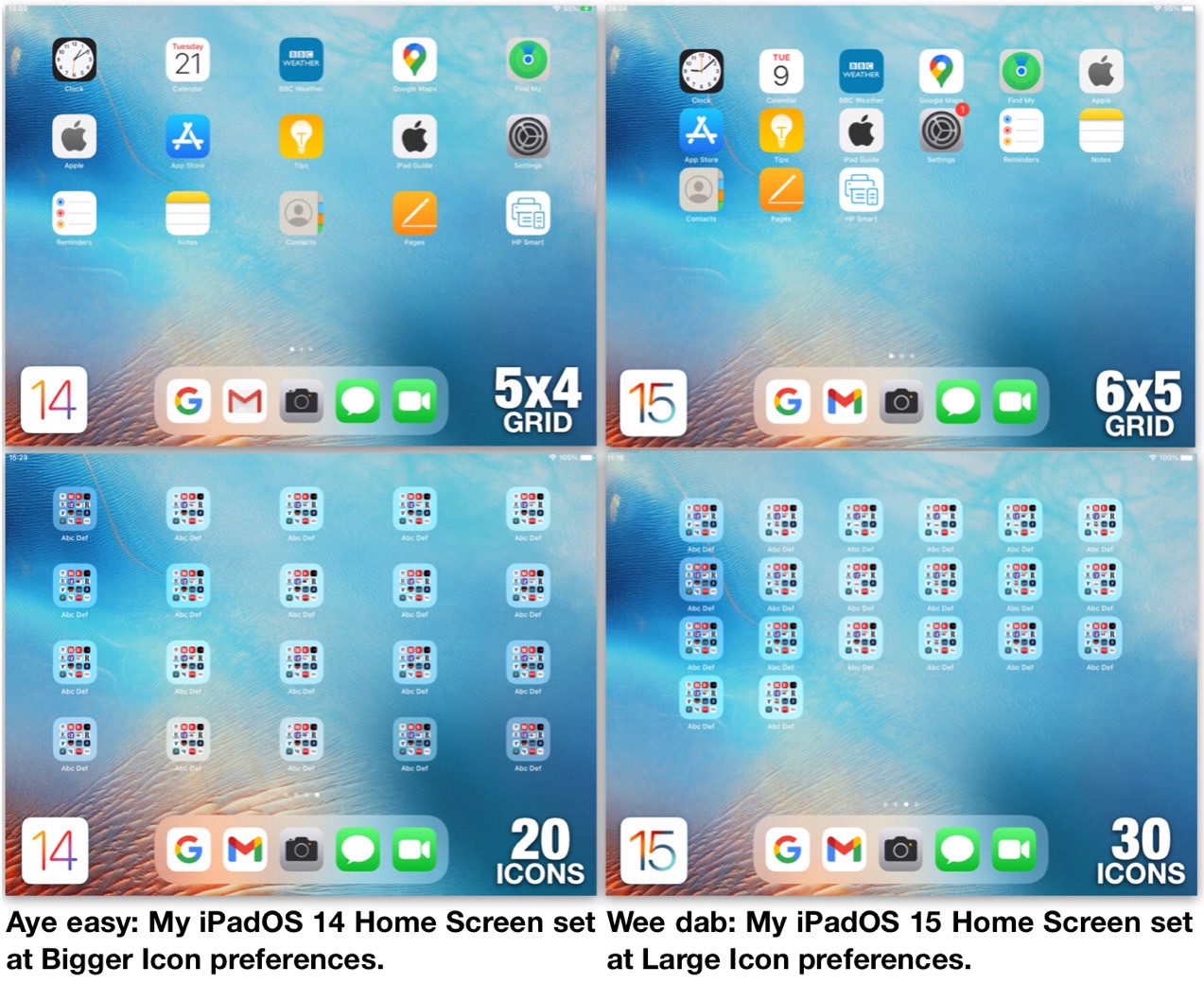
As such, it is all good news. Once you have completed the steps detailed below, you will then be able to enjoy the swish popular elan of the iPadOS 14 5x4 20-icon grid pattern as now combined with truly brilliant new features in iPadOS 15.
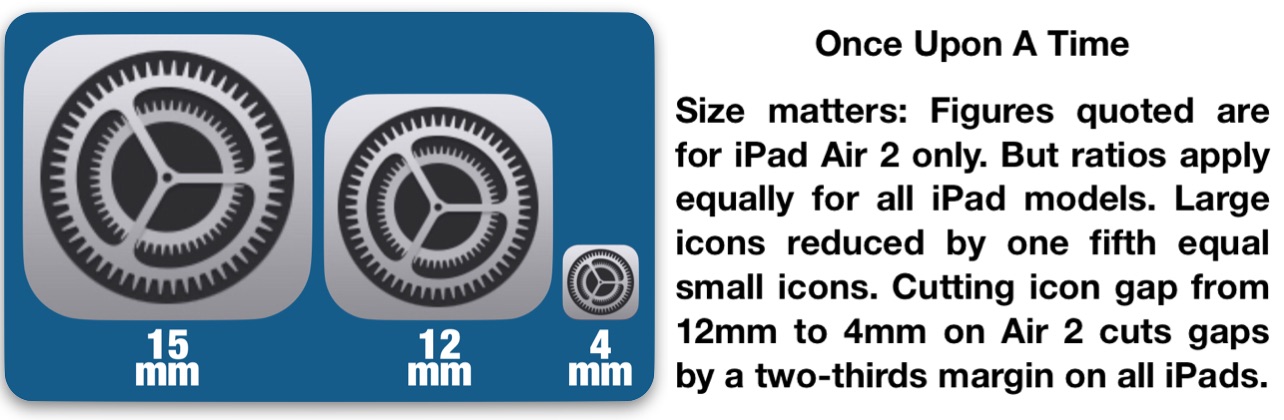
But before getting started, take a long look at the screenshots below. Make special note of the 12mm horizontal minimum gaps between icons in the iPadOS 14 Home Screens. Now compare those gaps to the tightly compacted 4mm horizontal gaps in iPadOS 15 that contract when Updaters remove their widgets.
This fix brings back (particular) widgets (in a special way) to re-inflate the new restricted iPadOS 15 gaps back up to the minimum 12mm distance enjoyed in previous operating systems.
Now it’s time to get your old iPal back again with your 10-Step Guide that will blow those iPadOS 15 woes away.
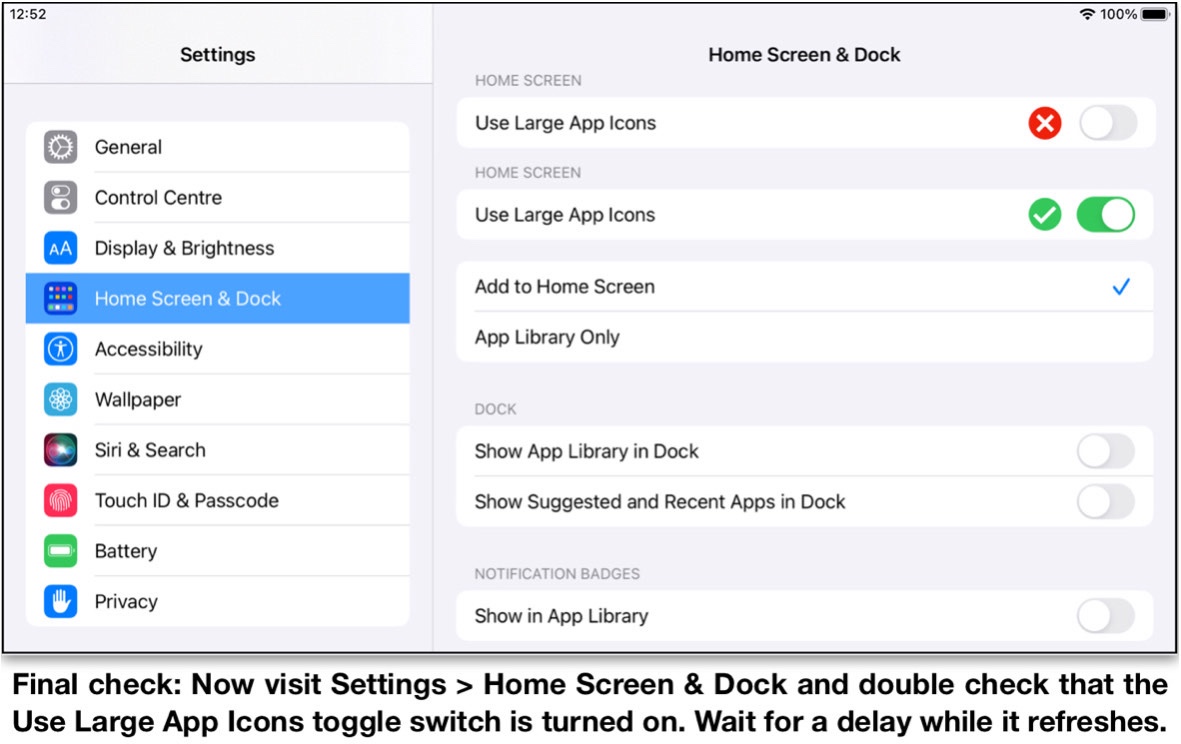
1. Confirm Use Large App Icons toggle switch is set at green on position.
2. Delete all iPadOS 15 widgets or drag them off Home Screen workaround page.
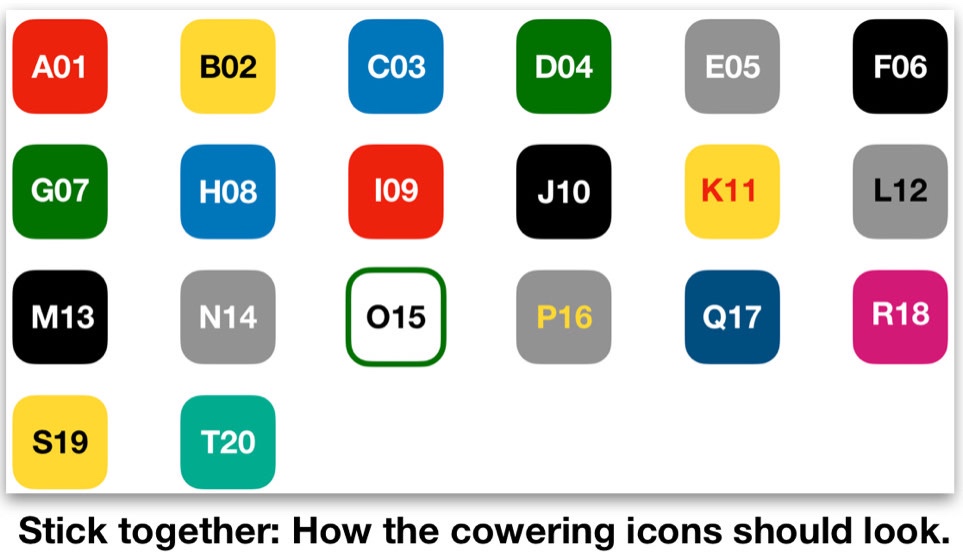
3. Arrange Home Screen workaround page so app and or folder icons do not exceed 20, excluding any contained in Dock (as shown in landscape view below).
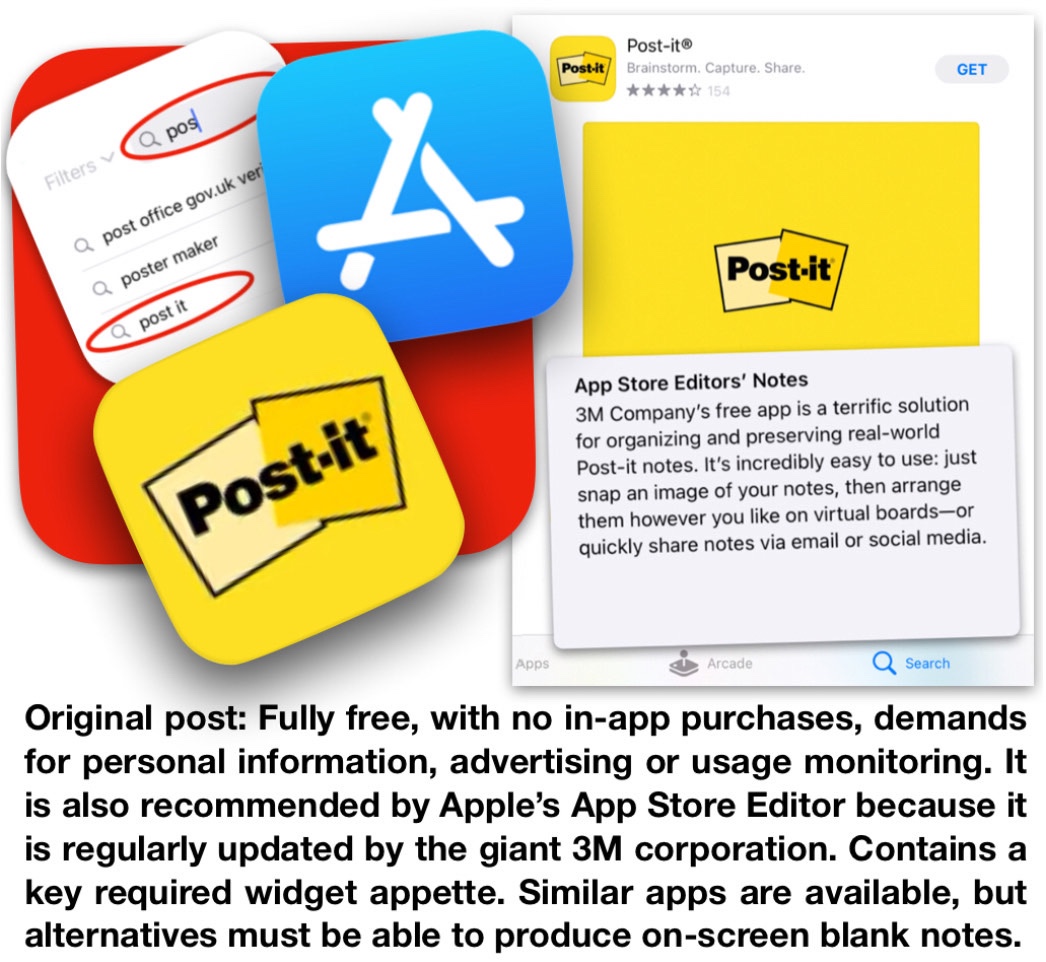
4. Open App Store. Search Post-it app (as shown below). Tap Post-it icon. Tap GET. Tap Install. Enter password. Tap Sign In.
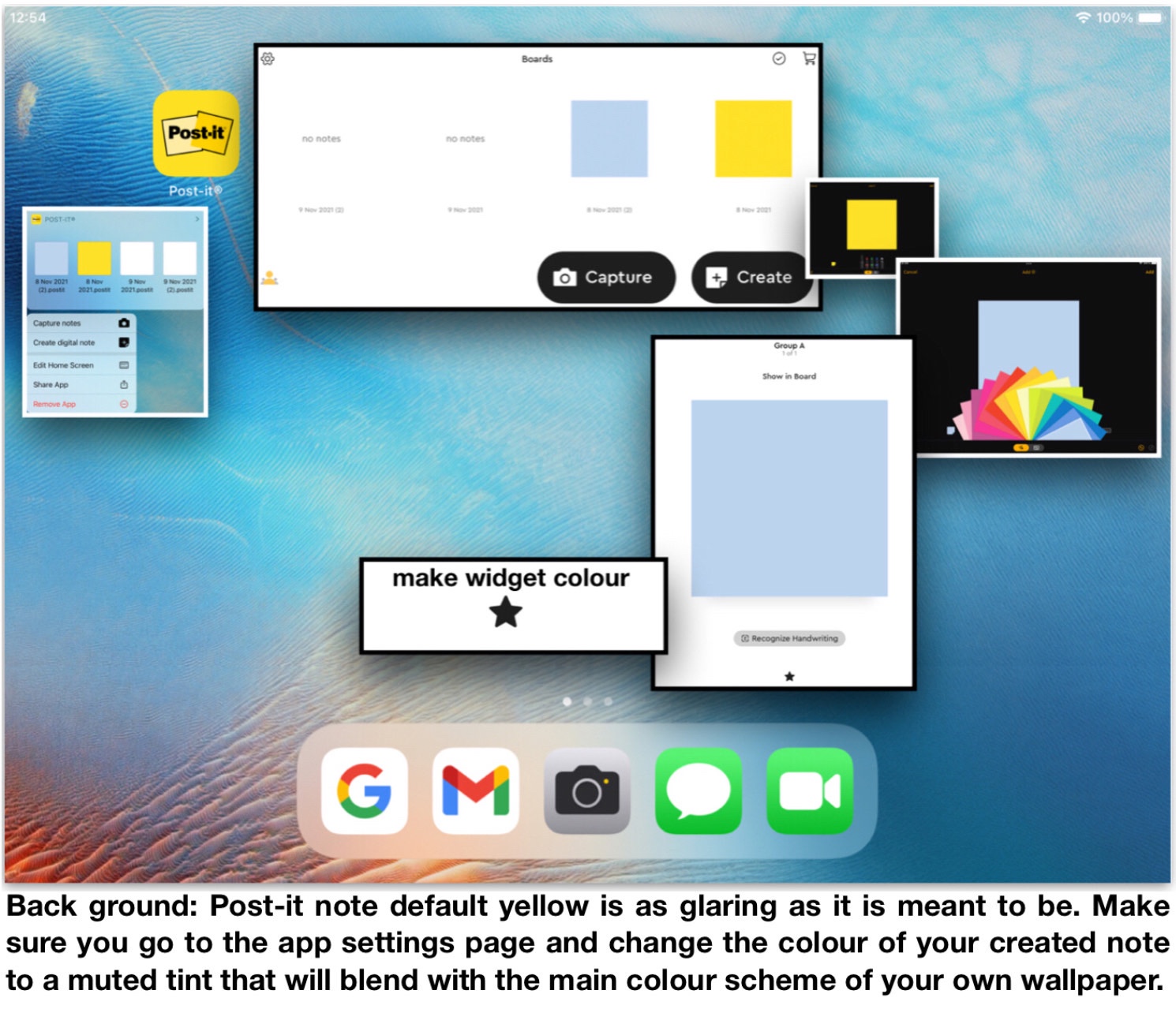
5. Drag Post-it app to separate Home Screen page. Open App. Tap Create. Tap small default yellow note. Tap personal colour choice from fanned deck. Tap Add + . Tap Cancel. Tap chosen colour square. Tap hollow star. Check star has turned solid black. Quit and forget main Post-it app.
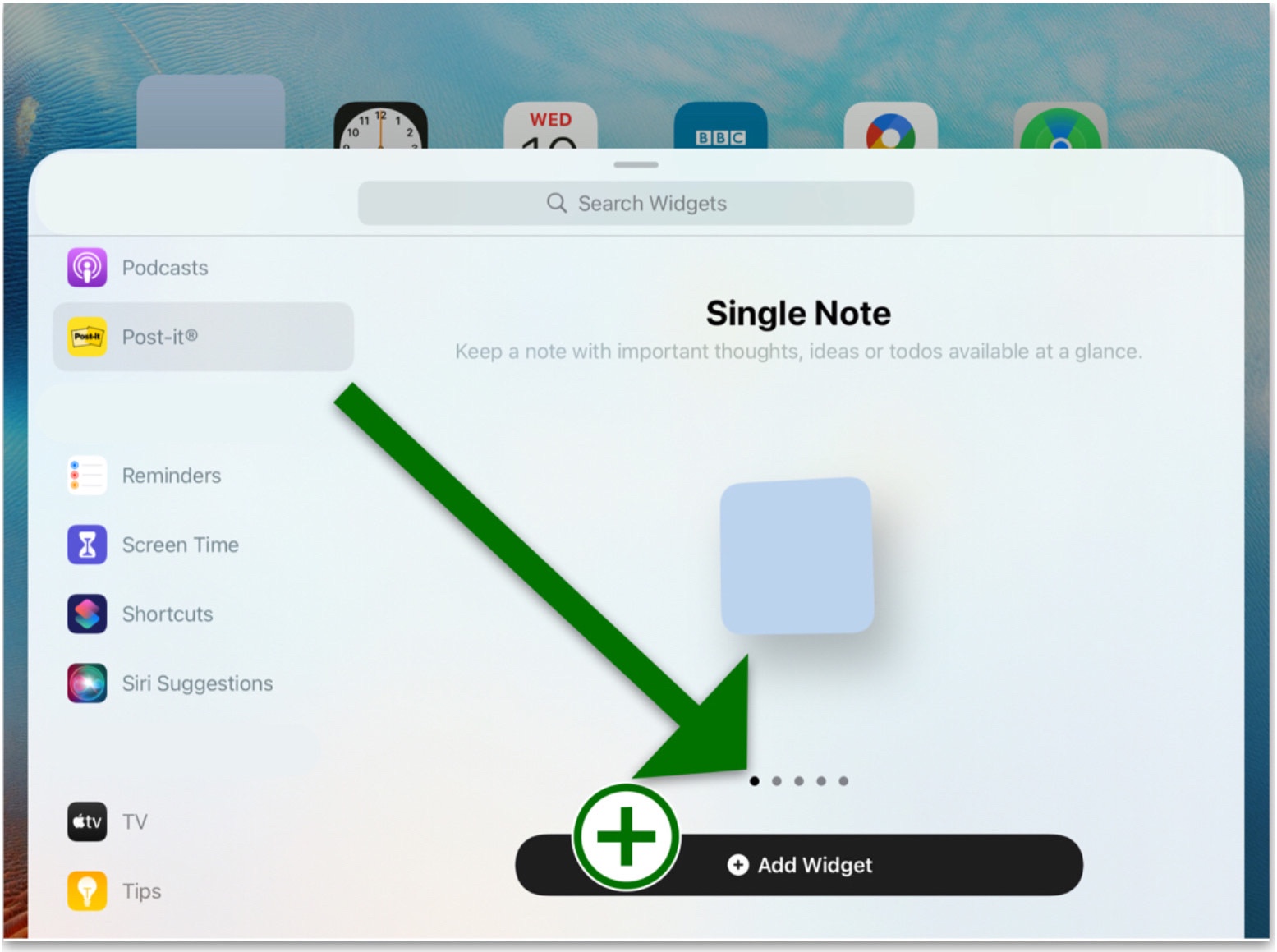
6 Touch and hold Home Screen workaround page. Tap +. Open Post-it widget. Select Single Note widget style (as shown arrowed below). Tap Add Widget. Repeat Tap +, Open Post-it widget, Tap Add Widget sequence until four widgets are added.
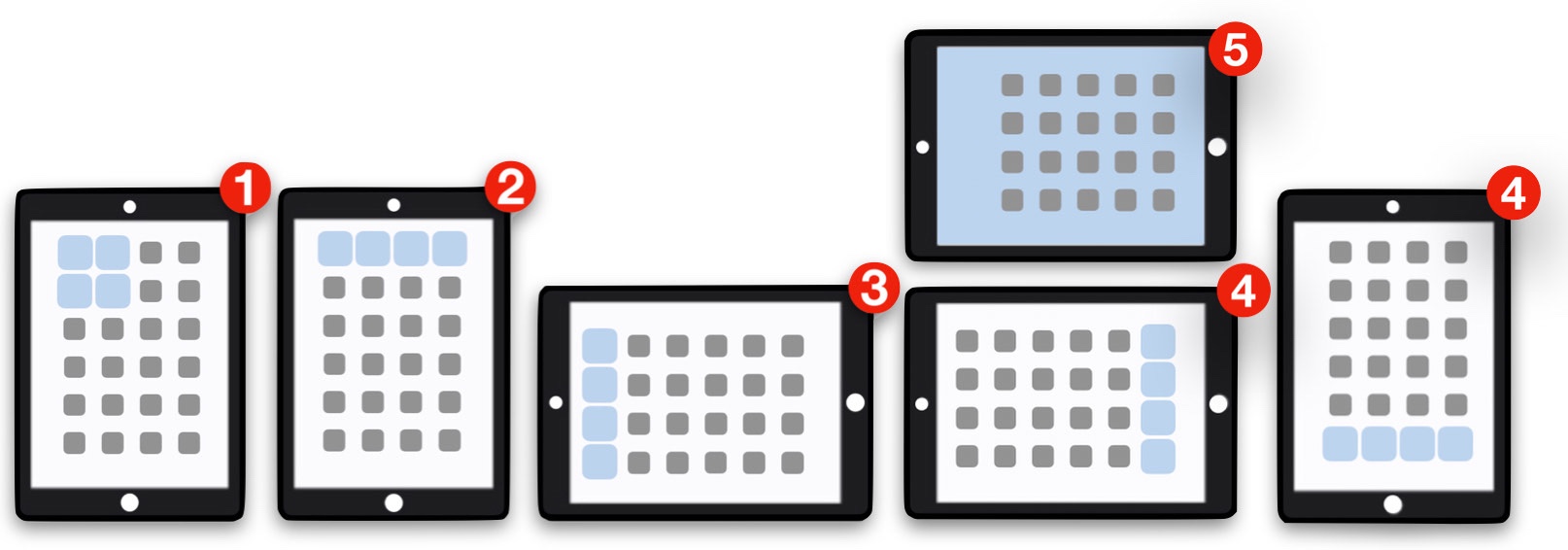
7. (1) Rotate iPad to portrait view. (2) Drag four widgets to top of Home Screen workaround page. Tap Done. (3) Use iPad in any orientation. (4) Icon herders can be placed to left or right in landscape view or top or bottom in portrait view. (5) Screenshoot icon herder colour as wallpaper to make them vanish.
8. Repeat steps 3., 6. and 7. for further Home Screen workaround pages as required.
9. Er …
10. That’s it!
This technique makes the new iPadOS 15 screen format much less irritating as it subdues the worst aspects of its distorted perspectives and severely impaired user interface into the background.
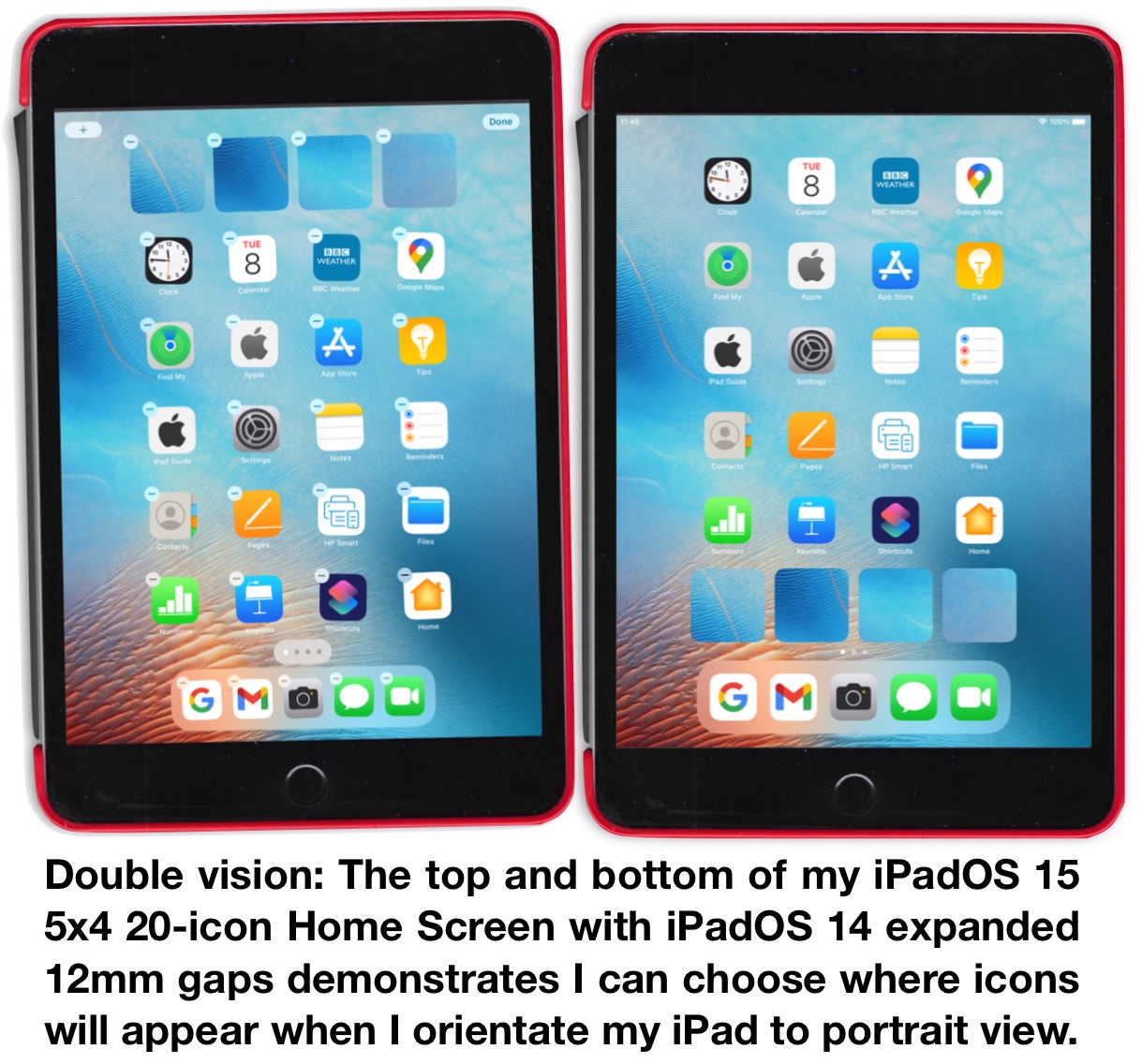
The following screenshots show the improvements that the iPadOS 15-a-14 Style hybrid Home Screens can achieve.
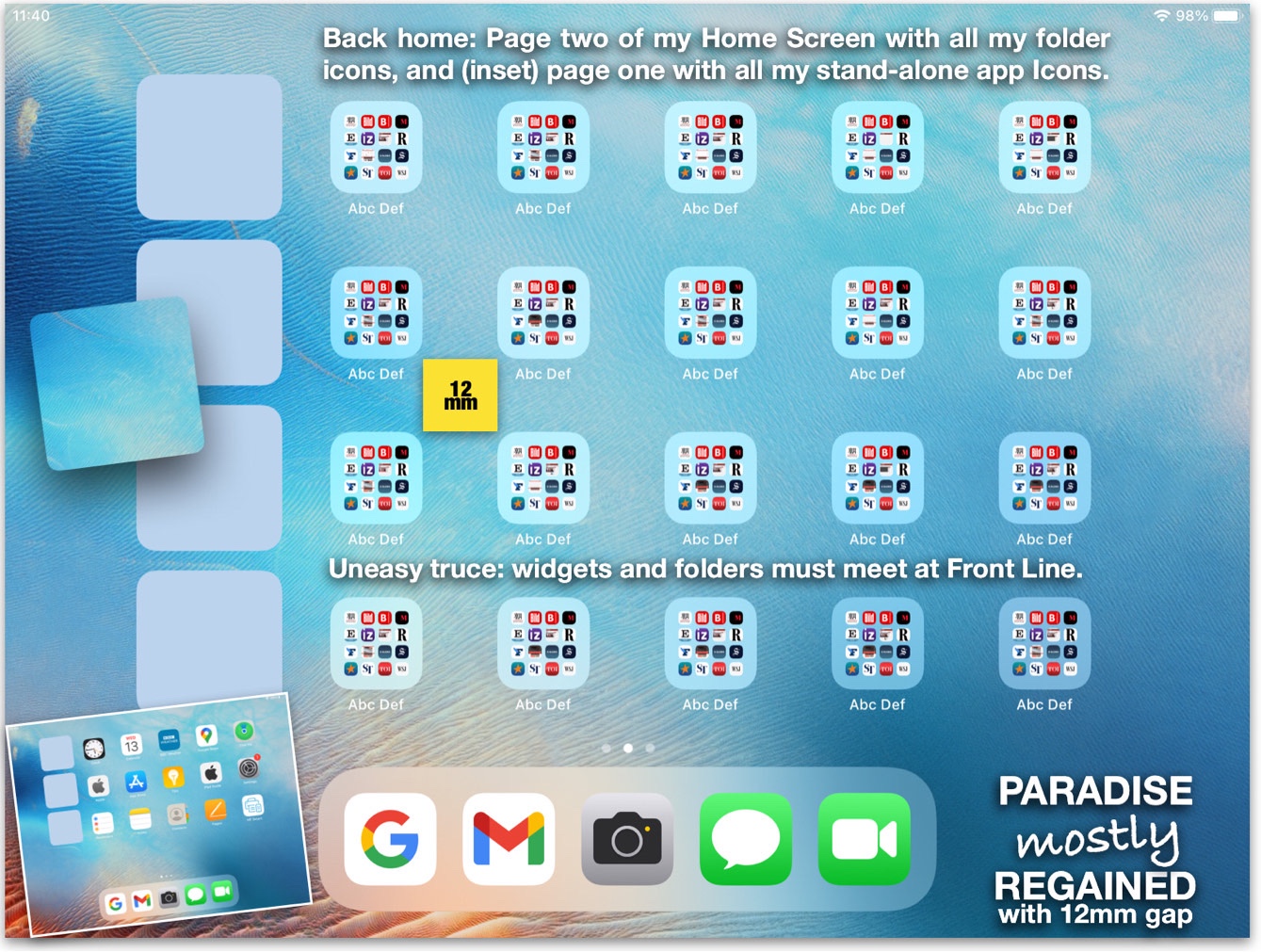

The iPadOS 15 restricted icon gap spaces have now been massively inflated again to three times their size and wayward icons have now been caged back into their old familiar 5x4 fixed grid positions.
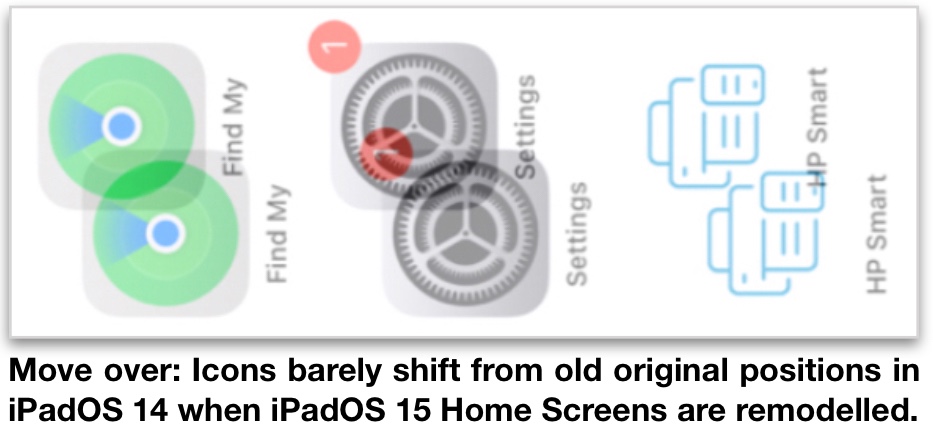
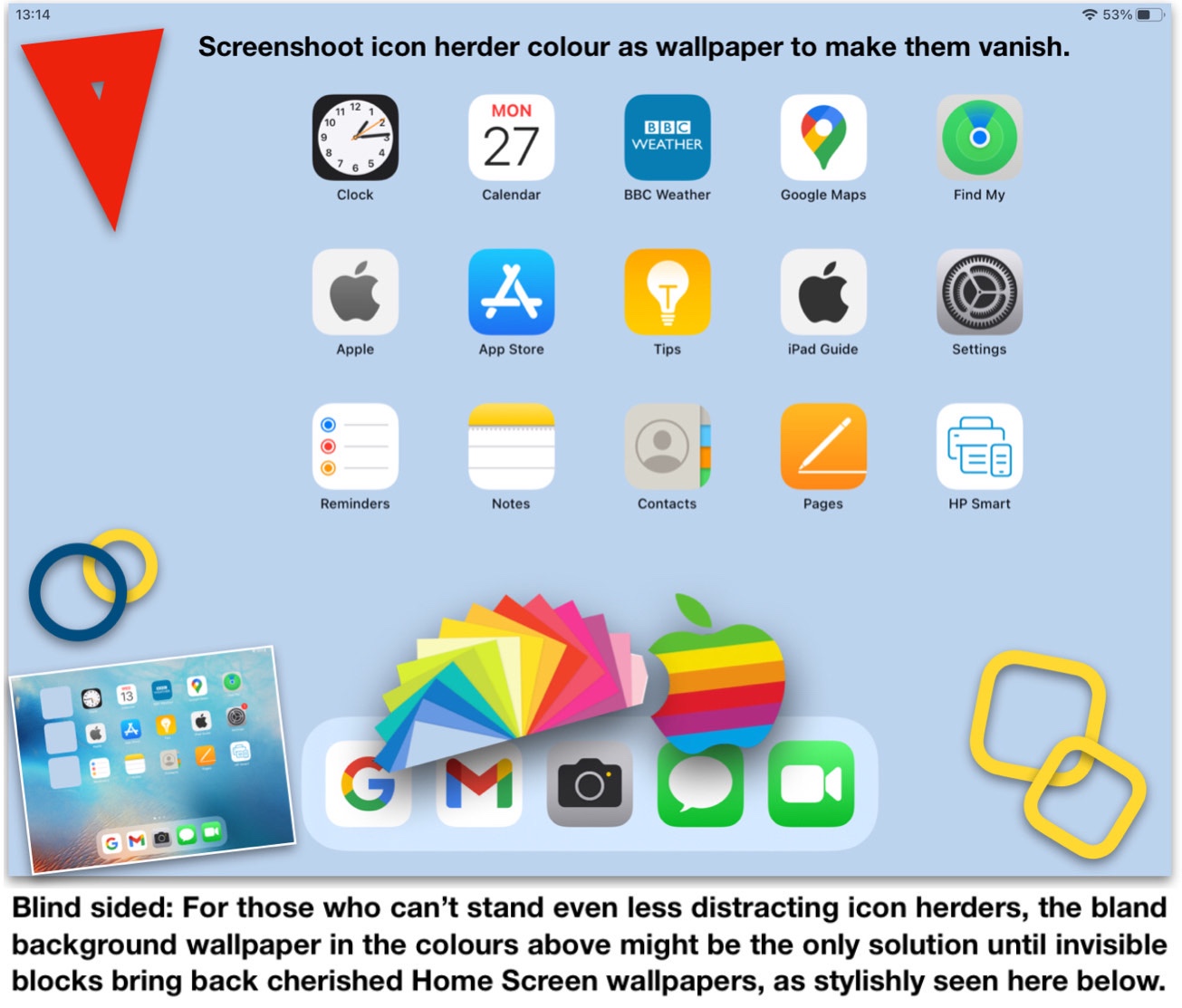
After developing the above techniques in October 2021, I have since made further advances with onscreen photo apps that can make icon herder widgets completely invisible against any original screen wallpaper of choice.
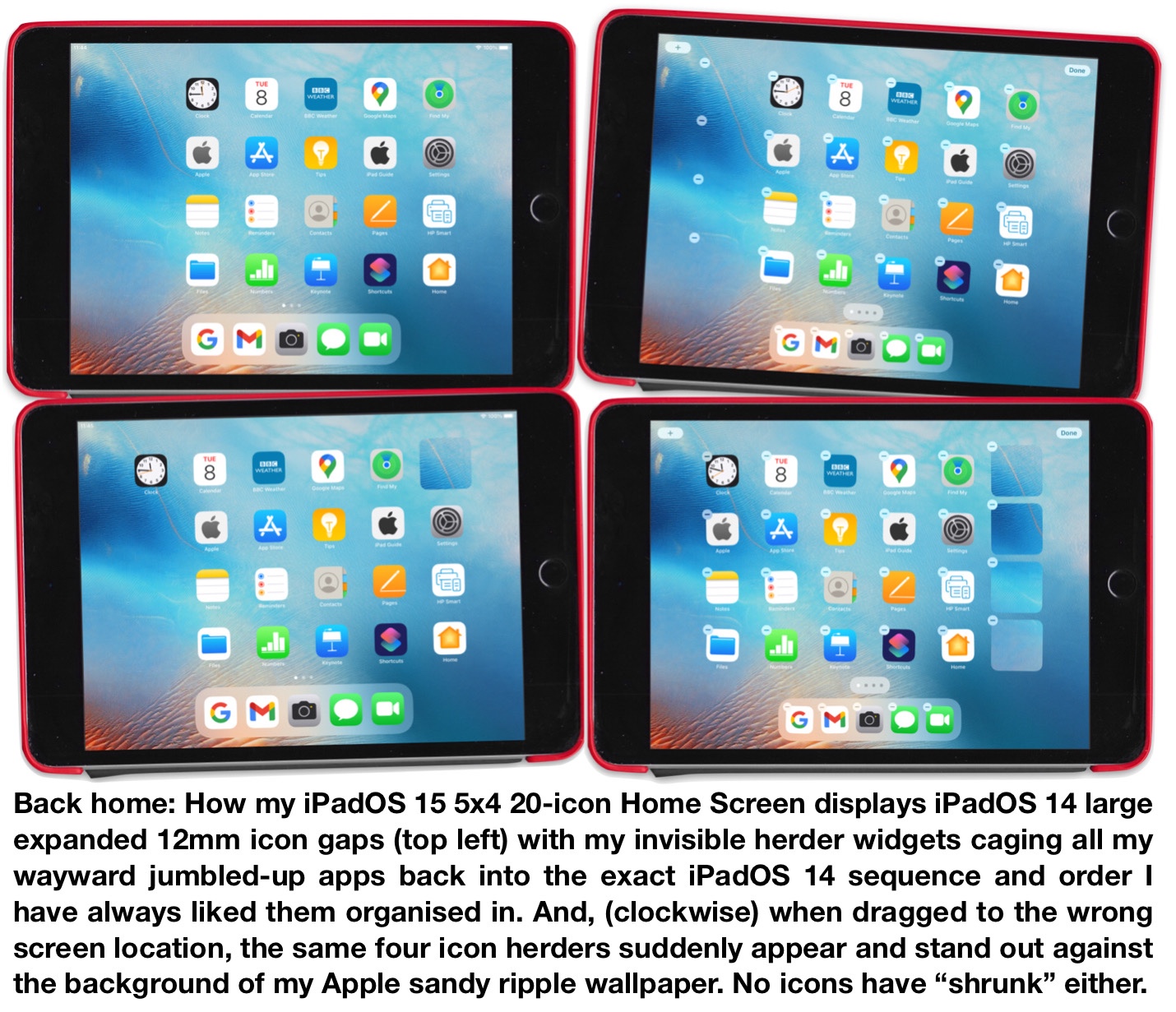
I hope to give more detail on the above in a later post to the forum soon.
Yours helpfully,
Jock MacAdam
