I want to cancel a subscription

I want to cancel a subscription but when I go to settings it doesn’t have a cancel option?

iPad, iPadOS 15

Posted on Feb 22, 2022 8:39 PM

Reply
Question marked as Top-ranking reply

Posted on Feb 22, 2022 9:39 PM

Did you follow the steps in How to cancel a subscription from Apple


How to cancel a subscription on your iPhone, iPad, or iPod touch
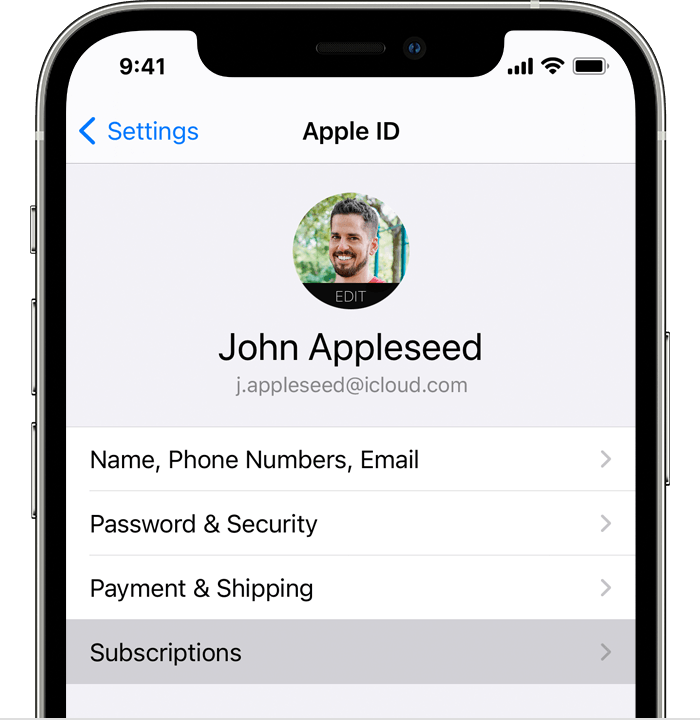
  1. Open the Settings app.
  2. Tap your name.
  3. Tap Subscriptions.
  4. Tap the subscription that you want to manage. Don't see the subscription that you're looking for?
  5. Tap Cancel Subscription. (Or if you want to cancel Apple One but keep some subscriptions, tap Choose Individual Services.) If you don’t see Cancel, the subscription is already canceled and won't renew.


1 reply
Question marked as Top-ranking reply

Feb 22, 2022 9:39 PM in response to Abs84

Did you follow the steps in How to cancel a subscription from Apple


How to cancel a subscription on your iPhone, iPad, or iPod touch

  1. Open the Settings app.
  2. Tap your name.
  3. Tap Subscriptions.
  4. Tap the subscription that you want to manage. Don't see the subscription that you're looking for?
  5. Tap Cancel Subscription. (Or if you want to cancel Apple One but keep some subscriptions, tap Choose Individual Services.) If you don’t see Cancel, the subscription is already canceled and won't renew.


This thread has been closed by the system or the community team. You may vote for any posts you find helpful, or search the Community for additional answers.

I want to cancel a subscription

Welcome to Apple Support Community
A forum where Apple customers help each other with their products. Get started with your Apple Account.
