
How to remove auto complete old contacts
My Messages app is showing me several old numbers when I select the contact name however I only have the newest in Contacts. How can I erase the cached old numbers so they never appear again?
My Messages app is showing me several old numbers when I select the contact name however I only have the newest in Contacts. How can I erase the cached old numbers so they never appear again?
Hi there Mark Delgrosso,
We understand you're seeing old phone numbers when selecting a contact name in Messages.
Do you experience this with every contact, or only with one?
Also, head to Settings > Siri > Messages, and turn off "Show in App" under Suggestions. Does the issue persist?
Learn more about this feature here: Siri Suggestions on iPhone
Thanks!
Not sure what Siri has to do with autofilling in a message contact but I did what you said and it's still an issue.
I type in a name in Messages and I get a list of that contact's older numbers that I deleted from Contacts. Is there a cache file for Contacts I can delete. It's super easy to do in Safari.
The deleting is only a temporary solution. I have hundreds of contacts. I need to open up each one and try to figure out which one is wrong? That is crazy. Is there a way to reset the autofill?
I did discover if I touch the "I" button I can delete recent shortcut but that doesn't help me figure out which one is the newest number. I may just erase them all and see what it suggests the next time I type the name in.
Mark Delgrosso,
Thanks for sharing those additional details with us.
We're glad to hear you were able to delete those previous phone numbers.
You can then use the steps below from Add and use contact information on iPhone to initiate a new conversation with that contact:
"Quickly reach a contact
To start a message, make a phone call or a FaceTime call, compose an email, or send money with Apple Pay, tap a button below the contact’s name.
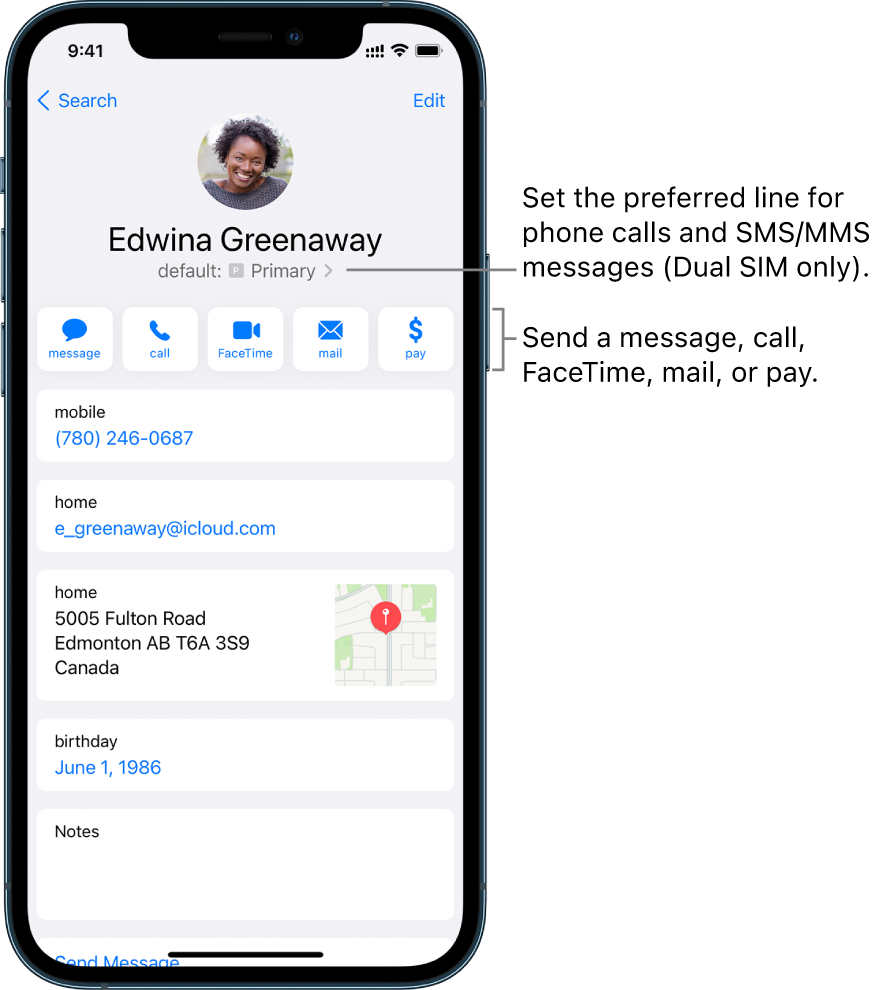
To change the default phone number or email address for a contact method, touch and hold the button for that method below the contact’s name, then tap a selection in the list."
Regards.
How to remove auto complete old contacts

