Problems with the built-in microphone

The situation is as follows: I turn on the laptop and the microphone works until the first closing of the laptop lid. As soon as it wakes up from sleep, the microphone does not work. If the laptop is restarted, the microphone starts working again until the first entry into sleep mode.

MacBook Pro 13″, macOS 12.2

Posted on Feb 28, 2022 12:02 PM

Reply
Question marked as Top-ranking reply

Posted on Mar 1, 2022 9:16 AM

Hi there ZHTS,


Thanks for joining us in Apple Support Communities! We understand the internal microphone on your MacBook Pro isn't working consistently. We're glad you're here, and we can help.


Let's start by using Apple Diagnostics to find any hardware issues related to the microphone. Work through the steps in this link, and let us know your results:


Use Apple Diagnostics to test your Mac


Also, you'll want to be sure you've tried all the suggestions here:


If you can't record audio after installing macOS Mojave or later


Cheers.

3 replies
Question marked as Top-ranking reply

Mar 1, 2022 9:16 AM in response to ZHTS

Hi there ZHTS,


Thanks for joining us in Apple Support Communities! We understand the internal microphone on your MacBook Pro isn't working consistently. We're glad you're here, and we can help.


Let's start by using Apple Diagnostics to find any hardware issues related to the microphone. Work through the steps in this link, and let us know your results:


Use Apple Diagnostics to test your Mac


Also, you'll want to be sure you've tried all the suggestions here:


If you can't record audio after installing macOS Mojave or later


Cheers.

Mar 1, 2022 1:51 PM in response to Sparks0829

Hi Sparks0829,


Thanks for your reply!


Unfortunately, the suggestions from the second link didn't help me, because the problem starts already in the system application. Screenshots are here:
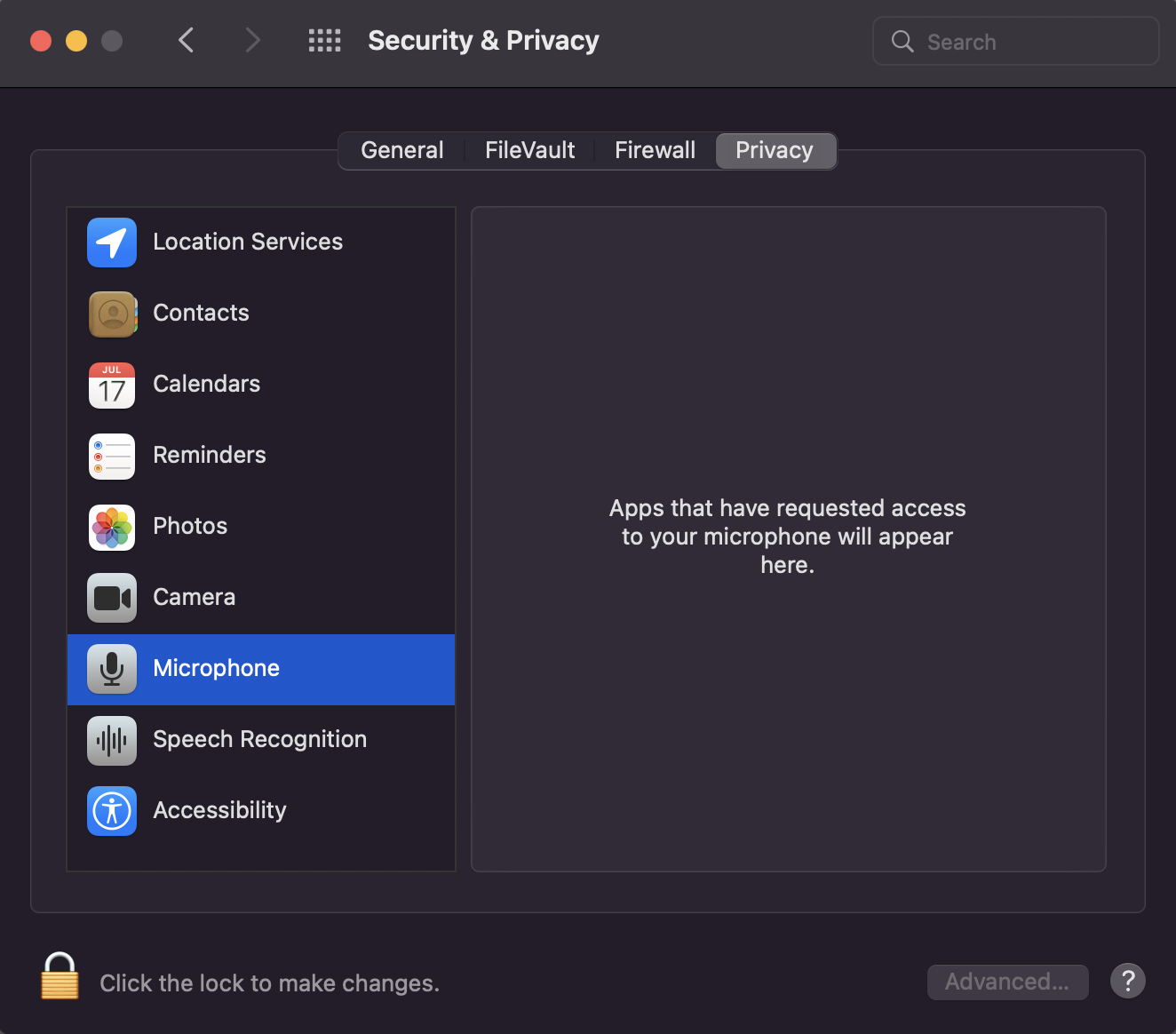
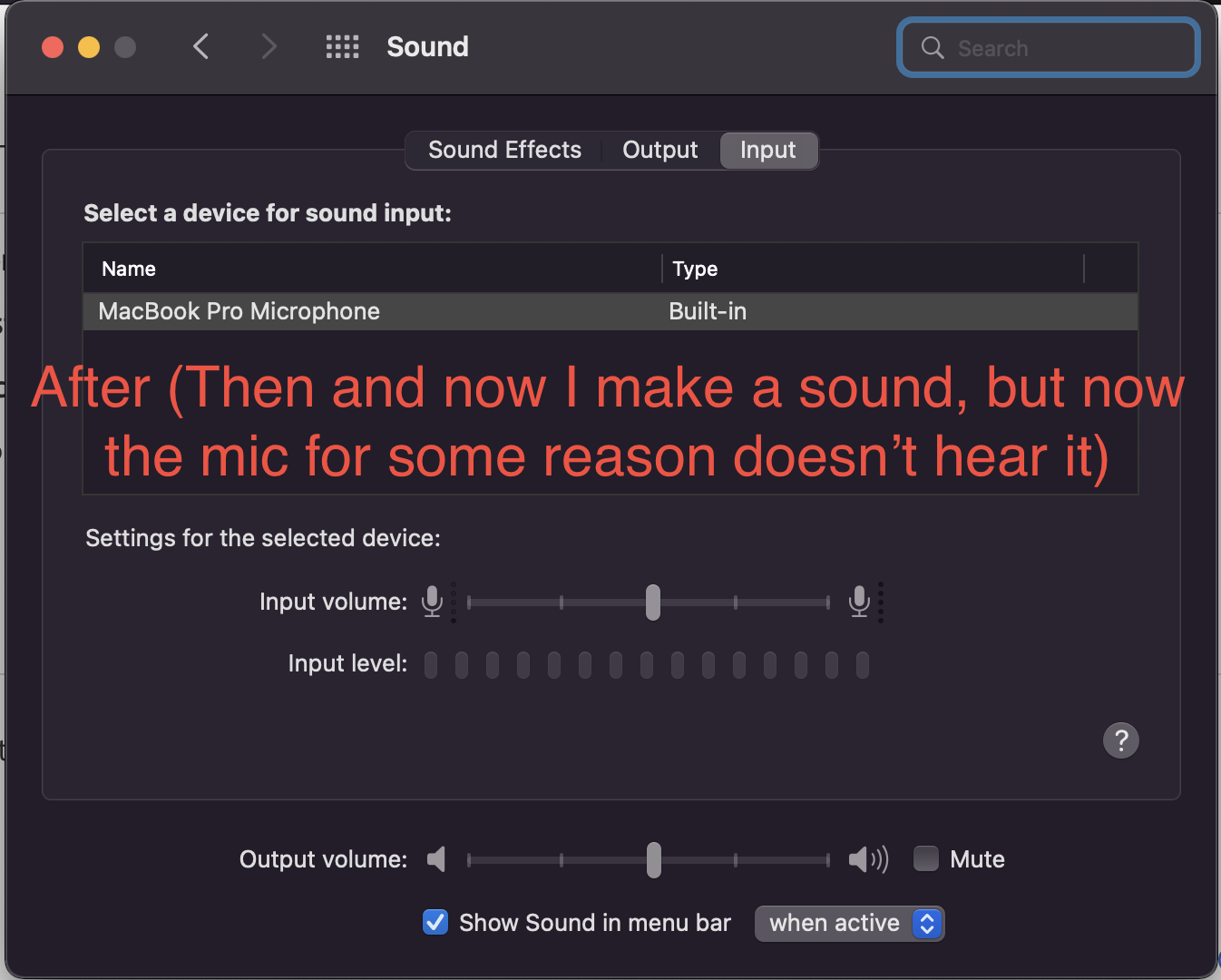


To solve the problem, I tried the following:

-I moved the slider to change the sensitivity of the built-in microphone;

-Create a new user;

-Reinstall macOS;

-Erase the disk first and then reinstall macOS.


Nothing helped. Problem persists :c

I remind you that this happens after the first closing of the MacBook and disappears after a reboot (or shutdown)


I also ran diagnostics according to the instructions from the first link.

It gave me these reference codes: ALS001, DFR001. But I didn't notice any problems with ambient light sensor and Touch Bar :/


I don't know for sure if this is shown, but my MacBook Pro with Apple silicon.


Thank you for your consideration!

This thread has been closed by the system or the community team. You may vote for any posts you find helpful, or search the Community for additional answers.

Problems with the built-in microphone

Welcome to Apple Support Community
A forum where Apple customers help each other with their products. Get started with your Apple Account.