
about authourized computer
my computer has 5 authorized computers attached to this account how do I find out which ones are attached?
MacBook Air 13″, macOS 12.2
my computer has 5 authorized computers attached to this account how do I find out which ones are attached?
MacBook Air 13″, macOS 12.2
There isn't an option to see that -- see the following from the "See your authorized computers" section of Authorize or deauthorize your computer for iTunes Store purchases - Apple Support
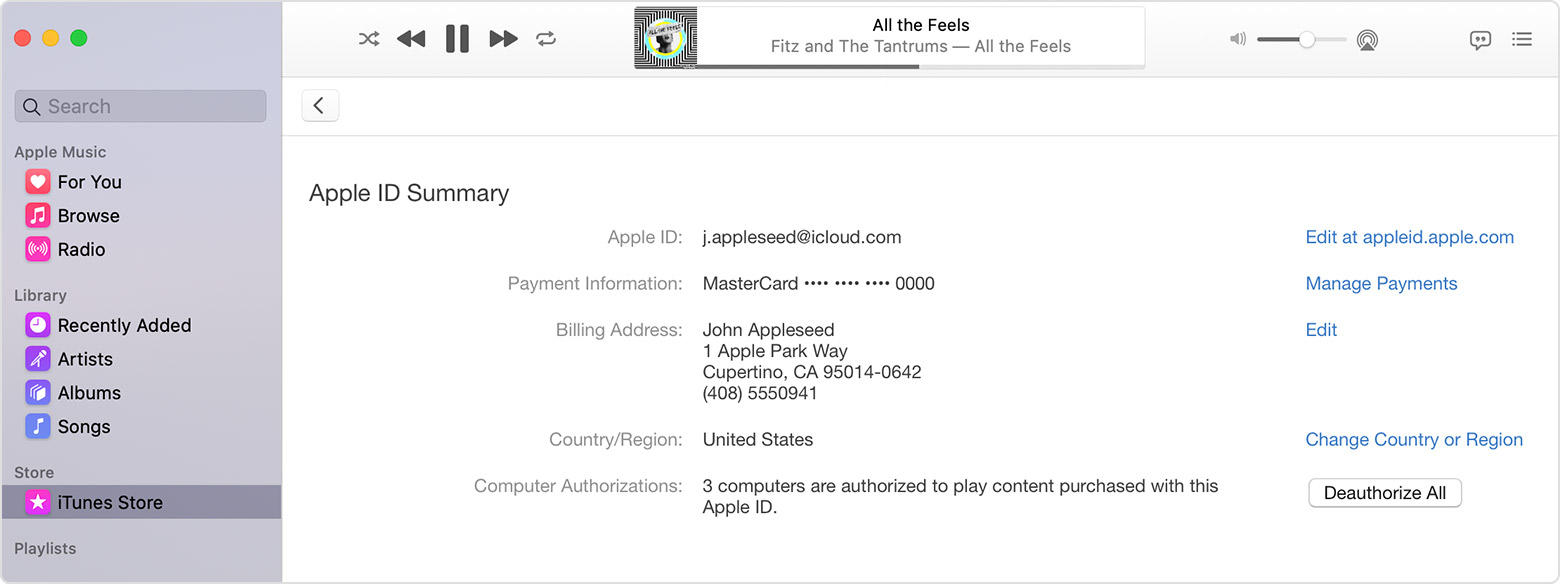
On the Account Information page, scroll to the Apple ID Summary section. You'll see the number of computers that you've authorized with your Apple ID. You can’t see the names of those computers. If you haven't authorized 2 or more computers, you won't see this section.
You may just want to "Deauthorize All" and then authorize any computers that you still have and want to use. See the Deauthorize All button in the second screenshot below from that same support article:
See your authorized computers
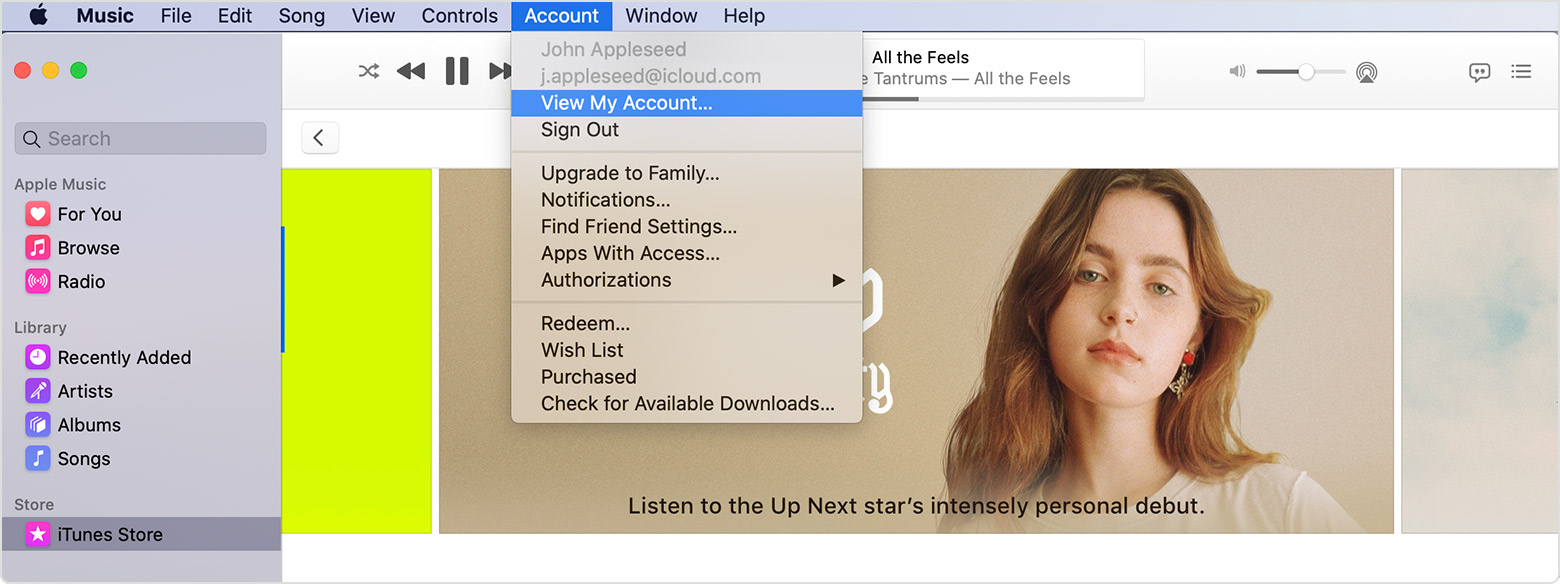
To automatically sign in to your Account Information page from your computer, click here. Or follow these steps:
If the number of authorized computers listed is more than what you expect, you might not have deauthorized the computers that you no longer use, gave away, or sold. You need to deauthorize all of your computers and then authorize each one that you still use.
There isn't an option to see that -- see the following from the "See your authorized computers" section of Authorize or deauthorize your computer for iTunes Store purchases - Apple Support
On the Account Information page, scroll to the Apple ID Summary section. You'll see the number of computers that you've authorized with your Apple ID. You can’t see the names of those computers. If you haven't authorized 2 or more computers, you won't see this section.
You may just want to "Deauthorize All" and then authorize any computers that you still have and want to use. See the Deauthorize All button in the second screenshot below from that same support article:
See your authorized computers
To automatically sign in to your Account Information page from your computer, click here. Or follow these steps:
If the number of authorized computers listed is more than what you expect, you might not have deauthorized the computers that you no longer use, gave away, or sold. You need to deauthorize all of your computers and then authorize each one that you still use.
about authourized computer
