
Turn off ringer on my Apple Watch
How do I turn off ringer on my Apple Watch, when my iPhone is also ringing?
How do I turn off ringer on my Apple Watch, when my iPhone is also ringing?
Hey Suz760-prt,
We'd suggest the steps here:
Change the audio and notification settings on your Apple Watch
"How to mute your Apple Watch
 . This turns on Silent Mode. You can still receive haptic notifications.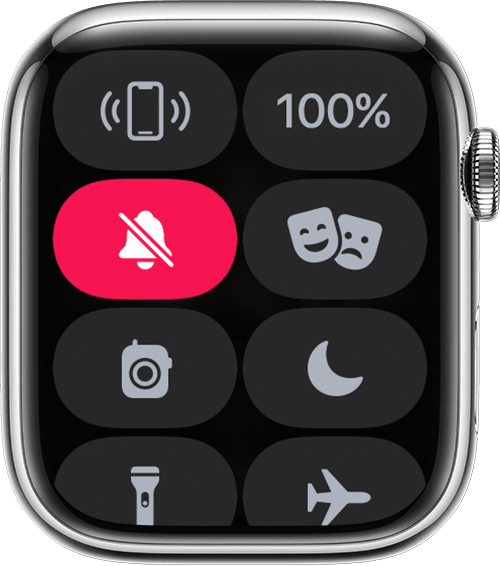
To silence an alert or notification as it sounds, rest your palm on the display for at least three seconds or until you feel a tap. If it doesn't work, see if the Cover to Mute setting is on: On your iPhone, open the Apple Watch app, go to the My Watch tab, then tap Sounds & Haptics.
"
Thanks!
Hey Suz760-prt,
We'd suggest the steps here:
Change the audio and notification settings on your Apple Watch
"How to mute your Apple Watch
. This turns on Silent Mode. You can still receive haptic notifications. To silence an alert or notification as it sounds, rest your palm on the display for at least three seconds or until you feel a tap. If it doesn't work, see if the Cover to Mute setting is on: On your iPhone, open the Apple Watch app, go to the My Watch tab, then tap Sounds & Haptics.
"
Thanks!
Turn off ringer on my Apple Watch

