Siri voice commands not working

For the past few days, whenever I got to use and voice command (whether using the voice command button on the steering wheel or just tapping the icon) I am not able to use it. The Siri ball will come up saying it is listening but the music continues to play and it will not recognize any command. I also am having issues with it reading any text to me. The Siri voice just isn’t working.

Posted on Mar 30, 2022 2:37 AM

Reply
Question marked as Top-ranking reply

Posted on Mar 31, 2022 8:08 AM

Hi Angela389,

Since Siri is not working in your car, we suggest checking to ensure your iPhone is running the latest software version. Outdated software can cause features to misbehave. These steps should help:

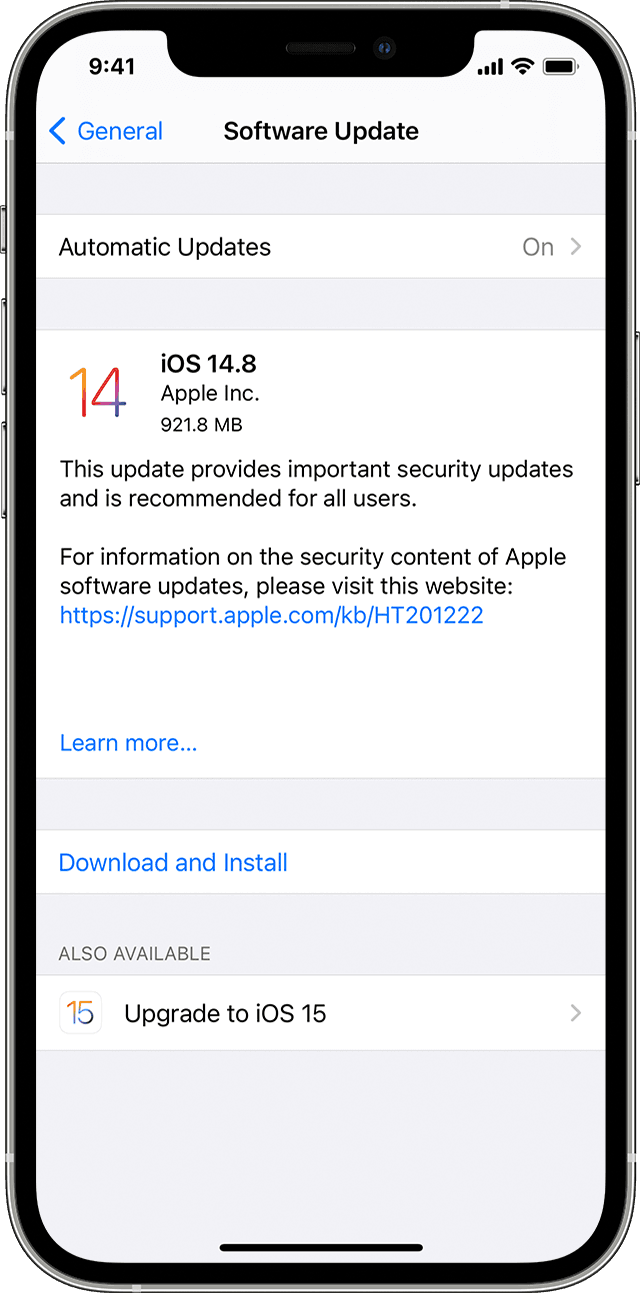
"Update your iPhone, iPad, or iPod touch wirelesslyBack up your device using iCloud or your computer.Plug your device into power and connect to the internet with Wi-Fi.Go to Settings > General, then tap Software Update.If you see two software update options available, choose the one that you want to install.The Settings app on iPhone showing options to update to iOS 14.8 or iOS 15.Tap Install Now. If you see Download and Install instead, tap it to download the update, enter your passcode, then tap Install Now. If you don't know your passcode, learn what to do."More information on updating can be found here: Update your iPhone, iPad, or iPod touch 
If your software is updated and you're still experiencing this behavior, try these suggestions next: If you need help with CarPlay.

Hope that helps!


5 replies
Question marked as Top-ranking reply

Mar 31, 2022 8:08 AM in response to Angela389

Hi Angela389,

Since Siri is not working in your car, we suggest checking to ensure your iPhone is running the latest software version. Outdated software can cause features to misbehave. These steps should help:

"Update your iPhone, iPad, or iPod touch wirelesslyBack up your device using iCloud or your computer.Plug your device into power and connect to the internet with Wi-Fi.Go to Settings > General, then tap Software Update.If you see two software update options available, choose the one that you want to install.The Settings app on iPhone showing options to update to iOS 14.8 or iOS 15.Tap Install Now. If you see Download and Install instead, tap it to download the update, enter your passcode, then tap Install Now. If you don't know your passcode, learn what to do."More information on updating can be found here: Update your iPhone, iPad, or iPod touch 

If your software is updated and you're still experiencing this behavior, try these suggestions next: If you need help with CarPlay.

Hope that helps!


Apr 1, 2022 12:09 PM in response to Angela389

Angela389,


Thanks for getting back to us.


Were you able to contact the car dealership? It's possible that your car's system needs a firmware update.


"Make sure that your CarPlay stereo is using the latest firmware from the car manufacturer. Check your car's manual for more information."


Does Siri work correctly when not connected with CarPlay?


Have a fantastic day!


This thread has been closed by the system or the community team. You may vote for any posts you find helpful, or search the Community for additional answers.

Siri voice commands not working

Welcome to Apple Support Community
A forum where Apple customers help each other with their products. Get started with your Apple Account.