Deactivated an account that I signed into using Apple ID

How would I deactivate an account that I signed into using Apple ID? From the article, I get the impression that I would have to remove the Sign In in settings and create a password for the account in order to sign out. But I’m hoping there is a simpler way. Most accounts that you set up anywhere require a password to deactivate and I accidentally created a new Twitter acct when trying to access it on the web thinking I had already connected the acct to my Apple ID. Needless to say, I did not.

Posted on Mar 31, 2022 5:55 PM

Reply
Question marked as Top-ranking reply

Posted on Apr 1, 2022 2:31 PM

Hi, TrinaB89,


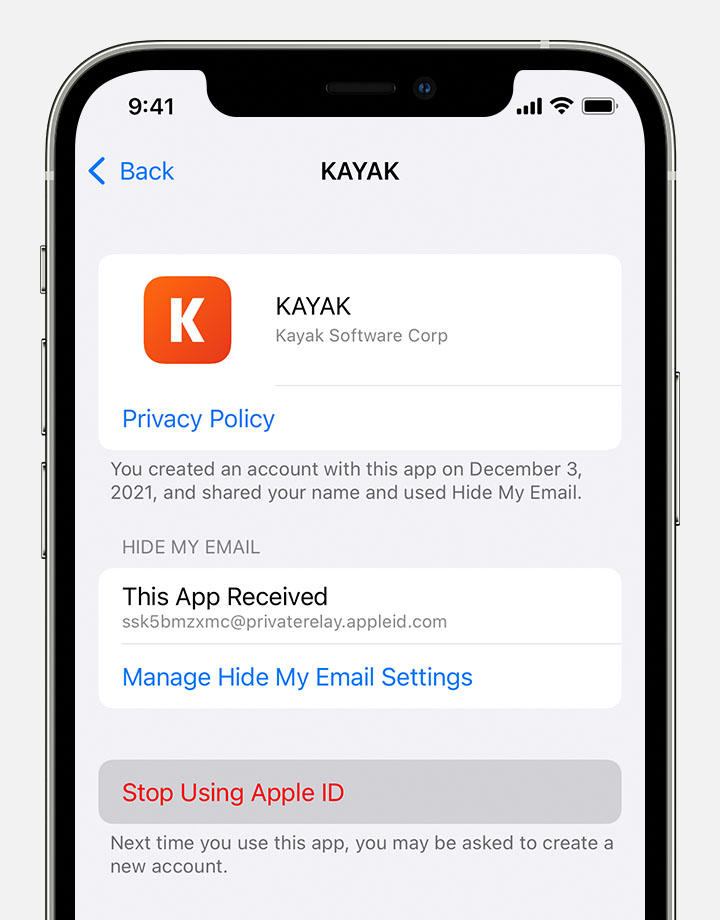
It sounds like you inadvertently signed up for a new Twitter account using Sign in with Apple. You can use the steps below, from Manage the apps that you use with Sign in with Apple - Apple Support, to stop using Sign in with Apple for Twitter:


1. On your iPhone, go to Settings, then tap your name. 
2. Tap Password & Security > Apps Using Apple ID.
3. Select the app or developer, then tap Stop Using Apple ID.
Stop using Sign In with Apple with an app on iPhone


The above steps will sign your new Sign in with Apple Twitter account out of the app, but will not deactivate the Twitter account itself. To do that, you will need to go through Twitter directly, following the steps they provide here: How to deactivate your Twitter account | Twitter Help.


Have a wonderful weekend!


1 reply
Question marked as Top-ranking reply

Apr 1, 2022 2:31 PM in response to TrinaB89

Hi, TrinaB89,


It sounds like you inadvertently signed up for a new Twitter account using Sign in with Apple. You can use the steps below, from Manage the apps that you use with Sign in with Apple - Apple Support, to stop using Sign in with Apple for Twitter:


1. On your iPhone, go to Settings, then tap your name. 
2. Tap Password & Security > Apps Using Apple ID.
3. Select the app or developer, then tap Stop Using Apple ID.
Stop using Sign In with Apple with an app on iPhone


The above steps will sign your new Sign in with Apple Twitter account out of the app, but will not deactivate the Twitter account itself. To do that, you will need to go through Twitter directly, following the steps they provide here: How to deactivate your Twitter account | Twitter Help.


Have a wonderful weekend!


This thread has been closed by the system or the community team. You may vote for any posts you find helpful, or search the Community for additional answers.

Deactivated an account that I signed into using Apple ID

Welcome to Apple Support Community
A forum where Apple customers help each other with their products. Get started with your Apple Account.