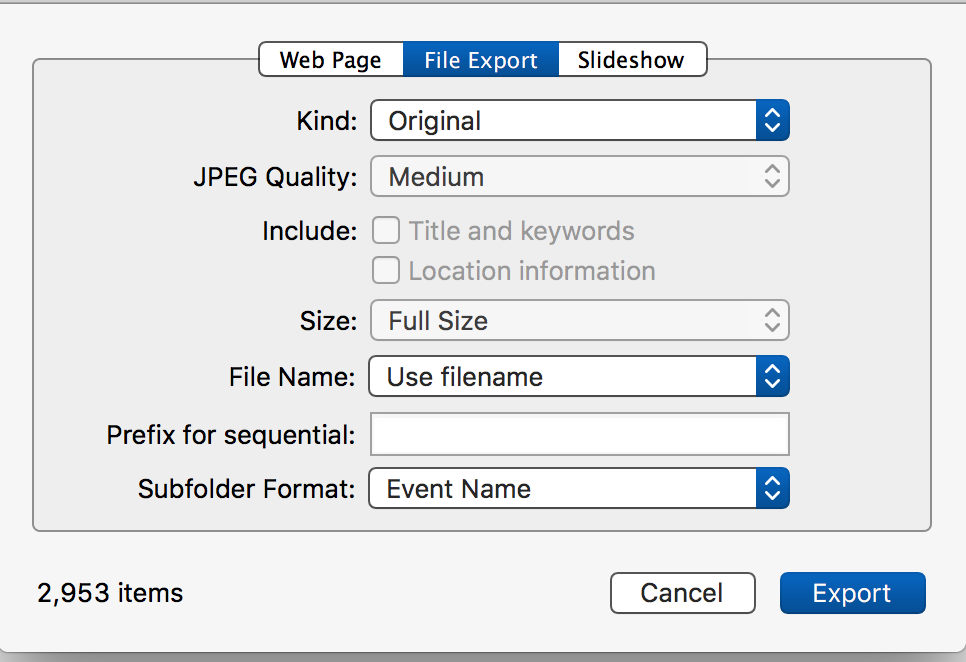
Export all of the photos out of the iPhoto libraries via the File ➙ Export ➙ Export Unmodified Original with these settings:
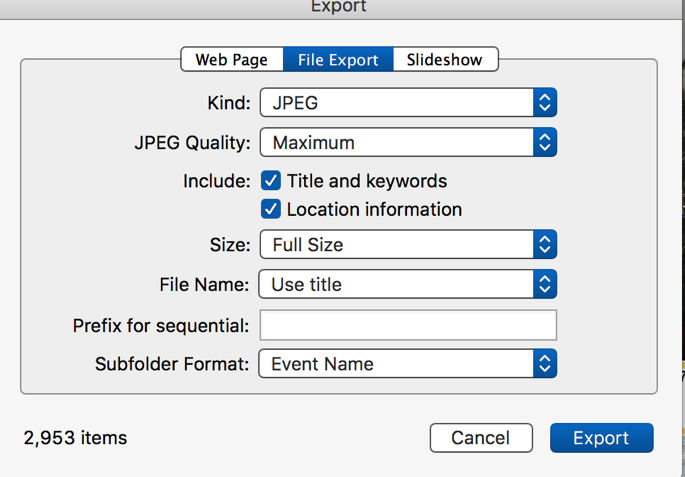
If you've done a lot of metadata adding to the images and don't want to lose the keywords, titles or descriptions you've added then with iPhoto export the photos as JPEGS with these settings:
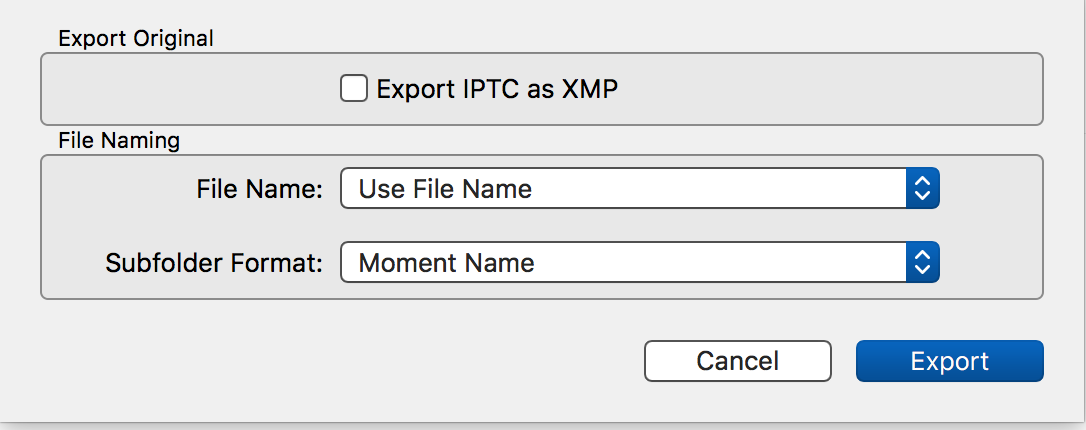
Export all out of the Photos libraries with these settings:
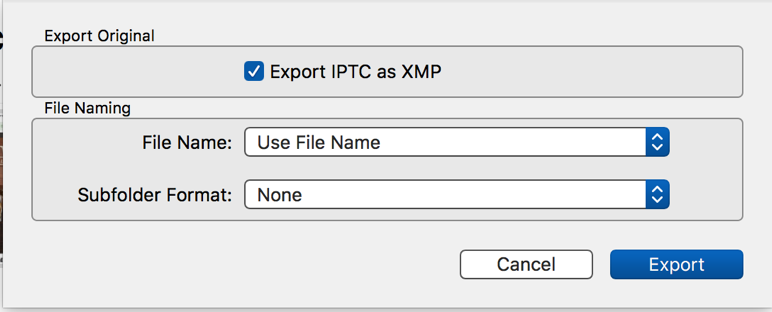
If you want to preserve the metadata from the Photos libraries use these settings:
If you've changed the Title on many of the photos to more descriptive titles then you can opt to use the Title as the new file name.
As for Aperture I believe it will have the same export capability as iPhoto so you can use the same.
I can't help you with Lightroom as I've never used it.
Once you've gotten all of the photos exported into folder names for either Events or Moments you can import them into whatever app you intend to use.
Personally I'd also upgrade my Mac to one that can run Monterey and import all of the folders into the latest version of Photos which can keep the folder organization, i.e. create albums with the folder name they were in when imported.
Photos for Monterey has evolved far from the version used my High Sierra and is many times more reliable and powerful.