Hi meínliàh,
It sounds like you may have restrictions enabled for iMessage and FaceTime if you are indeed missing a toggle button. So you're sure, check out the section "Allow built-in apps and features" in the article here: Use parental controls on your child's iPhone, iPad, and iPod touch
Details from that section are also below.
"You can restrict the use of built-in apps or features. If you turn off an app or feature, the app or feature won't be deleted, it's just temporarily hidden from your Home Screen. For example, if you turn off Mail, the Mail app won't appear on your Home Screen until you turn it back on.
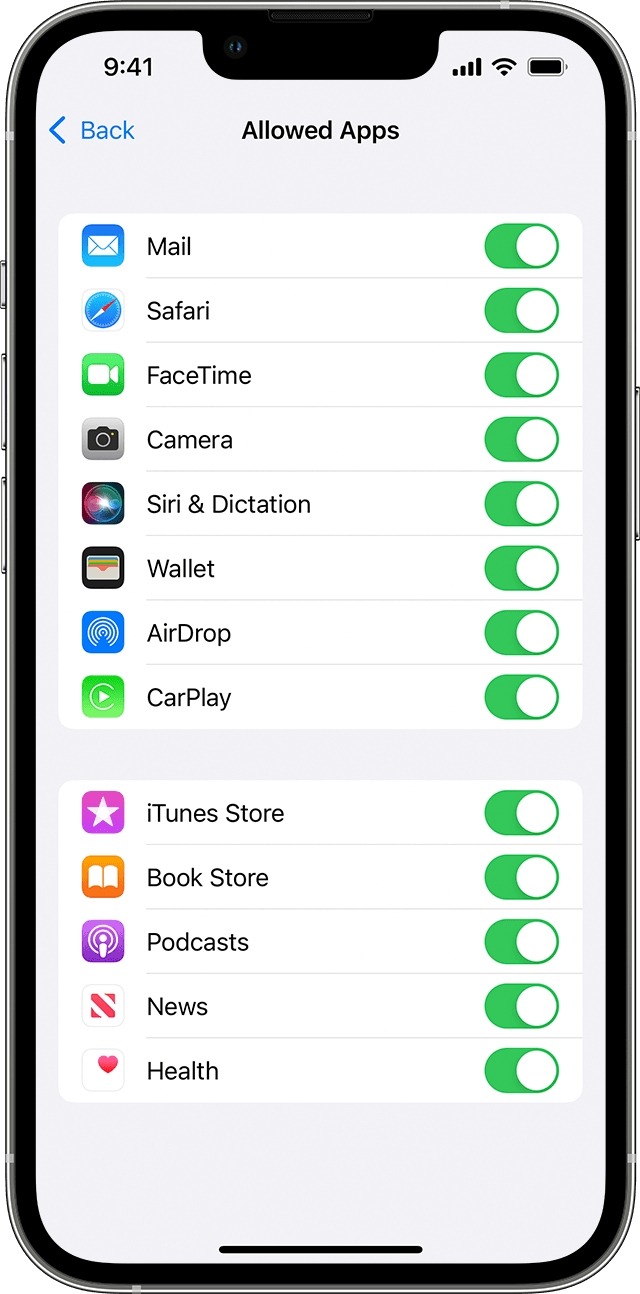
To change your Allowed Apps:
- Go to Settings and tap Screen Time.
- Tap Content & Privacy Restrictions.
- Enter your Screen Time passcode.
- Tap Allowed Apps.
- Select the apps that you want to allow."
If you see both apps are allowed, in the same article scroll to the section "Allow changes to privacy settings" to make sure the microphone, and other privacy settings aren't blocked.
Should you continue to have issues, check and be sure all steps in the article here are completed: If you can’t turn on or sign in to iMessage or FaceTime
This includes waiting 24 hours to attempt to activate iMessage and FaceTime. As the article states, should the issue continue reach out to Apple Support directly to further assist.
Contact Apple Support
Cheers!


