My apple keeps asking me for billing address and wotn let me download games i bought before
Both my ipads
iPad, iPadOS 15
Both my ipads
iPad, iPadOS 15
Hello pieljoe,
We recommend using the troubleshooting steps below which are aimed at resolving issues with both downloading your apps and also possible billing related issues:
Open the App Store and sign in
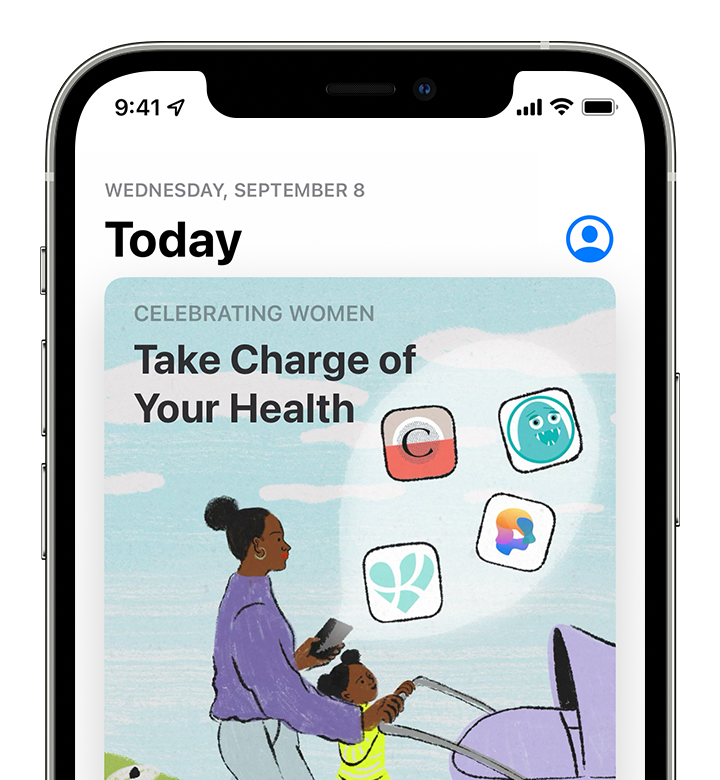
If a blue account button appears at the top of the App Store, you might not be signed in. Tap it and sign in with your Apple ID. Learn what to do if you forgot your password.
Learn what to do if you can't open the App Store.
Manually update the app
In the App Store, try to update the app manually.
Check your payment method
You might need to have a payment method on file, even if the app that you want to download is free. See what payment method you have on file and make sure that it isn't expired, declined, or failed.
If you can't update apps and you see a message that says “your account is disabled in the App Store,” there might be a problem with your payment method. Contact Apple Support for assistance.
Prioritize the download
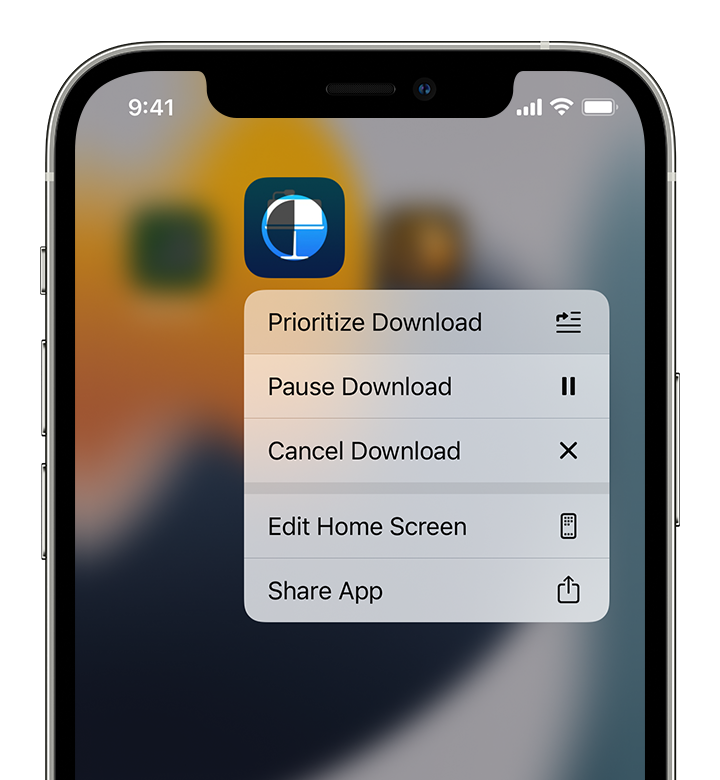
From the Home Screen, touch and hold the app. From the menu that appears, choose Prioritize Download.
Restart your device
Restart your iPhone or restart your iPad.
Then check to see if you can download or update apps.
Contact Apple
If you still can't download or update apps on your iPhone or iPad, contact Apple Support.
For more details: If you can’t download or update apps on your iPhone or iPad
All the best.
Hello pieljoe,
We recommend using the troubleshooting steps below which are aimed at resolving issues with both downloading your apps and also possible billing related issues:
Open the App Store and sign in
If a blue account button appears at the top of the App Store, you might not be signed in. Tap it and sign in with your Apple ID. Learn what to do if you forgot your password.
Learn what to do if you can't open the App Store.
Manually update the app
In the App Store, try to update the app manually.
Check your payment method
You might need to have a payment method on file, even if the app that you want to download is free. See what payment method you have on file and make sure that it isn't expired, declined, or failed.
If you can't update apps and you see a message that says “your account is disabled in the App Store,” there might be a problem with your payment method. Contact Apple Support for assistance.
Prioritize the download
From the Home Screen, touch and hold the app. From the menu that appears, choose Prioritize Download.
Restart your device
Restart your iPhone or restart your iPad.
Then check to see if you can download or update apps.
Contact Apple
If you still can't download or update apps on your iPhone or iPad, contact Apple Support.
For more details: If you can’t download or update apps on your iPhone or iPad
All the best.
My apple keeps asking me for billing address and wotn let me download games i bought before