how to find an ICC ID# of iPad I purchased from apple
need an icc id# from back of iPad
need an icc id# from back of iPad
Hi there roxiemon6861,
You will only find the model number and serial number of your iPad on the back of the device.
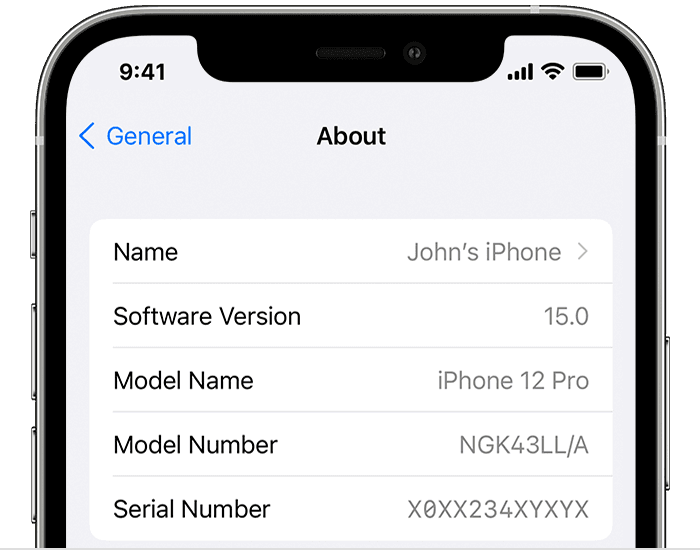
If you want to locate the ICCID, follow these steps from Find the serial number or IMEI on your iPhone, iPad, or iPod touch:
1. Go to Settings > General and tap About.
2. Look for the serial number. You might need to scroll down to find the IMEI/MEID, and ICCID.
3. To paste this information into Apple registration or support forms, touch and hold the number to copy.
You can also find the ICCID on the original packaging of the iPad. If you are trying to locate the ICCID for a specific reason, please provide more details.
We hope that helps!
Hi there roxiemon6861,
You will only find the model number and serial number of your iPad on the back of the device.
If you want to locate the ICCID, follow these steps from Find the serial number or IMEI on your iPhone, iPad, or iPod touch:
1. Go to Settings > General and tap About.
2. Look for the serial number. You might need to scroll down to find the IMEI/MEID, and ICCID.
3. To paste this information into Apple registration or support forms, touch and hold the number to copy.
You can also find the ICCID on the original packaging of the iPad. If you are trying to locate the ICCID for a specific reason, please provide more details.
We hope that helps!
how to find an ICC ID# of iPad I purchased from apple