phone ringing but nothing on screen on iphone
phone ringing but nothing on screen on iphone
phone ringing but nothing on screen on iphone
Hello jasleen147,
To help resolve this issue, first restart. your iPhone. This is a small step that can resolve many issues:
How to restart your iPhone X, 11, 12, or 13
1. Press and hold either volume button and the side button until the power-off slider appears.
2. Drag the slider, then wait 30 seconds for your device to turn off. If your device is frozen or unresponsive, force restart your device.
3. To turn your device back on, press and hold the side button (on the right side of your iPhone) until you see the Apple logo.
How to restart your iPhone SE (2nd or 3rd generation), 8, 7, or 6
1. Press and hold the side button until the power-off slider appears.
2. Drag the slider, then wait 30 seconds for your device to turn off. If your device is frozen or unresponsive, force restart your device.
3. To turn your device back on, press and hold the side button until you see the Apple logo.
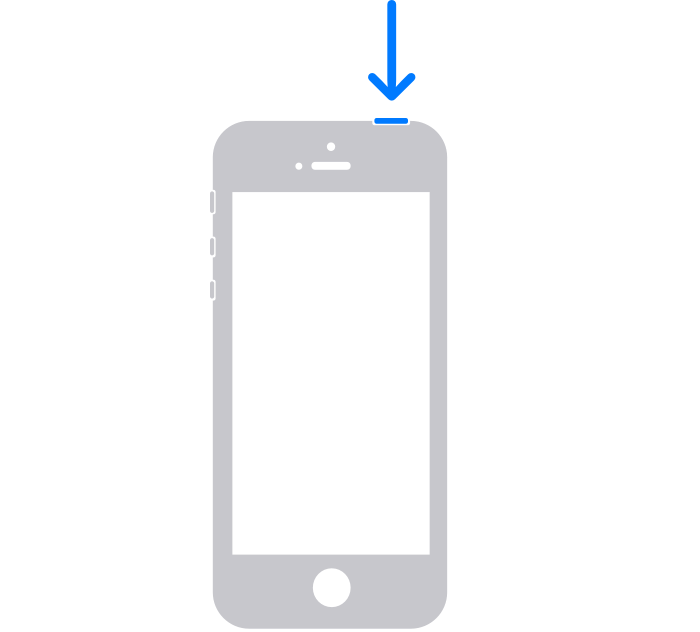
How to restart your iPhone SE (1st generation), 5, or earlier
Press and hold the top button until the power-off slider appears.
2. Drag the slider, then wait 30 seconds for your device to turn off. If your device is frozen or unresponsive, force restart your device.
3. To turn your device back on, press and hold the top button until you see the Apple logo.
Next, follow the step in this article: If the screen isn't working on your iPhone or iPad:
Best Regards.
phone ringing but nothing on screen on iphone