Decline payment
Good day…pls av been trying to subscribe and pay for FaceApp but my payment has been declining everytime I try…,pls what should I do?
iPhone XR, iOS 14
Good day…pls av been trying to subscribe and pay for FaceApp but my payment has been declining everytime I try…,pls what should I do?
iPhone XR, iOS 14
Hello and welcome to Apple Support Communities, Imoleayo1518!
We understand your payment method has been declined whenever you try to subscribe to an app. We'd be happy to provide information to help you out.
Try the steps suggested here, as these can really help: If your payment method is declined in the App Store or iTunes Store
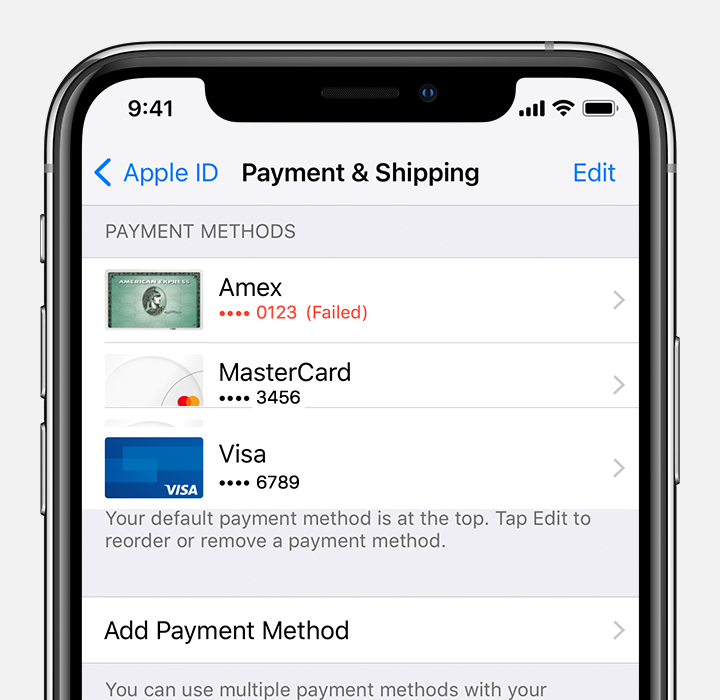
1. Use your device to check your payment information. You might see red text that explains why the payment method can't be charged.
2. If your card was declined, add a new payment method or update your payment information. You can add multiple payment methods to your Apple ID.
3. Your payment method will be charged for the unpaid balance. Then you can make other purchases and update your apps, including free apps.
Additional steps are included below these in the above article.
Have a great day!
Hello and welcome to Apple Support Communities, Imoleayo1518!
We understand your payment method has been declined whenever you try to subscribe to an app. We'd be happy to provide information to help you out.
Try the steps suggested here, as these can really help: If your payment method is declined in the App Store or iTunes Store
1. Use your device to check your payment information. You might see red text that explains why the payment method can't be charged.
2. If your card was declined, add a new payment method or update your payment information. You can add multiple payment methods to your Apple ID.
3. Your payment method will be charged for the unpaid balance. Then you can make other purchases and update your apps, including free apps.
Additional steps are included below these in the above article.
Have a great day!
Decline payment