I can’t connect my Beats Studio to my iPhone Bluetooth

I can’t connect my beats studio wireless headphones to my iPhone Bluetooth when I power the headphones and hold the power button to go into connecting mode it blinks red and then just turns on regularly and I can’t find it in Bluetooth

Posted on Apr 25, 2022 5:50 PM

Reply
Question marked as Top-ranking reply

Posted on Apr 27, 2022 8:06 AM

Hi buyrum,


Do the Beats Studio pair with other devices?

Also, be sure to reset those headphones and try again:

Reset your Beats on-ear or over-ear headphones - Apple Support

Reset Studio or Studio Wireless
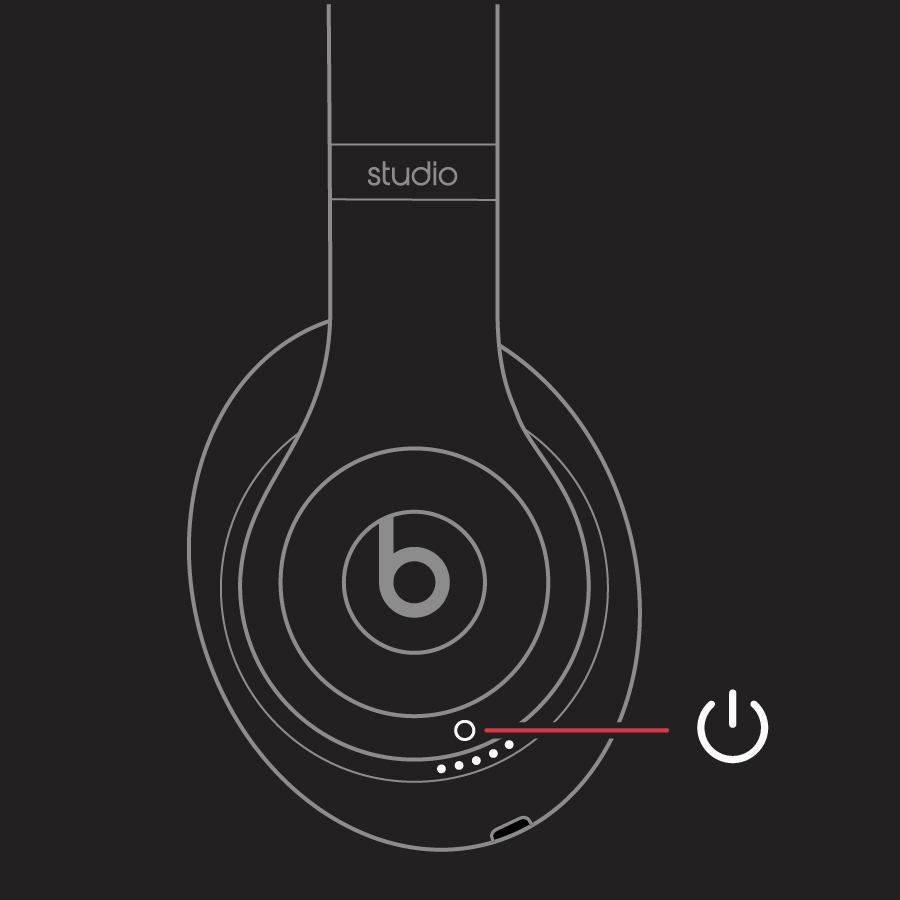
1. Press and hold the power button for 10 seconds.
Studio and Studio Wireless buttons

2. Release the power button.
3. All of the Fuel Gauge LEDs blink white, then one LED blinks red. This sequence happens three times. When the lights stop flashing, your headphones are reset.
Your Studios will automatically power on after a successful reset.


Take care!


Similar questions

1 reply
Question marked as Top-ranking reply

Apr 27, 2022 8:06 AM in response to buyrum

Hi buyrum,


Do the Beats Studio pair with other devices?

Also, be sure to reset those headphones and try again:

Reset your Beats on-ear or over-ear headphones - Apple Support

Reset Studio or Studio Wireless
1. Press and hold the power button for 10 seconds.
Studio and Studio Wireless buttons

2. Release the power button.
3. All of the Fuel Gauge LEDs blink white, then one LED blinks red. This sequence happens three times. When the lights stop flashing, your headphones are reset.
Your Studios will automatically power on after a successful reset.


Take care!


This thread has been closed by the system or the community team. You may vote for any posts you find helpful, or search the Community for additional answers.

I can’t connect my Beats Studio to my iPhone Bluetooth

Welcome to Apple Support Community
A forum where Apple customers help each other with their products. Get started with your Apple Account.